
Help Center

Getting Started
Trading
My Account
Mutual Funds
IPOs
Stock SIP
Gold
NPS
Government Securities
Fixed Deposits
Insurance
Loan
Smallcase
DartStock
Upstox API
NCD
US Stocks
Minor Account
How to login in Upstox app using mobile number?
Upstox has introduced a new way for users to sign in and register. The two-step login process allows users to log in using their 10-digit registered mobile number and a 6-digit PIN. Users can also set up biometrics to log in to the application in just two clicks.
To log in to the app, follow these steps:
Step 1: Enter your 10-digit registered mobile number which is linked to Upstox.
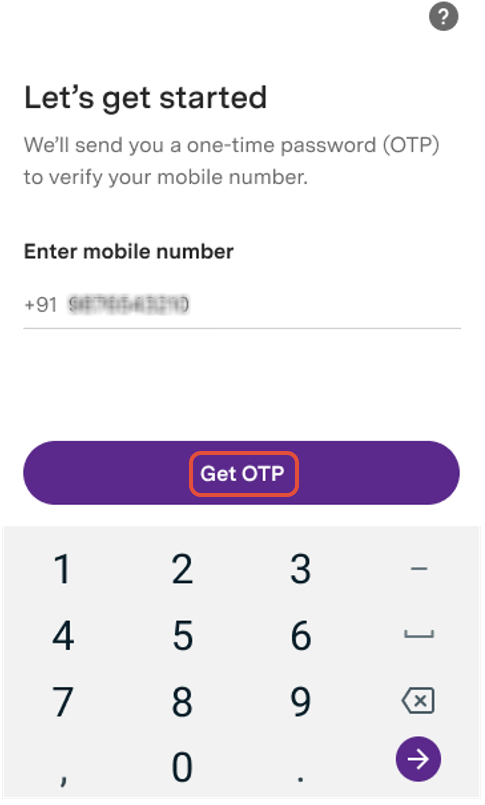
Step 2: You will receive an OTP on your mobile number and your email address, enter the same to verify and proceed.
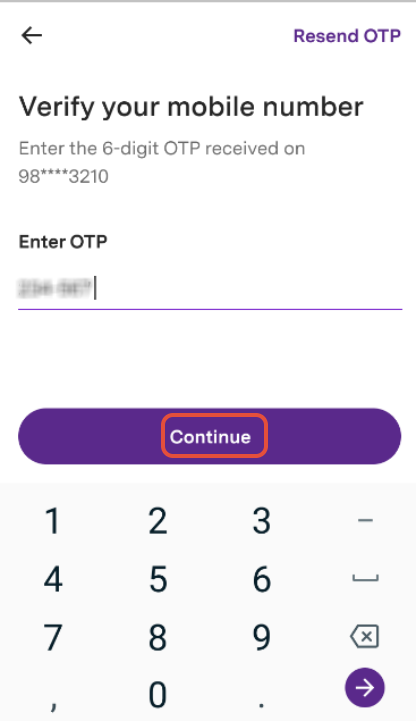
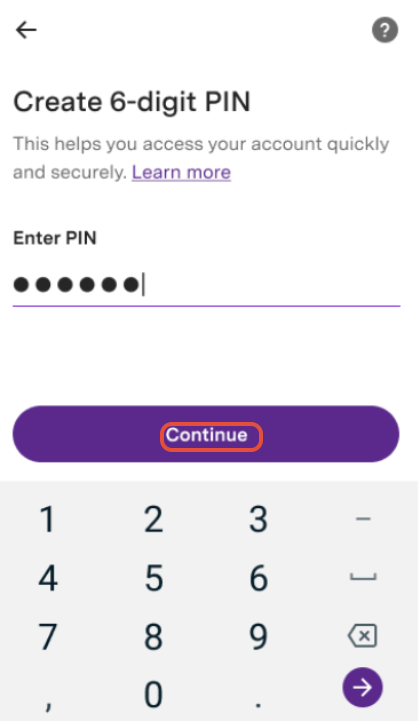
Step 3: Create a 6-digit PIN and confirm the same.
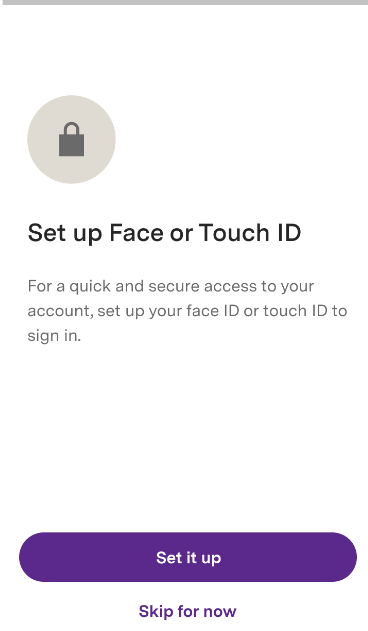
Step 4: Enable your biometrics (if your phone supports it like Face ID/Touch ID). You can skip this step too.
Step 5: Now you are successfully logged into the Upstox App.
Keep in Mind:
Your mobile number authentication will be valid for 30 days on a mobile device and 7 days on a browser.
Any subsequent logins will only require you to enter your 6-digit PIN.
If biometrics are enabled, you can log in directly via biometrics.
If you haven’t enabled biometrics or don’t have a phone with biometric features, you can log in using the 6-digit PIN you set.
If you uninstall and reinstall the app, you will need to authenticate using the OTP sent to your mobile number and email, as well as the 6-digit PIN.
Related Articles:
Trade with Upstox
Want to open a Demat account?
Open a FREE Demat and Trading account to invest in Stocks, Mutual Funds, IPOs and more.
By signing up you agree to receive transaction updates on Whatsapp. You may also receive a call from an Upstox representative to help you with the account opening process.
Upstox Community
Upstox Community
| Topic | Replies | Views | Activity |
|---|