
Help Center

Getting Started
Trading
My Account
Mutual Funds
IPOs
Stock SIP
Gold
NPS
Government Securities
Fixed Deposits
Insurance
Loan
Smallcase
DartStock
Upstox API
NCD
US Stocks
How can I check trade reports?
Step 1: Log in to the Upstox app using your 6-digit PIN or biometric authentication.
Step 2: Tap the Upstox icon located at the top-left corner of the app screen.
Step 3: Go to My Account and select Reports.
Step 4: In the Reports section, choose Trade Report.
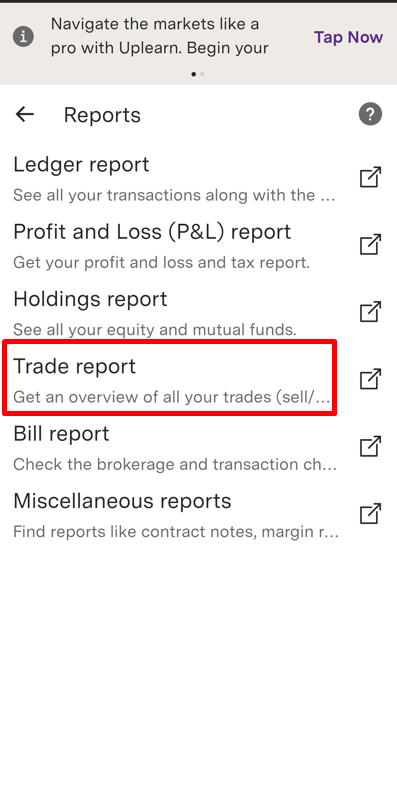
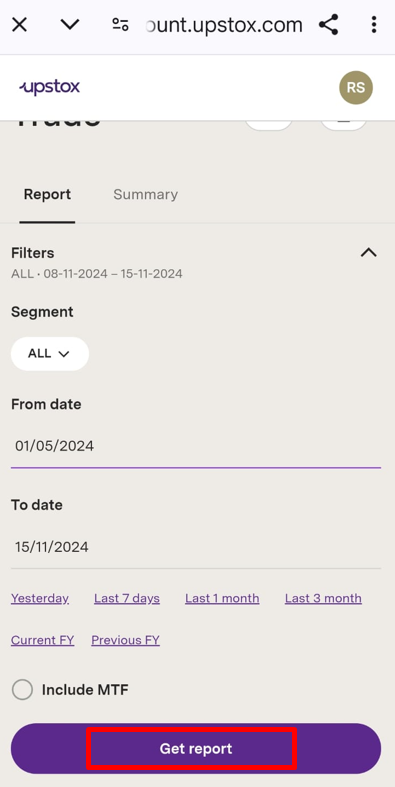
Step 5: Tap Filters.
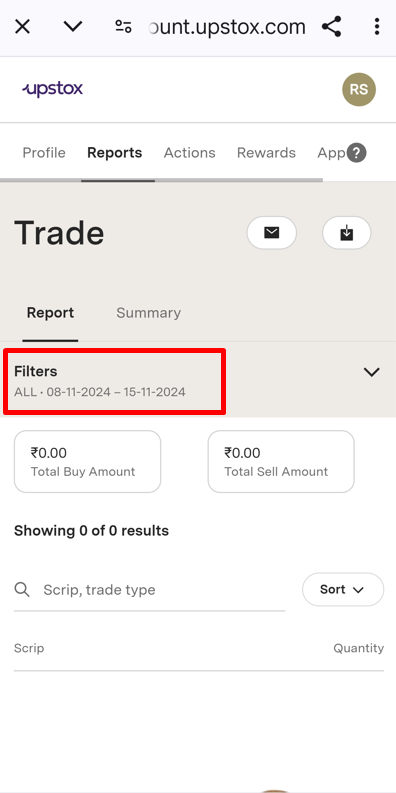
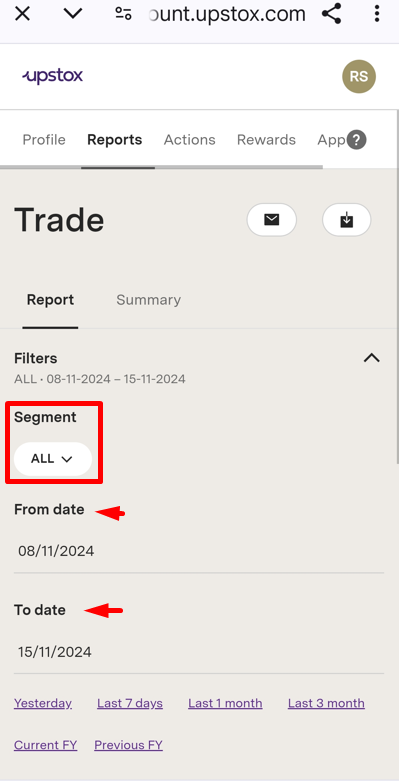
Step 6: Select the relevant Segment and Date range as needed.
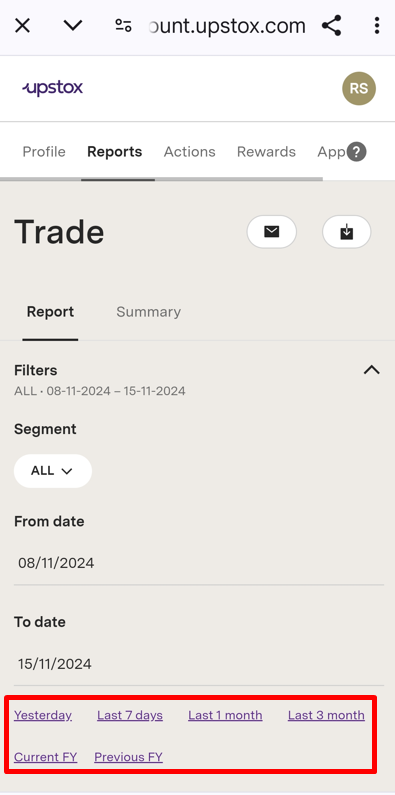
Predefined date ranges are also available for convenience.
Step 7: Tap Get report.
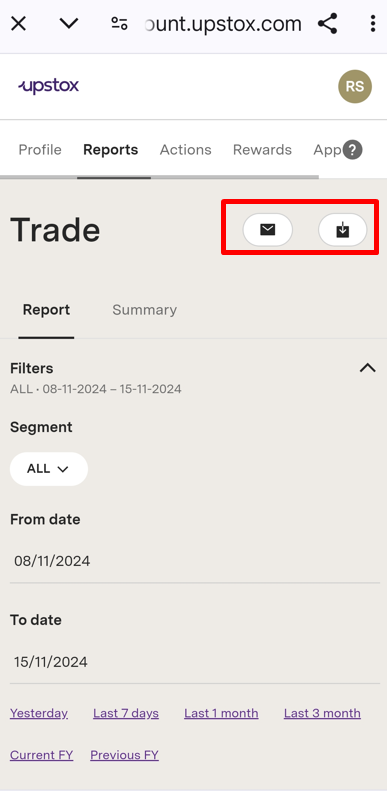
Step 8: You can download the report or have it sent directly to your registered email address.
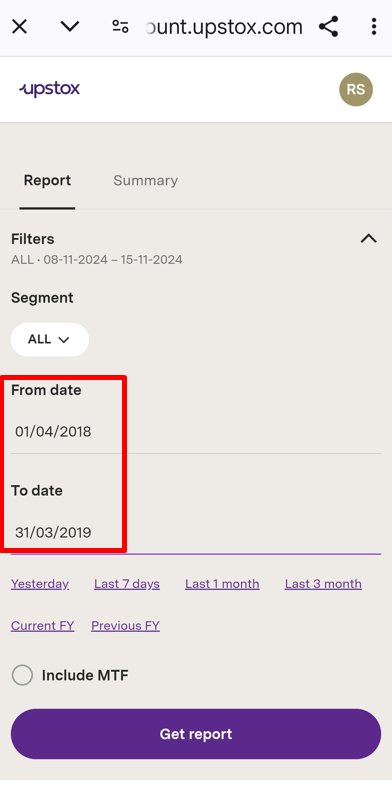
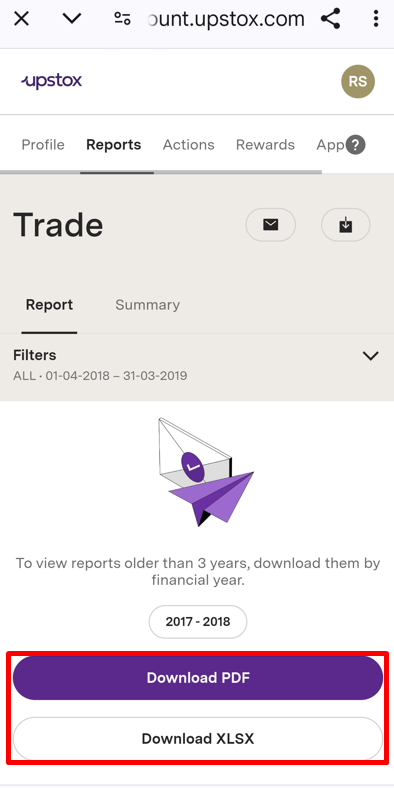
Note: For reports older than three financial years ago, choose the specific year from the date range, then tap Get Report.
Step 9: Choose the Financial Year.
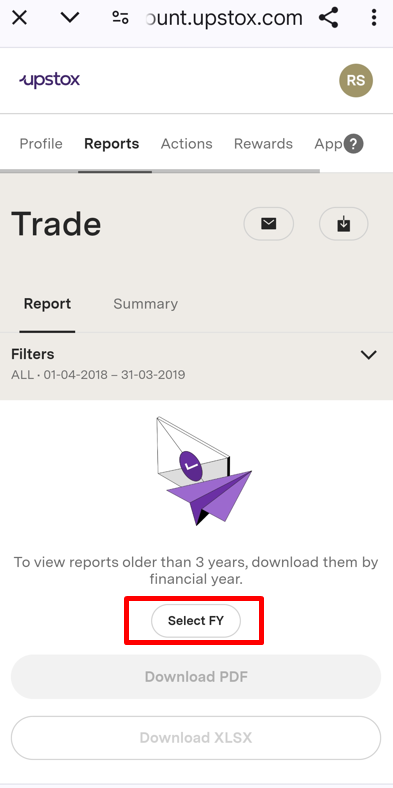
Step 10: After selecting the Financial Year, you can download the report in either PDF or Excel format.
Trade with Upstox
Want to open a Demat account?
Open a FREE Demat and Trading account to invest in Stocks, Mutual Funds, IPOs and more.
By signing up you agree to receive transaction updates on Whatsapp. You may also receive a call from an Upstox representative to help you with the account opening process.
Upstox Community
Upstox Community
| Topic | Replies | Views | Activity |
|---|