
Help Center

Getting Started
Trading
My Account
Mutual Funds
IPOs
Stock SIP
Gold
NPS
Government Securities
Fixed Deposits
Insurance
Loan
Smallcase
DartStock
Upstox API
NCD
US Stocks
Minor Account
How to place a sell order?
For DDPI Enabled Customer:
Step 1: After logging in to the trading platform, go to ‘Holdings'.
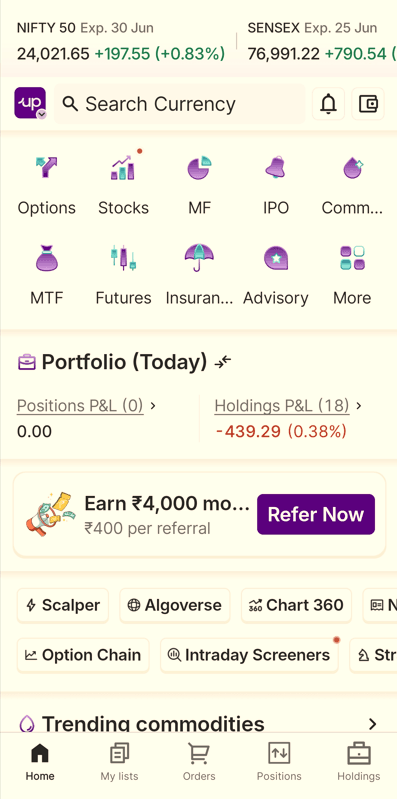
Step 2: Select any stock you want to sell and click ‘Sell’.
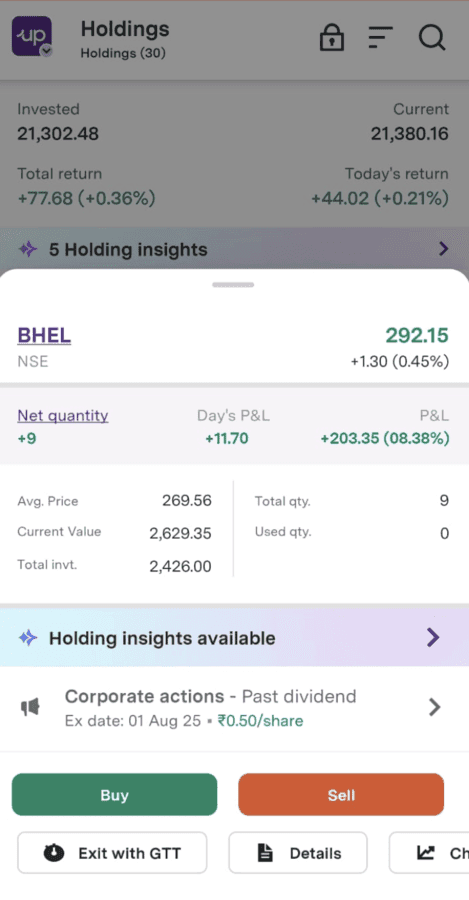
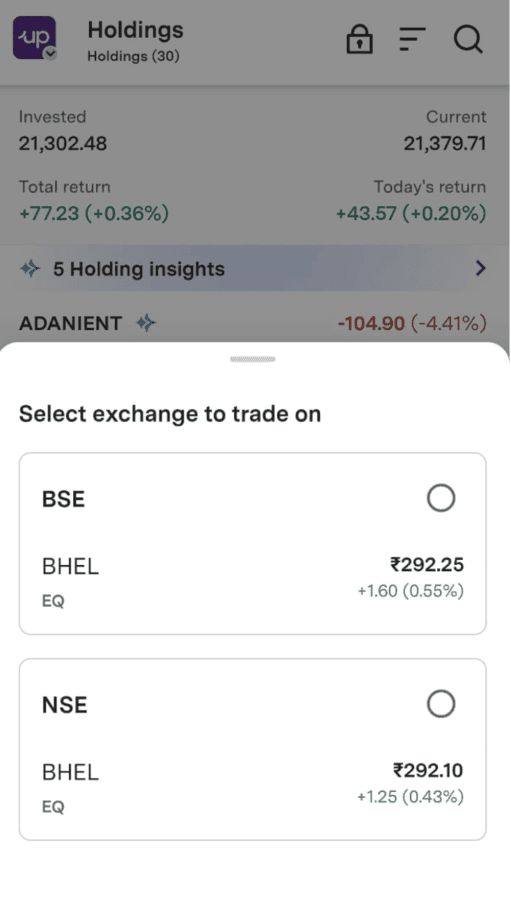
Step 3: Select the exchange in which you want to sell your shares.
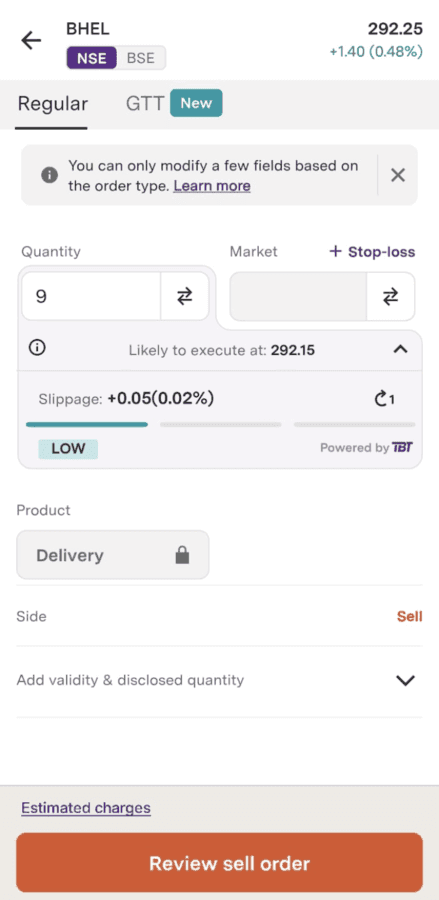
Step 4: Fill in the details on the order entry page and click ‘Review sell order’.
Step 5: After reviewing click on ‘Submit order’.
For NON DDPI Enabled Customers:
Step 1: After logging in to the trading platform, go to ‘Portfolio’ and click ‘Holdings’.
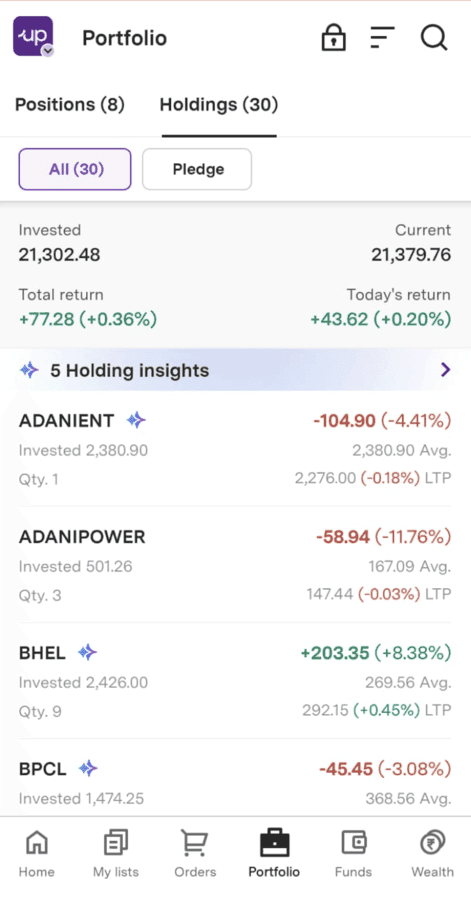
Step 2: Select any stock you want to sell and click ‘Sell’.
Step 3: Select the exchange in which you want to sell your shares.
Step 4: Fill in the details on the order entry page and click ‘Review sell order’.
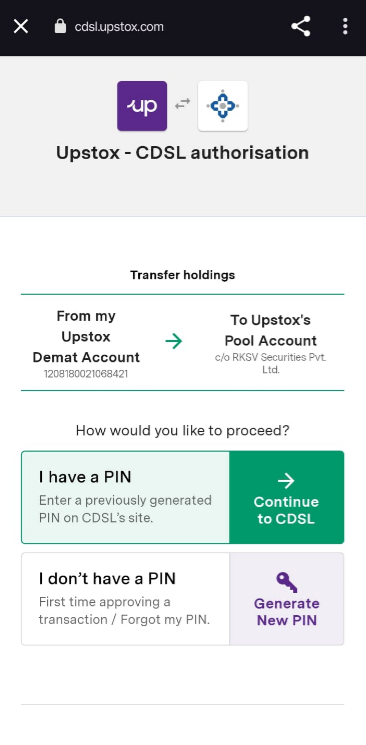
Step 5:
1. If you have a PIN, click on the ‘Continue to CDSL’ button.
2. If you don’t have a PIN, click on 'Generate New PIN.' You will receive it on your registered email id and mobile number.
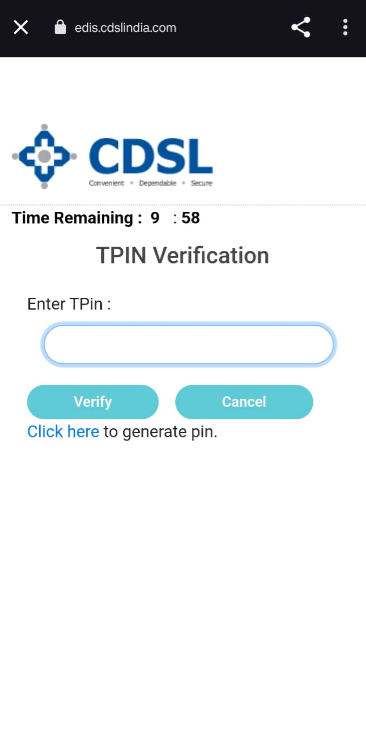
Step 6: Enter your TPIN and click on ‘Verify’.
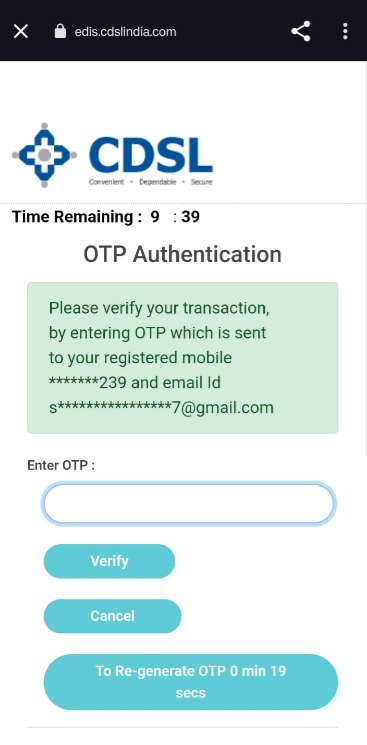
Step 7: A new OTP will be sent to your registered mobile number and email id for verification. Enter the OTP and click 'Verify'.
Step 8: You will be redirected to the order confirmation page. Confirm your order.
Trade with Upstox
Want to open a Demat account?
Open a FREE Demat and Trading account to invest in Stocks, Mutual Funds, IPOs and more.
By signing up you agree to receive transaction updates on Whatsapp. You may also receive a call from an Upstox representative to help you with the account opening process.
Upstox Community
Upstox Community
| Topic | Replies | Views | Activity |
|---|