
Help Center

Getting Started
Trading
My Account
Mutual Funds
IPOs
Stock SIP
Gold
NPS
Government Securities
Fixed Deposits
Insurance
Loan
Smallcase
DartStock
Upstox API
NCD
US Stocks
Minor Account
How can I place a stop loss order?
What is a Stop Loss order?
A stop-loss order is placed to buy or sell a stock when it reaches a specified price. It serves as a risk management tool, primarily intended to limit losses on a stock already in your portfolio.
The price set in the stop-loss order represents the maximum acceptable risk for that stock. This order can be either a limit order or a market order.
How to place a Stop Loss order?
Step 1: Log in to your Upstox account.
Step 2: Select the stock you want to trade from your Positions or Holdings.
Step 3: To initiate a stop-loss limit order, follow these steps:
Click on ‘+ Stop-loss’.
Click on the Switcher to switch from Market to Limit.
Specify the desired 'Price,' indicating the level at which you want the order to be executed.
Enter the 'Trigger Price,' which serves as the activation point for the order.
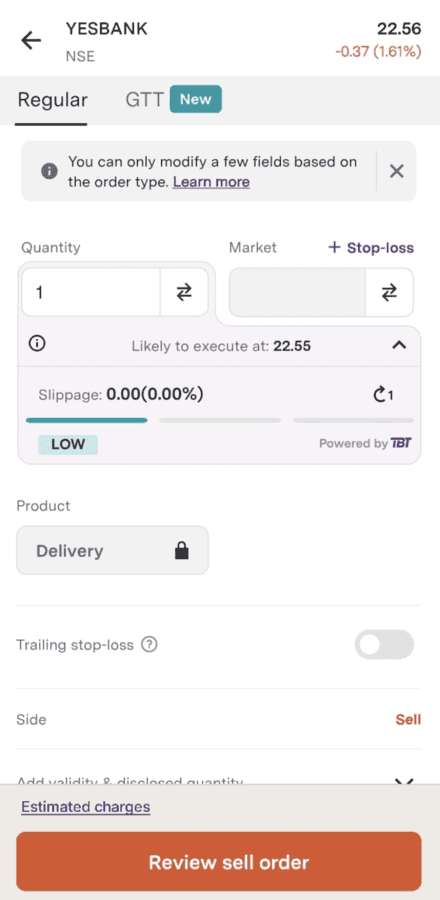
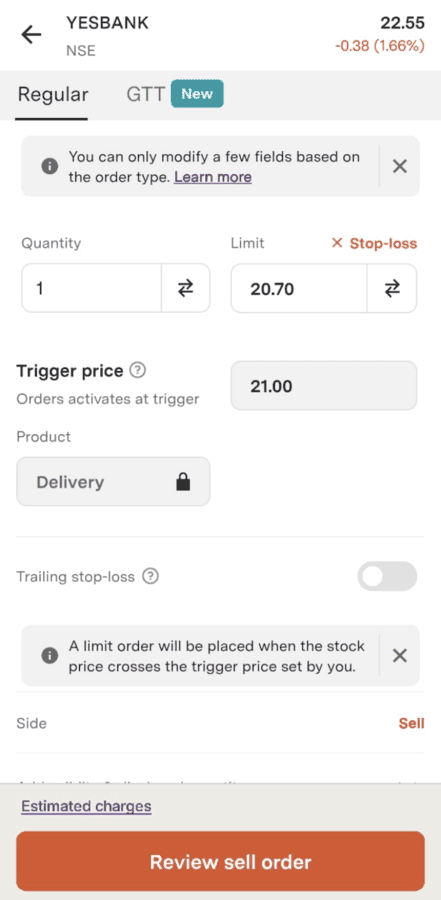
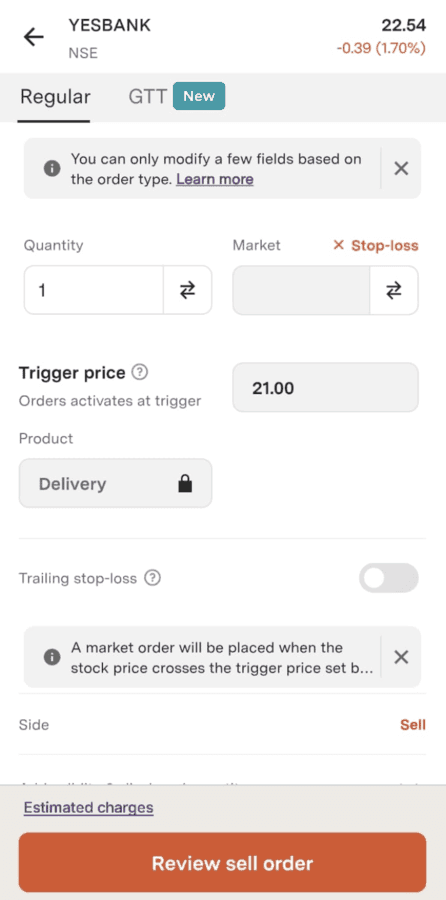
Step 4: To place a stop-loss market order, you need to click on ‘+ Stop-loss’ and enter the 'Trigger Price'.
Trade with Upstox
Want to open a Demat account?
Open a FREE Demat and Trading account to invest in Stocks, Mutual Funds, IPOs and more.
By signing up you agree to receive transaction updates on Whatsapp. You may also receive a call from an Upstox representative to help you with the account opening process.
Upstox Community
Upstox Community
| Topic | Replies | Views | Activity |
|---|