
Help Center

Getting Started
Trading
My Account
Mutual Funds
IPOs
Stock SIP
Gold
NPS
Government Securities
Fixed Deposits
Insurance
Loan
Smallcase
DartStock
Upstox API
NCD
US Stocks
Minor Account
How to transfer funds using Net Banking?
Net Banking, or Internet banking, is an electronic payment system that allows you to transfer funds in real time directly to Upstox.
- Select the Net Banking option on the app. A fee of ₹7 will be charged for each transfer.
- You will be redirected to your bank’s Net Banking website, where you can enter your credentials to complete the payment.
- Please refer to the list of banks that support Net Banking transactions on Upstox: List of Banks
Step 1: Log in to the Upstox app using your 6-digit PIN or Biometrics.
Step 2: Click on the ‘Wallet’ icon.
Step 3: Click on ‘Add funds’.
Step 4: Enter the amount and click on 'Net Banking' option and then click on 'Continue' button.
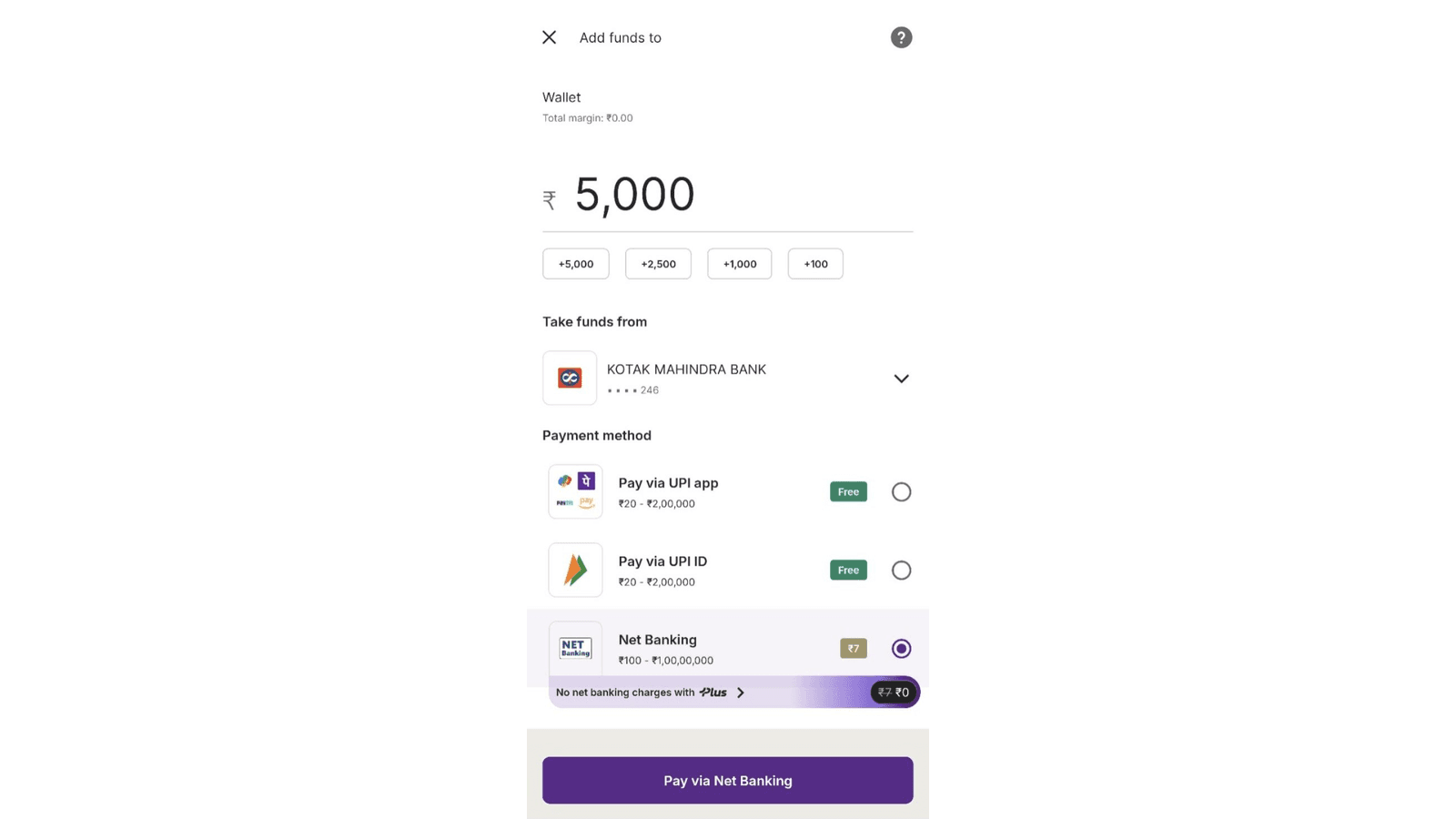
Step 5: It will redirect you to your 'Net banking' page.
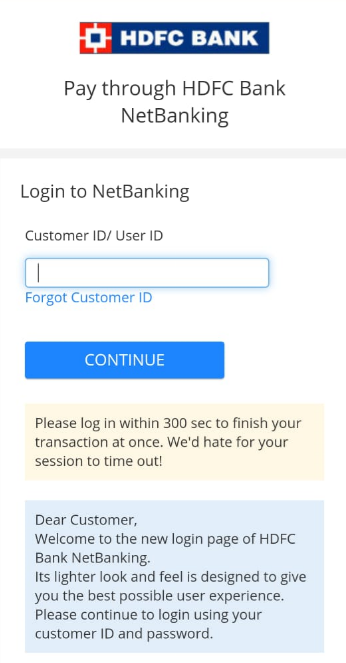
Step 6: Follow the prompts, login to netbanking and your funds will be added within 1-10 minutes.
Trade with Upstox
Want to open a Demat account?
Open a FREE Demat and Trading account to invest in Stocks, Mutual Funds, IPOs and more.
By signing up you agree to receive transaction updates on Whatsapp. You may also receive a call from an Upstox representative to help you with the account opening process.
Upstox Community
Upstox Community
| Topic | Replies | Views | Activity |
|---|