
Help Center

Getting Started
Trading
My Account
Mutual Funds
IPOs
Stock SIP
Gold
NPS
Government Securities
Fixed Deposits
Insurance
Loan
Smallcase
DartStock
Upstox API
NCD
US Stocks
Minor Account
How to reactivate an Upstox account that has been dormant for more than 24 months?
We're glad to know that you'd like to reactivate your Upstox account!
As per Exchange guidelines, since no trades/investments/transactions have been made from your Upstox Trading and Demat or MCX account in the last 24 months we’ve made it inactive/dormant.
As you have not traded for more than 24 months, the segment(s) in your account has/have been marked as dormant. You can reactivate them by submitting a reactivation consent and redoing your KYC.
You can submit your consent by following the below steps:
Step 1: Log in to the Upstox app using your 6-digit PIN or Biometrics.
Step 2: Click on ‘Upstox Icon’ at the top left corner of the screen.
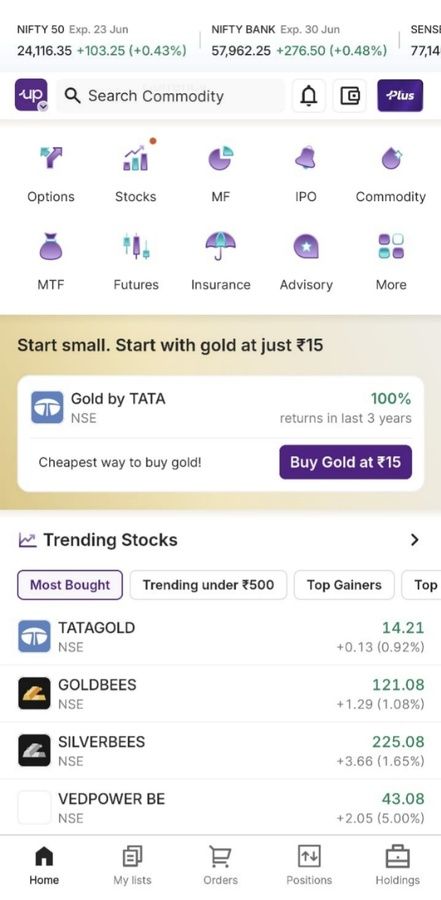
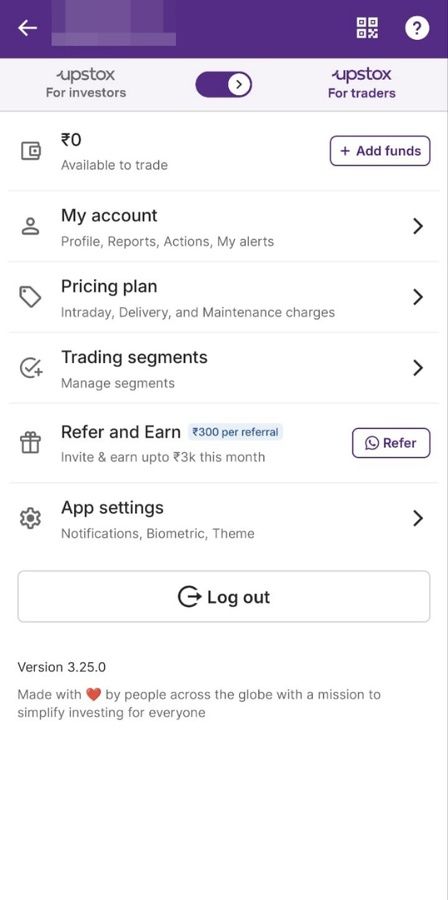
Step 3: Click on ‘Trading Segments’.
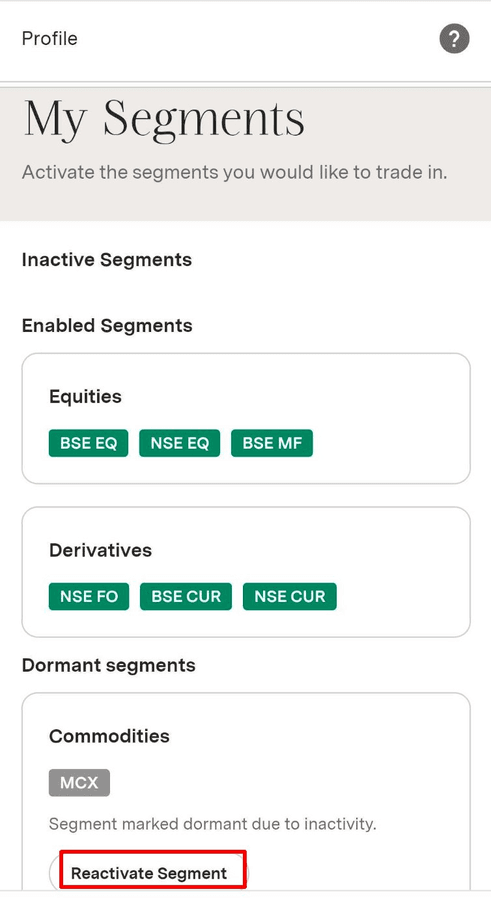
Step 4: Here, you can see which specific segment has been marked dormant. Click on the ‘Reactivate Segment’ button.
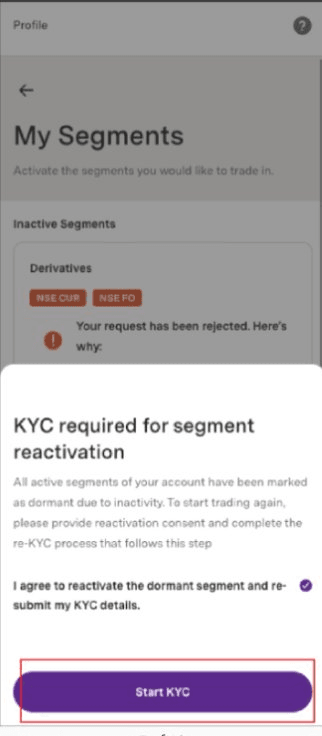
Step 5: Click on I agree and then click on ‘Start KYC’.
Step 6: On the Reactivation page, click on ’Start now’ to continue your reactivation.
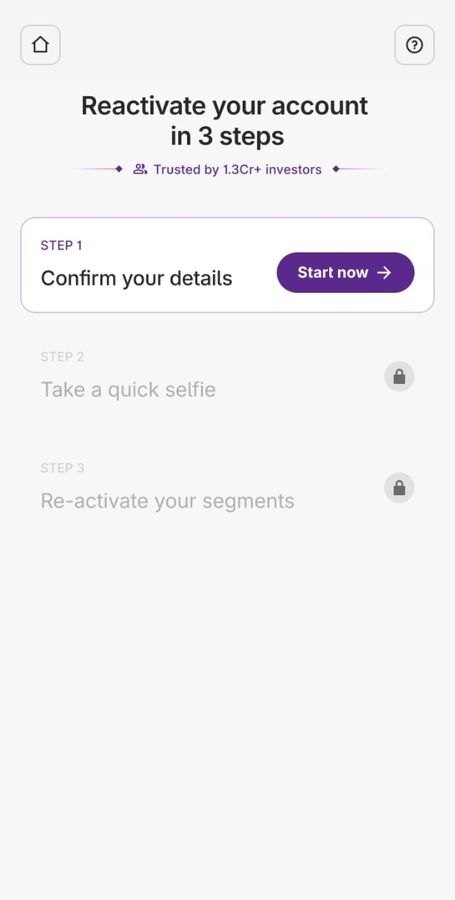
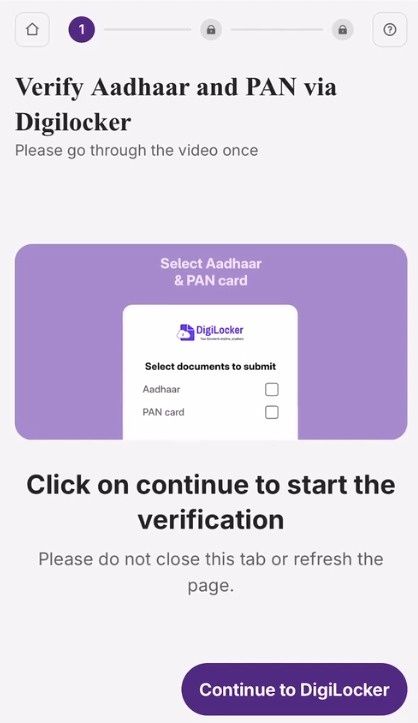
Step 7: Verify Aadhaar and PAN via Digilocker.
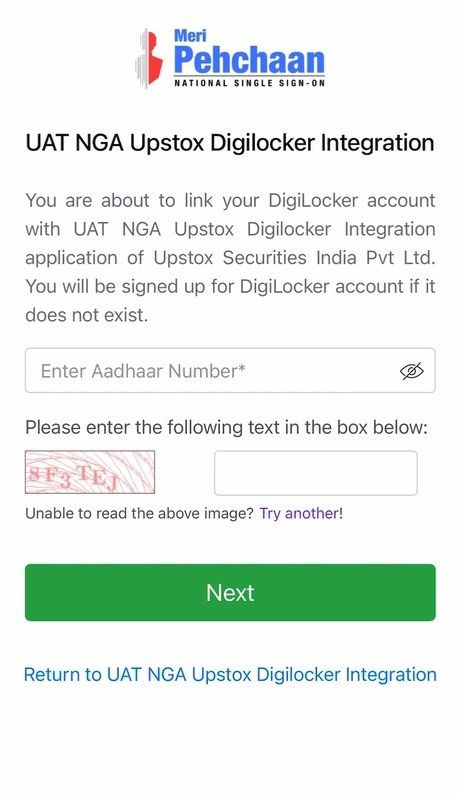
Step 8: Enter the Aadhaar number and click on ‘Next’.
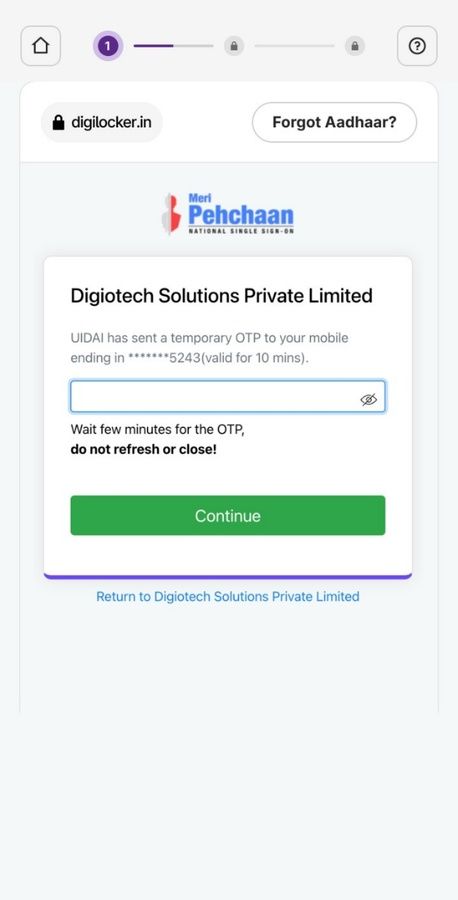
Step 9: Enter the OTP received on the mobile number and click on ‘Continue’. Enter your 6-digit Digi Locker Security PIN and click on ‘Continue’.
Step 10: Select your City and click on ‘Proceed’.
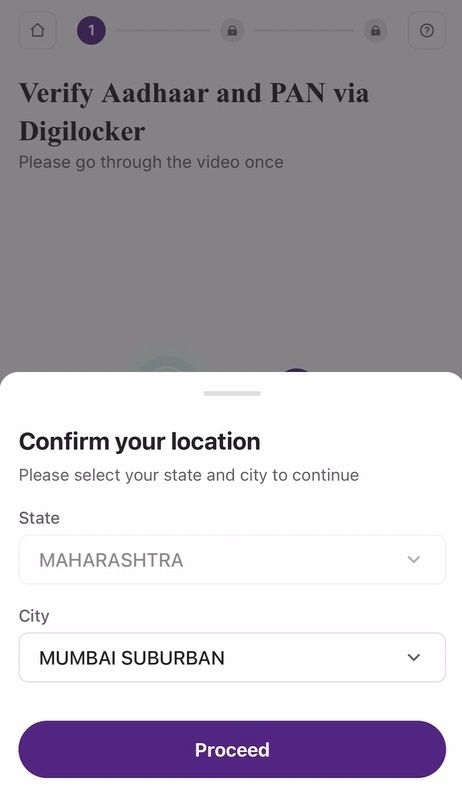
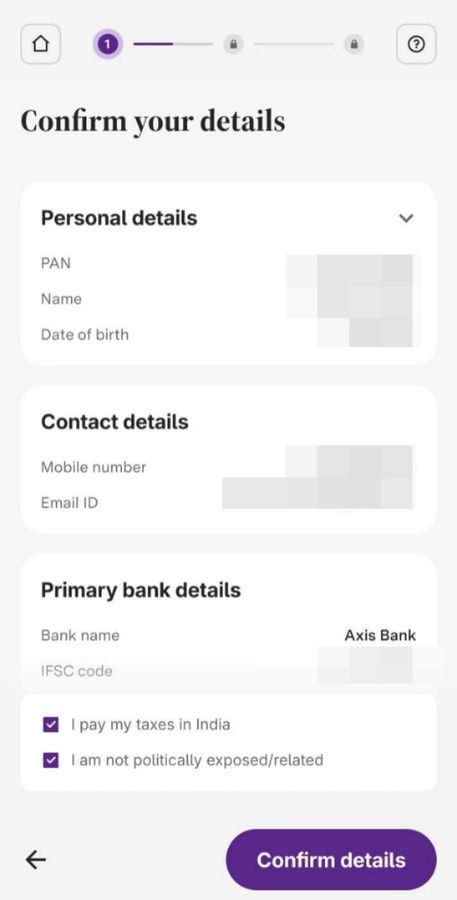
Step 11: On the confirmation page, review the details and click ‘Confirm details.’ You can change your details later in the profile section as well.
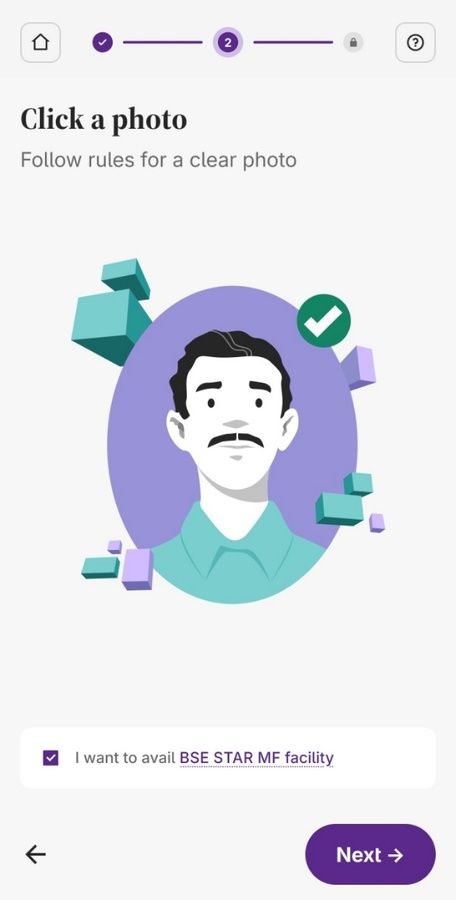
Step 12: Take a clear picture of yourself as per the sample image shown.
Step 13: Draw your signature. Ensure it is legible and clear, then click on ‘Next’.
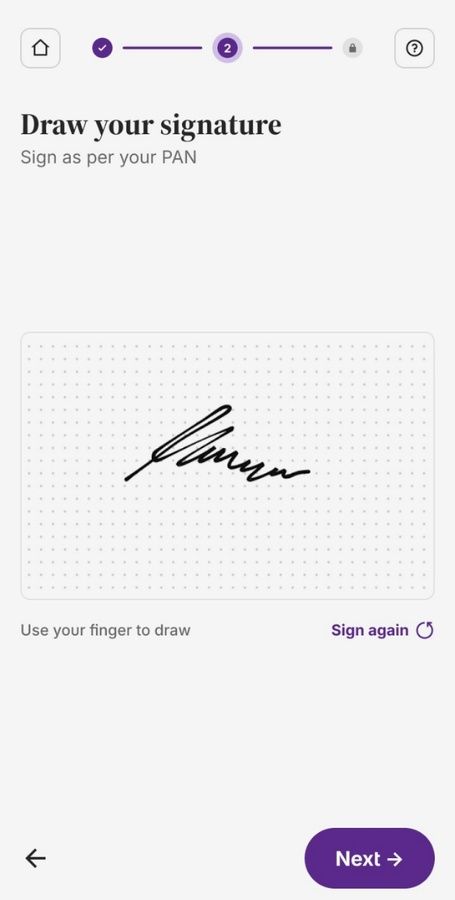
Step 14: Click on ‘Next’ to reactivate segments.
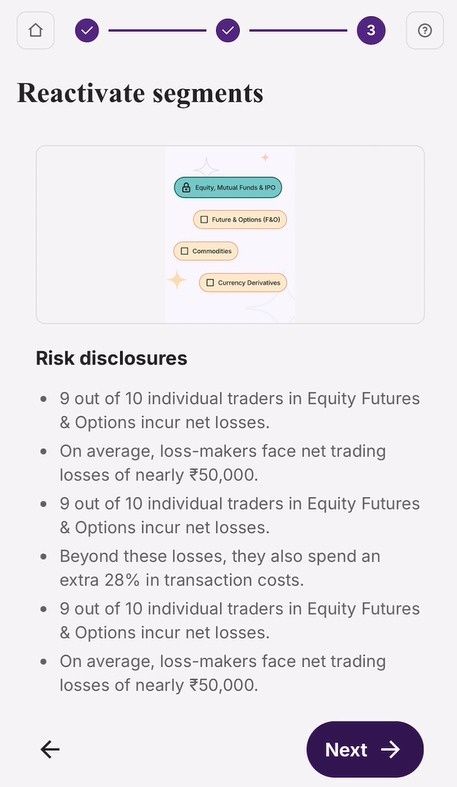
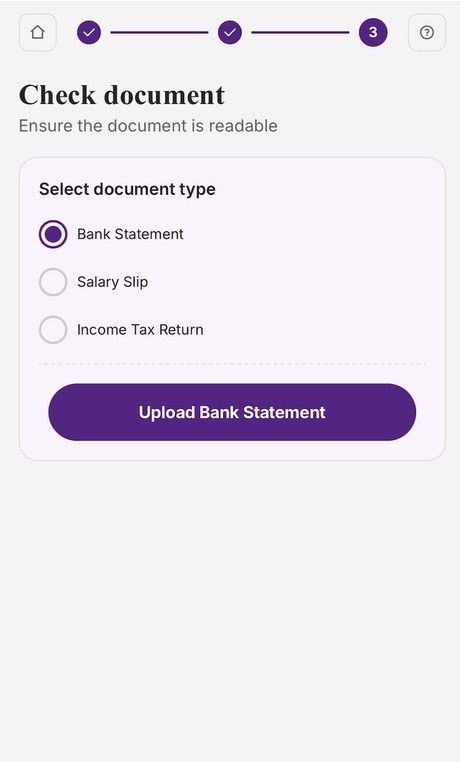
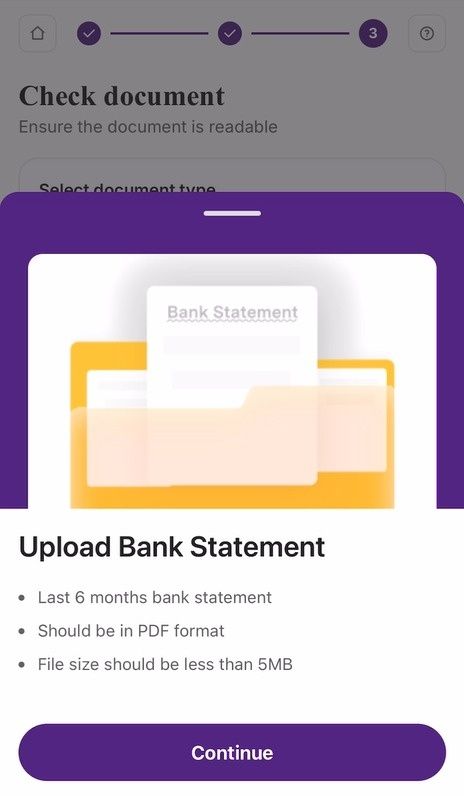
Step 15: Select a valid proof of income, upload the document, and click ‘Continue.’
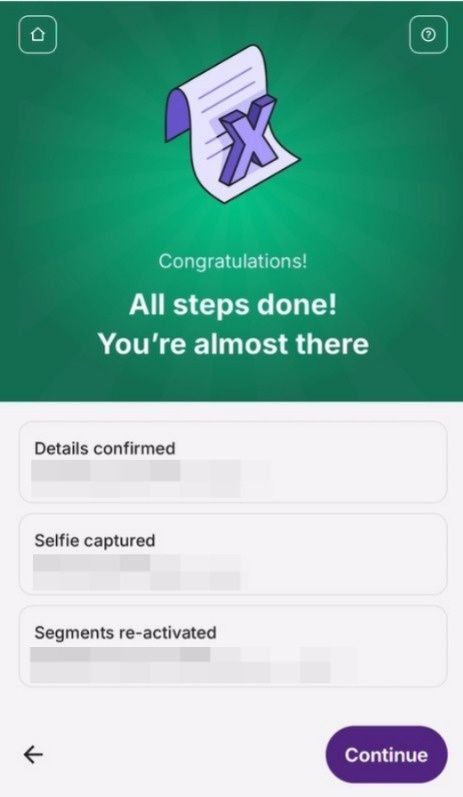
Step 16: Almost done, click on ‘Continue’.
Step 17: You will need to complete an e-sign.
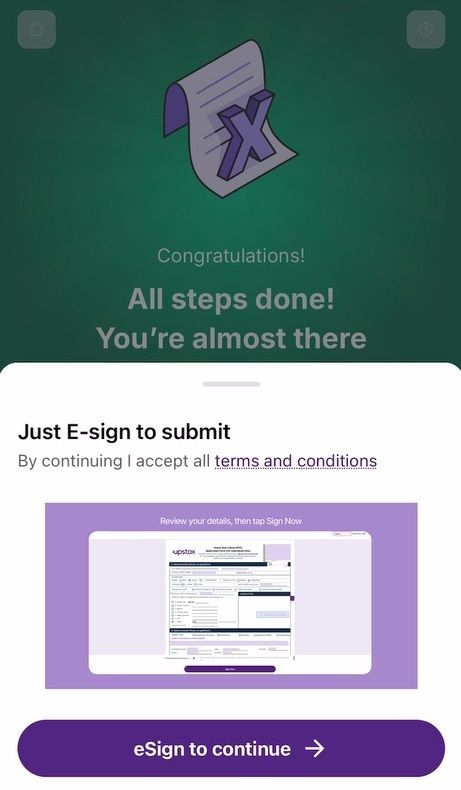
Step 18: Enter your Aadhaar number and verify it using the OTP.
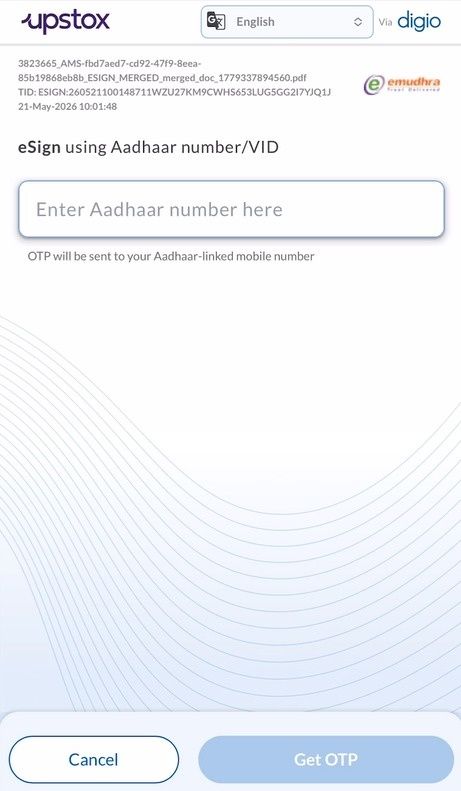
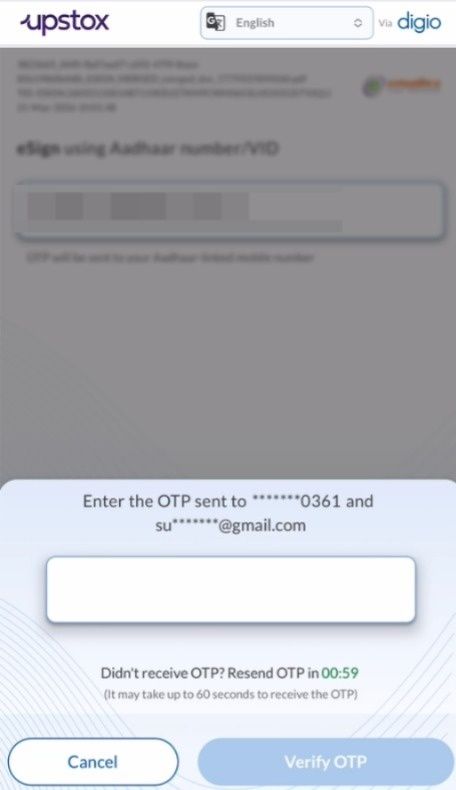
It may take up to 24 to 48 hours after submission to verify your KYC details and reactivate the dormant segment.
Trade with Upstox
Want to open a Demat account?
Open a FREE Demat and Trading account to invest in Stocks, Mutual Funds, IPOs and more.
By signing up you agree to receive transaction updates on Whatsapp. You may also receive a call from an Upstox representative to help you with the account opening process.
Upstox Community
Upstox Community
| Topic | Replies | Views | Activity |
|---|