
Help Center

Getting Started
Trading
My Account
Mutual Funds
IPOs
Stock SIP
Gold
NPS
Government Securities
Fixed Deposits
Insurance
Loan
Smallcase
DartStock
Upstox API
NCD
US Stocks
Minor Account
How do I modify or cancel my order in Upstox Investors mode?
To Modify Your Order:
Step 1: Log in to the Upstox app using your 6-digit PIN or biometrics.
Step 2: Click on 'Stocks', and select the Open order that you want to Modify.
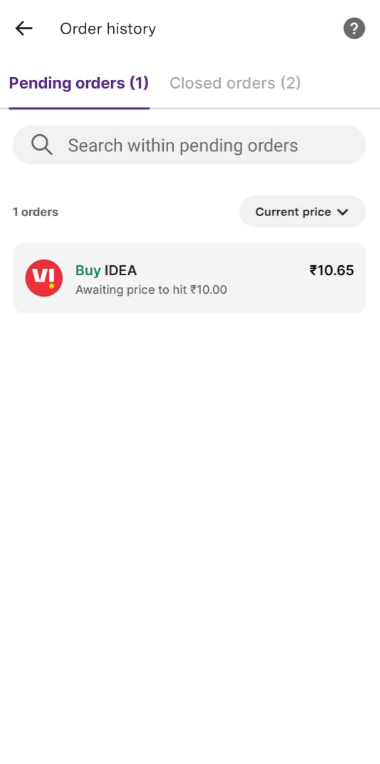
Step 3: Click on the ‘Modify’ button.
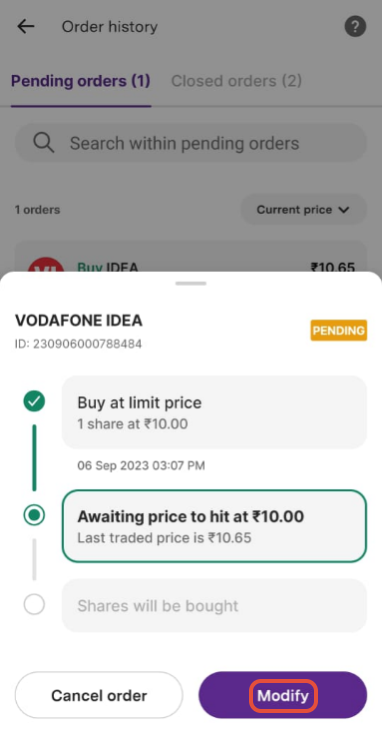
Step 4: This will reopen the Order Entry screen for you to make changes.
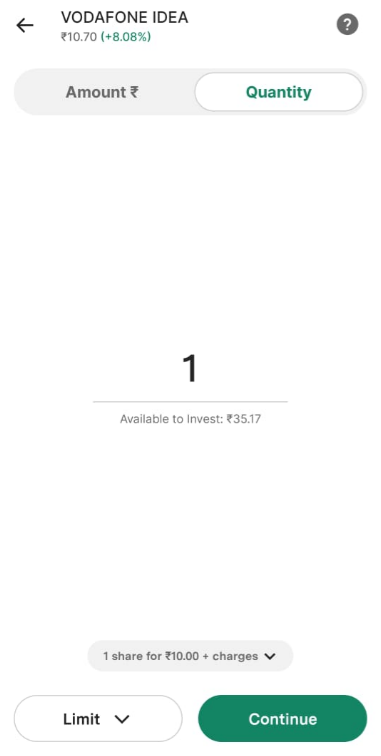
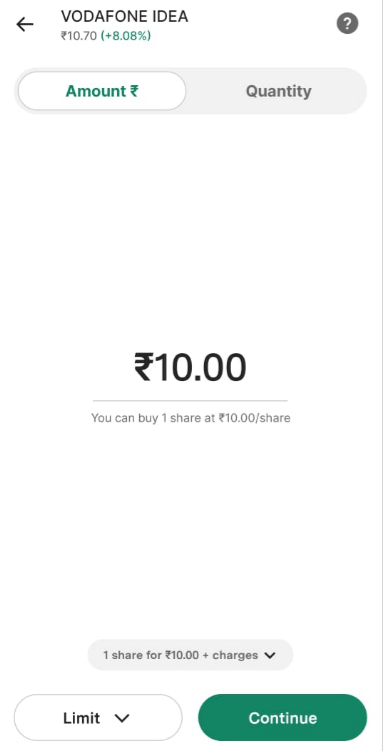
Step 5: Follow the same process as you do for placing a trade. Once all changes are done click on ‘Continue’.
Step 6: On the review screen click on ‘Confirm to buy’ to place your order.
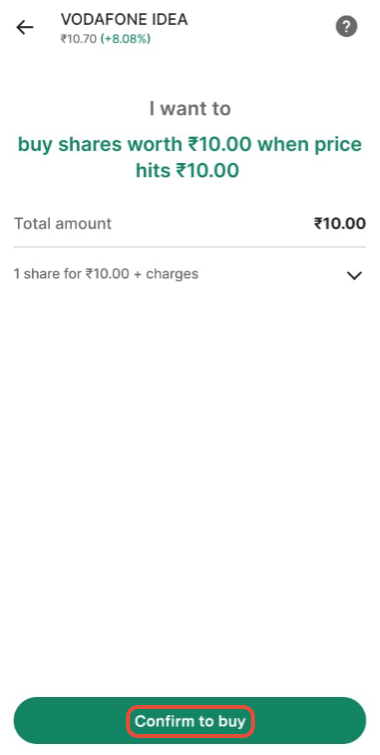
To Cancel Your Order:
Step 1: Login to the Upstox app using your 6-digit PIN or biometrics.
Step 2: Click on 'Stocks', and select the Open order that you want to Cancel.
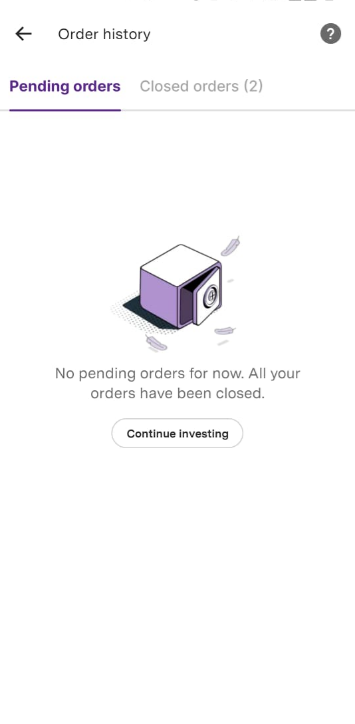
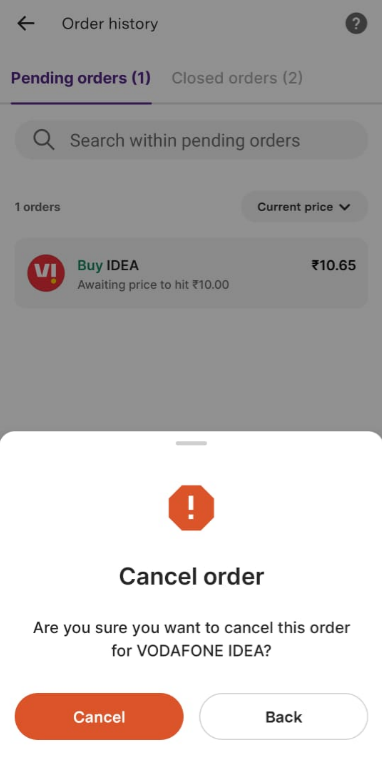
Step 3: Click on the ‘Cancel order’ button, which will open a confirmation window to place the cancel request.
Trade with Upstox
Want to open a Demat account?
Open a FREE Demat and Trading account to invest in Stocks, Mutual Funds, IPOs and more.
By signing up you agree to receive transaction updates on Whatsapp. You may also receive a call from an Upstox representative to help you with the account opening process.
Upstox Community
Upstox Community
| Topic | Replies | Views | Activity |
|---|