
Help Center

Getting Started
Trading
My Account
Mutual Funds
IPOs
Stock SIP
Gold
NPS
Government Securities
Fixed Deposits
Insurance
Loan
Smallcase
DartStock
Upstox API
NCD
US Stocks
Minor Account
How to check the details of the Profit and Loss in a mobile app?
Now, you can easily review and verify your Profit and Loss details for a specific day or month using the latest features on Upstox. Simply access the ‘calendar’ option in the Profit and Loss report.
To access the Profit and Loss report, please follow the steps outlined below.
How do I download the Profit and Loss report? (Mobile application) - Upstox Help Center
To view the Profit and Loss incurred for the day or month, navigate to the 'Filters' tab.
- Select the segment and date range, and then click on 'Get Reports.'
- Select the 'Realised' tab to view realized profit and loss details.
- Unrealised’ tab will show the Profit and Loss details of trades that are yet to be squared off or closed.
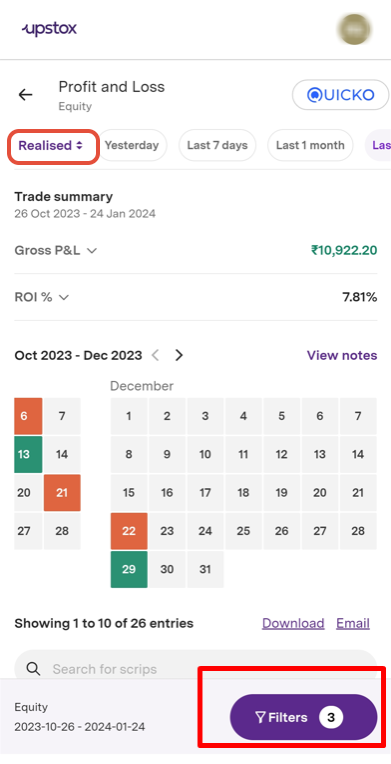
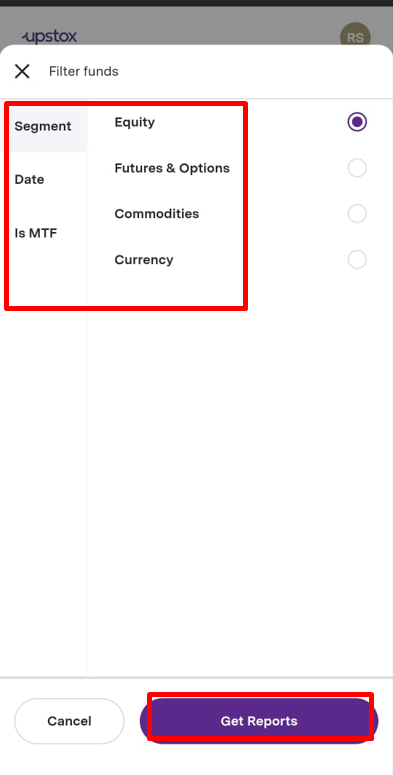
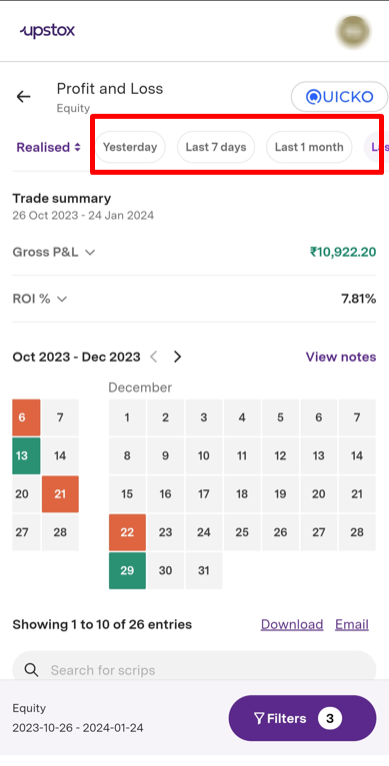
Alternatively, you can also choose from various options for a date range(Yesterday, 7 days, Last 1 month).However, it is essential to select the 'segment.'
Click on the date to observe your Profit or Loss for the day.
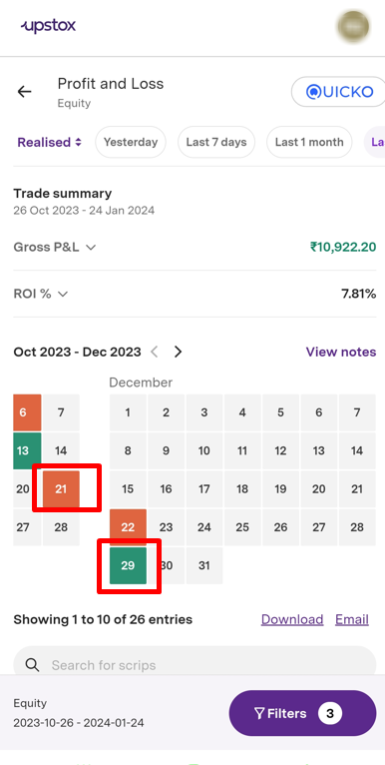
The green colour on the date signifies the Gross Profit made for the day. The red indicates the Loss for that particular day.
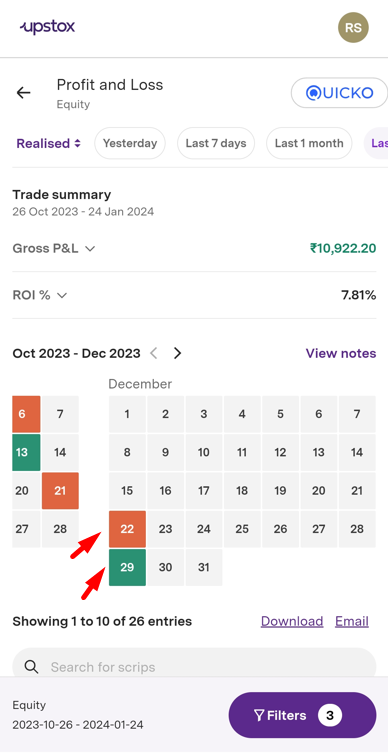
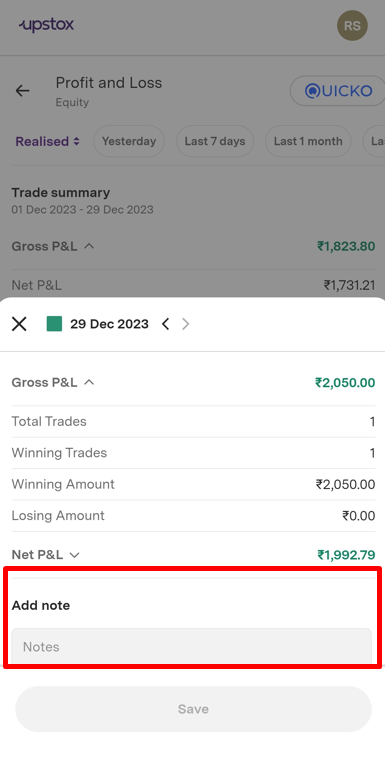
After clicking on the ‘date’, you will be able to view the Gross and Net Profit for that specific day.
Click on the Gross P&L to know your
- Total trades: No of trades done during the selected period
- Winning Trades: Trades that resulted in a profit during the selected period.
- Losing Trades: Trades that resulted in a loss during the selected period.
- Winning Amount: Total profit generated from profitable trades.
- Losing Amount: Total loss incurred from loss-making trades.
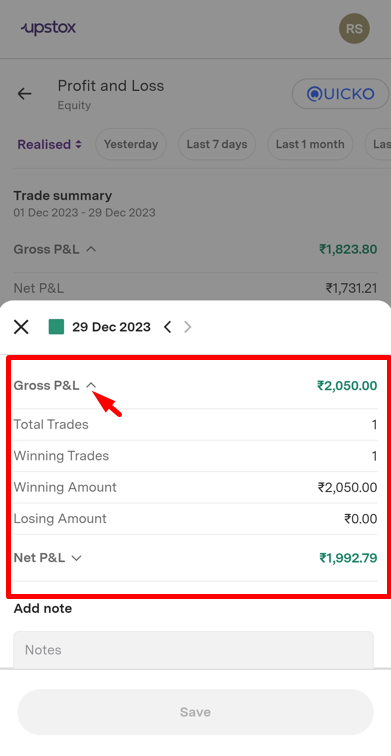
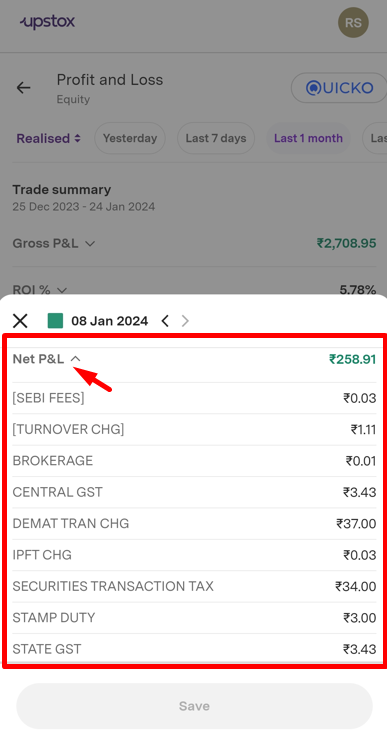
Net P&L reflects your profit or loss after deducting all applicable taxes and charges for the selected period.
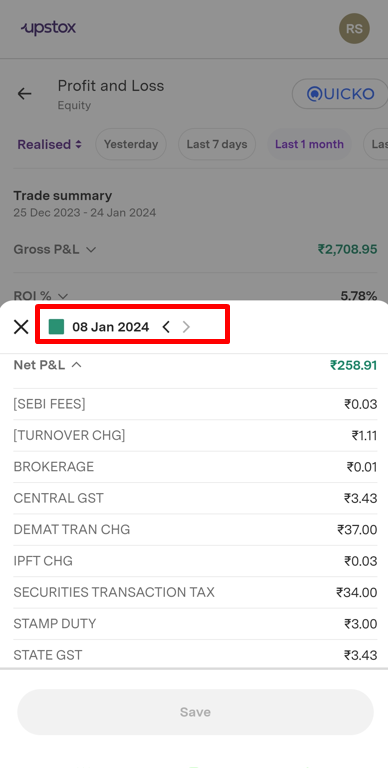
On the same screen, you can scroll through the date options to view the Profit and Loss for both past and upcoming dates
You can also utilise the 'Add Notes' feature to record your trading details
To inspect the Profit and Loss for different segments, choose the segment option from the 'Filter' tab. Then click on 'Get Reports'
Overall, this page specifically highlights the details of the days where you have realised Profit and Loss for the day.
Trade with Upstox
Want to open a Demat account?
Open a FREE Demat and Trading account to invest in Stocks, Mutual Funds, IPOs and more.
By signing up you agree to receive transaction updates on Whatsapp. You may also receive a call from an Upstox representative to help you with the account opening process.
Upstox Community
Upstox Community
| Topic | Replies | Views | Activity |
|---|