
Help Center

Getting Started
Trading
My Account
Mutual Funds
IPOs
Stock SIP
Gold
NPS
Government Securities
Fixed Deposits
Insurance
Loan
Smallcase
DartStock
Upstox API
NCD
US Stocks
How to place a simple order?
Follow these steps to place an order:
Step 1: To place an order, click on the stock you want from the watchlist/My lists.
Step 2: Click Buy or Sell on the summary screen to view the order entry screen.
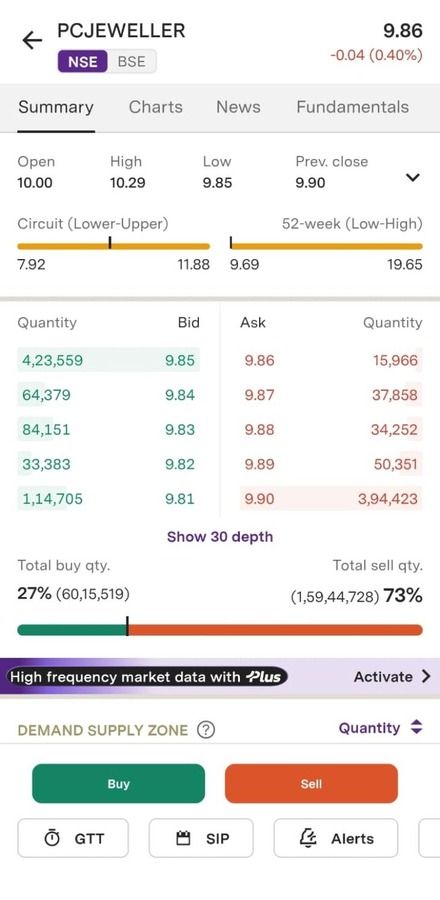
Step 3: On the order entry screen, you need to enter the values in the mandatory fields. i.e., Quantity, Price, Trigger Price, etc.
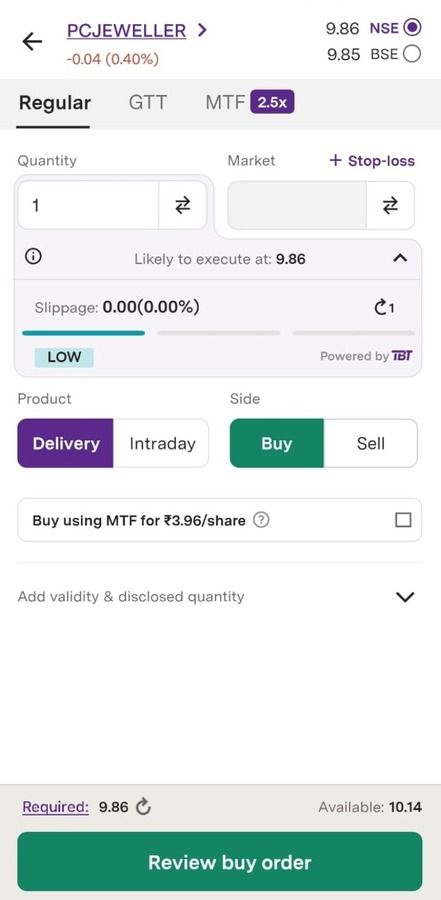
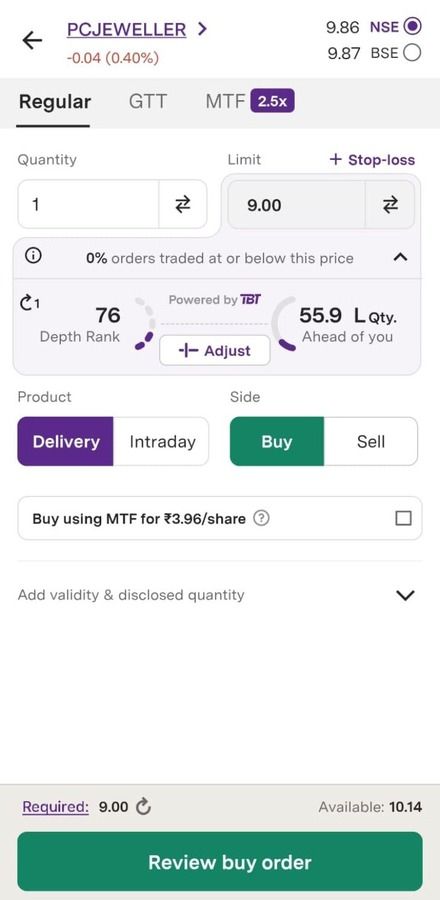
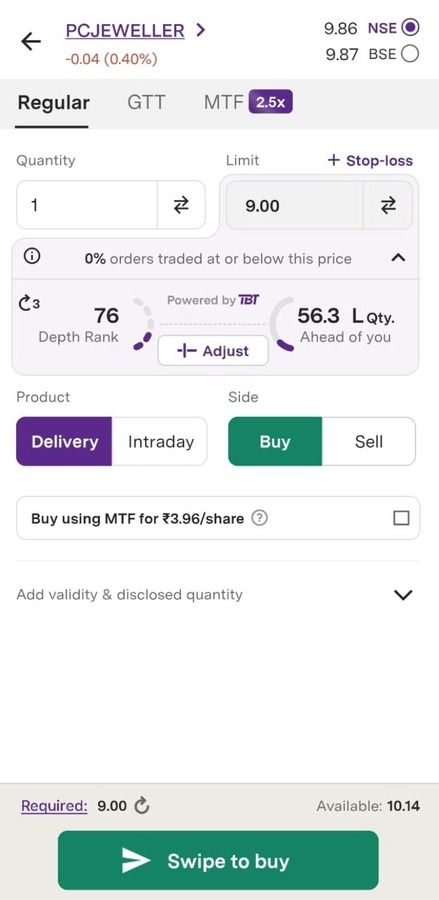
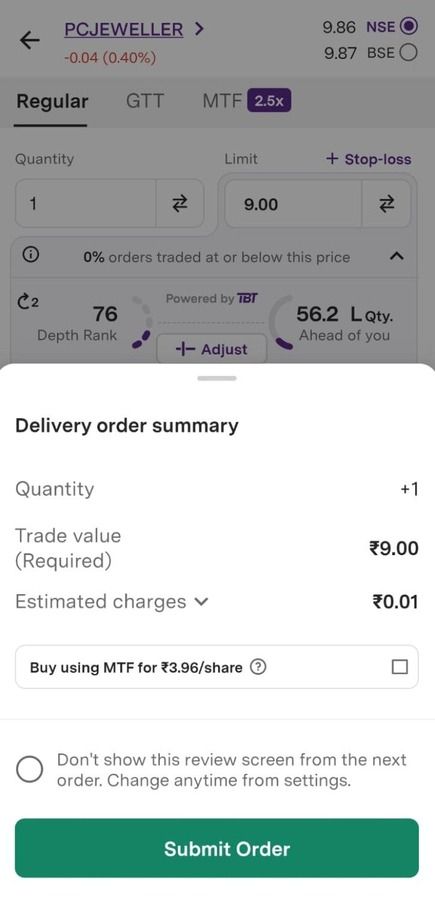
Step 4: Tap on ‘Review buy order’ or ‘Review sell order’ to view the Order Summary. If you have disabled the order summary (in the next step), you can just swipe to place your order.
Step 5: On the order summary screen, tap on ‘Submit order’ to place your order.
1. You can expand the estimated charges section to view the applicable charges.
2. You can also select the ‘Don’t show this review screen’ checkbox to skip the summary screen and place your orders directly from the Order entry screen from the next time.
3. You can also enable/disable order summary screen from the Settings menu under the Account tab.
How to Fill Order Entry:
Step 1: Choose between a 'Delivery' or an 'Intraday' order. Learn more about Delivery and Intraday here.
Step 2: Enter the quantity for your order. Utilize the + / - buttons to adjust the quantity. For FnO scrips, these buttons directly modify the lot.
Step 3: Enter the Price and Trigger price (for SL orders).
Step 4: There are four types of Orders:
- Market
- Limit
- SL Limit
- SL Market
Step 5: Learn more about different stock market order types here.
Additional Settings
These are optional settings which give you more control over your order and are not necessary for mandatory to place an order.
Validity: Select the validity for your orders. There are two types of validity, IOC and Day. Learn more about Validity options here.
Related Articles
Trade with Upstox
Want to open a Demat account?
Open a FREE Demat and Trading account to invest in Stocks, Mutual Funds, IPOs and more.
By signing up you agree to receive transaction updates on Whatsapp. You may also receive a call from an Upstox representative to help you with the account opening process.
Upstox Community
Upstox Community
| Topic | Replies | Views | Activity |
|---|