
Help Center

Getting Started
Trading
My Account
Mutual Funds
IPOs
Stock SIP
Gold
NPS
Government Securities
Fixed Deposits
Insurance
Loan
Smallcase
DartStock
Upstox API
NCD
US Stocks
Minor Account
How do I search for Mutual Fund schemes to invest in?
Step 1: Log in to the Upstox app and access the mutual fund section directly from the Home screen.
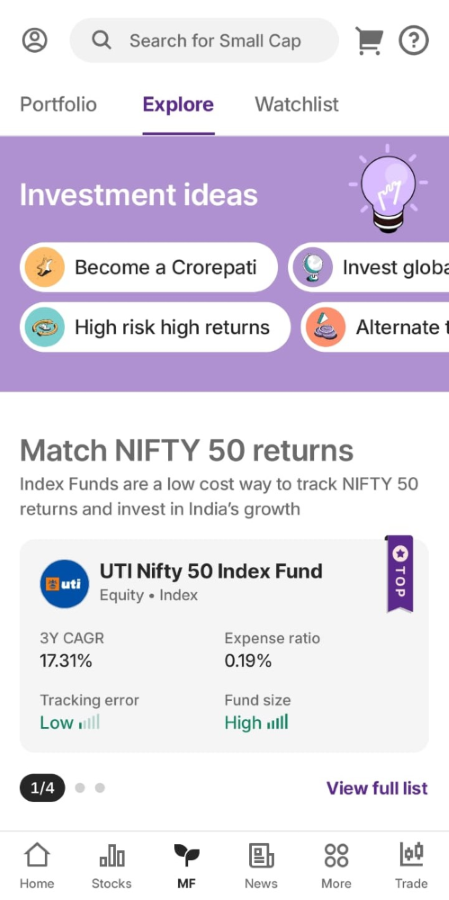
Step 2: Click on ‘Explore’ where you will find a list of collections as per different categories that you can invest in. You can even type the name of the fund you are looking to invest in on the search bar.
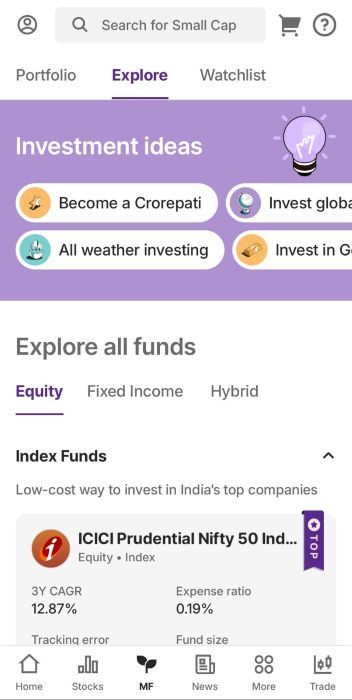
Here is how you can use the search bar and get the desired MF to invest in.
Once you click on the search icon on the homepage of mutual funds, type your desired mutual fund to invest as shown below.
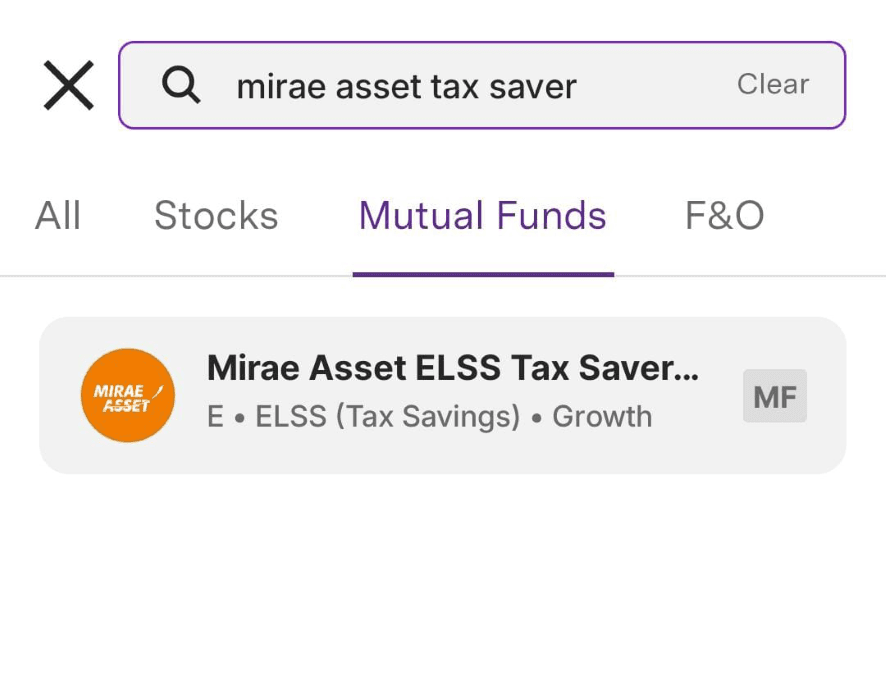
Step 3: Once you’ve selected a fund, click on it and find all the relevant details related to that fund like lock-in period, NAV(Net Asset Value), AUM (Asset under Management), expense ratio, tax info and exit load.
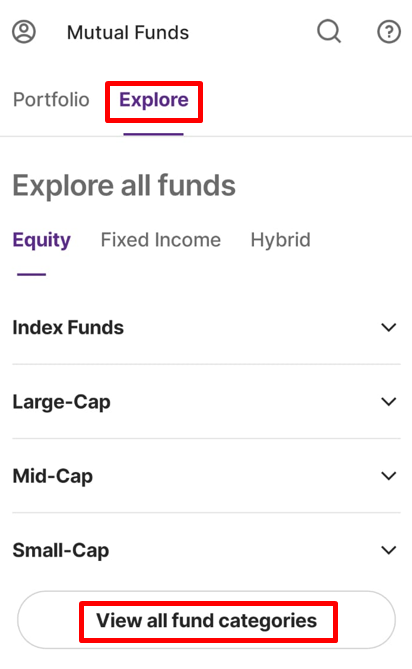
Step 4: Select 'View all fund categories' to access more detailed information. Within each category, you can explore the various types of available funds.
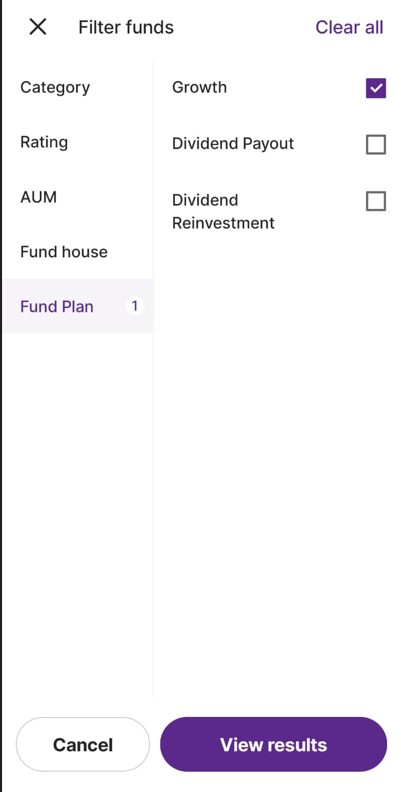
Step 5: Click on ‘Filter’ at the bottom to filter for funds based on:
- Category
- Rating
- AUM
- Fund house
- Fund Plan
Step 6: If you wish to see a specific list of funds, click on ‘Investment Ideas’ depending upon your investment need.
Related articles:
Trade with Upstox
Want to open a Demat account?
Open a FREE Demat and Trading account to invest in Stocks, Mutual Funds, IPOs and more.
By signing up you agree to receive transaction updates on Whatsapp. You may also receive a call from an Upstox representative to help you with the account opening process.
Upstox Community
Upstox Community
| Topic | Replies | Views | Activity |
|---|