
Help Center

Getting Started
Trading
My Account
Mutual Funds
IPOs
Stock SIP
Gold
NPS
Government Securities
Fixed Deposits
Insurance
Loan
Smallcase
DartStock
Upstox API
NCD
US Stocks
Minor Account
How do I link my PAN with Aadhaar?
As per the NSE circular, your PAN has to be linked to the Aadhaar before 30th June 2023.
From July 2023, a PAN Card not linked with Aadhaar will be considered invalid for trading in the securities market. It is therefore better to ensure that the PAN - Aadhaar linking is done before the due date.
If you haven’t yet linked your Aadhaar to your PAN, here are ways you can do this:
Online from the Income tax portal here.
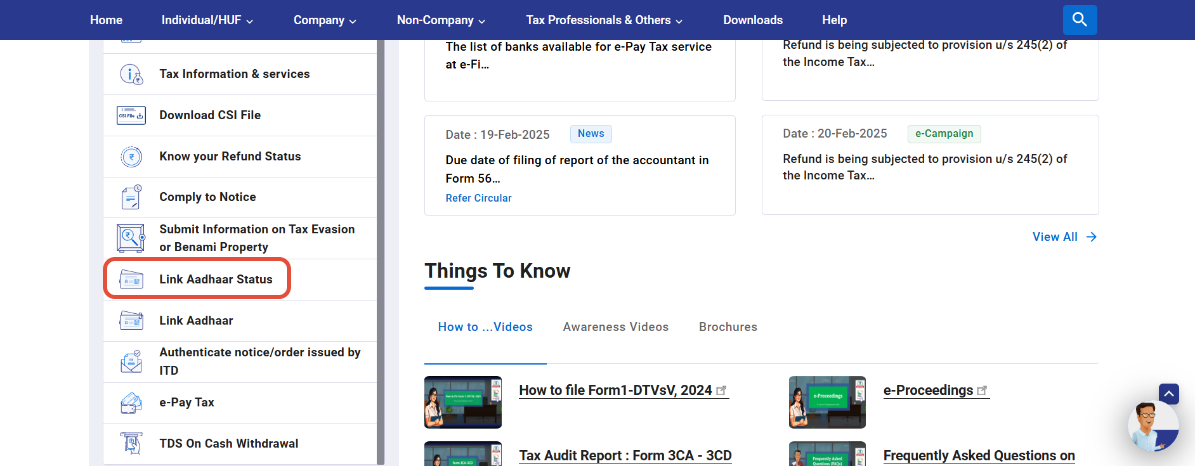
Step 1: Visit the e-filing portal home page, click on 'Link Aadhaar Status' under 'Quick links'.
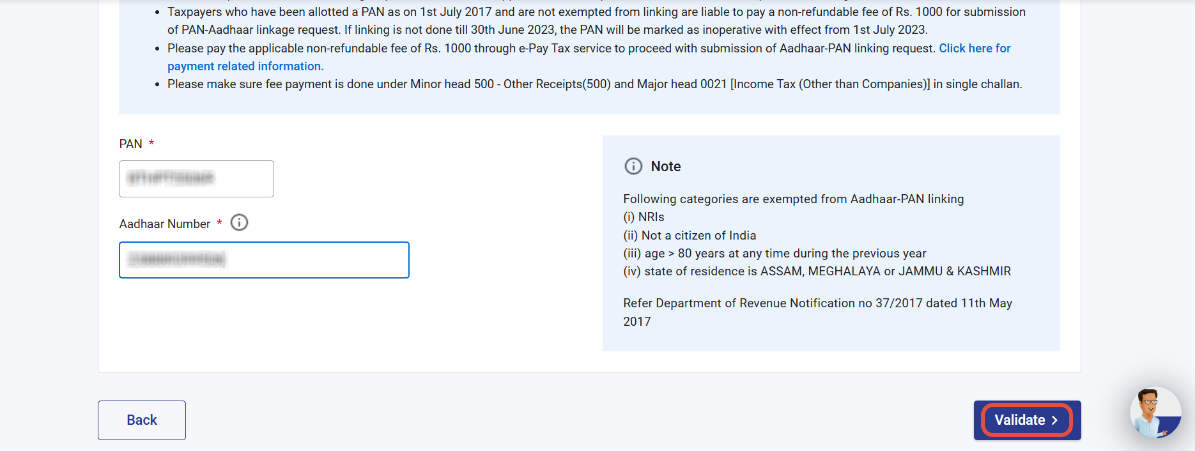
Step 2: Next enter the PAN and Aadhaar and click on ‘Validate’.
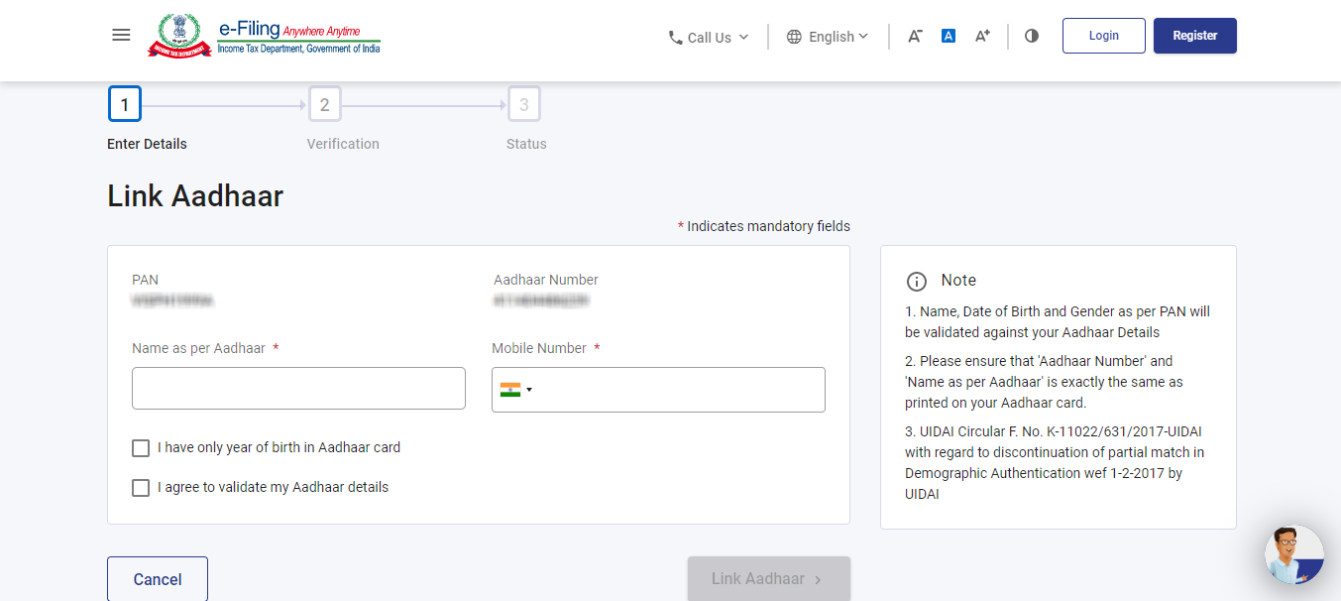
Step 3: Click on 'Link Aadhaar' once you've entered the mandatory details.
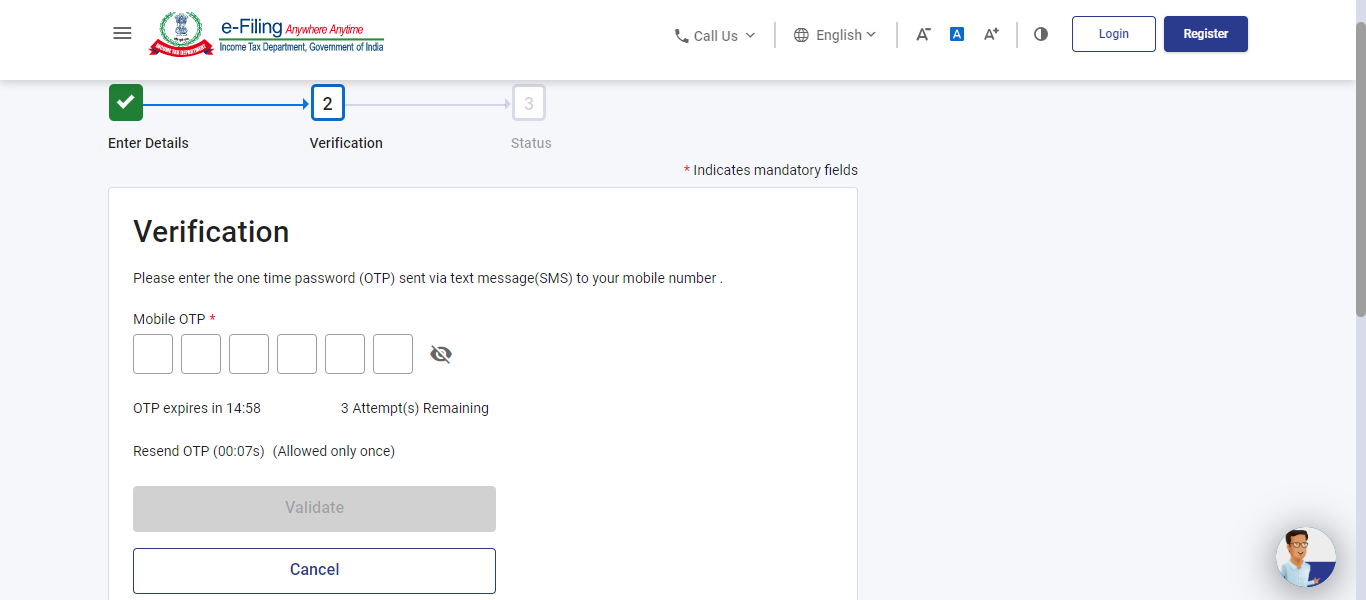
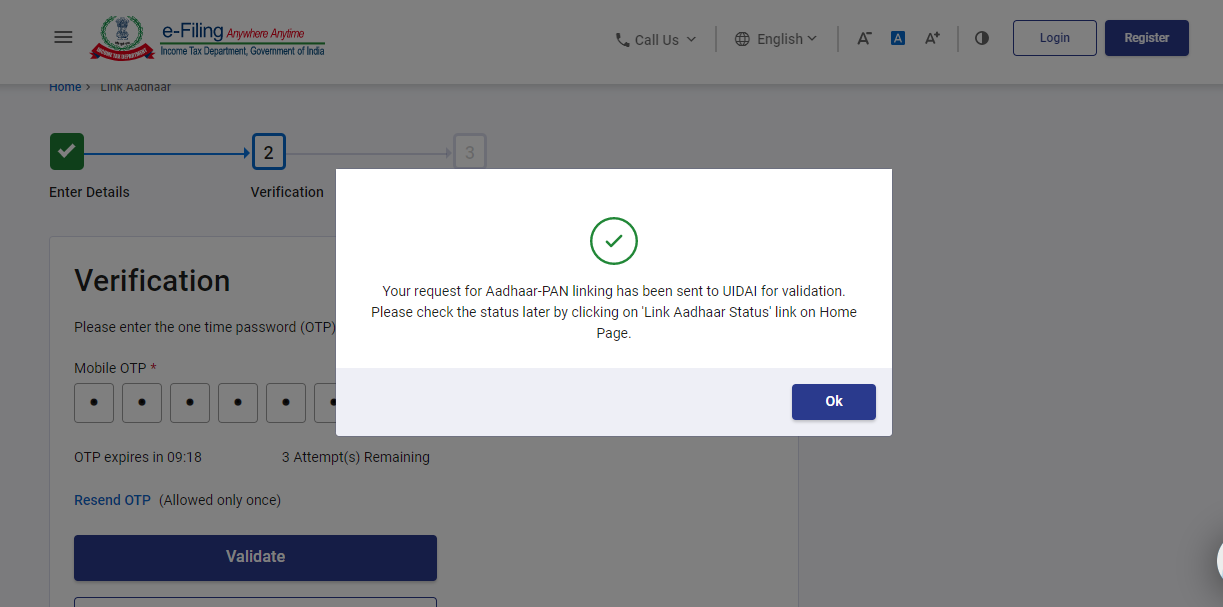
Step 4: Click 'Validate' after entering the 6-digit OTP received on the mobile number mentioned in the previous step.
Step 5: Your request to link your PAN to your Aadhaar has been submitted successfully. To check the status of your request, you can click on ‘Link Aadhaar Status’ under ‘Quick Links’ from the e-filing portal.
Related Articles:
Trade with Upstox
Want to open a Demat account?
Open a FREE Demat and Trading account to invest in Stocks, Mutual Funds, IPOs and more.
By signing up you agree to receive transaction updates on Whatsapp. You may also receive a call from an Upstox representative to help you with the account opening process.
Upstox Community
Upstox Community
| Topic | Replies | Views | Activity |
|---|