
Help Center

Getting Started
Trading
My Account
Mutual Funds
IPOs
Stock SIP
Gold
NPS
Government Securities
Fixed Deposits
Insurance
Loan
Smallcase
DartStock
Upstox API
NCD
US Stocks
How to add a new bank on Upstox?
To add a new bank account to your Upstox account,follow the steps below:
Step 1: Log in to the Upstox app using your 6-digit PIN or biometrics.
Step 2: Click on ‘Upstox Icon’ at the top left corner of the screen.

Step 3: Tap on 'My account'.
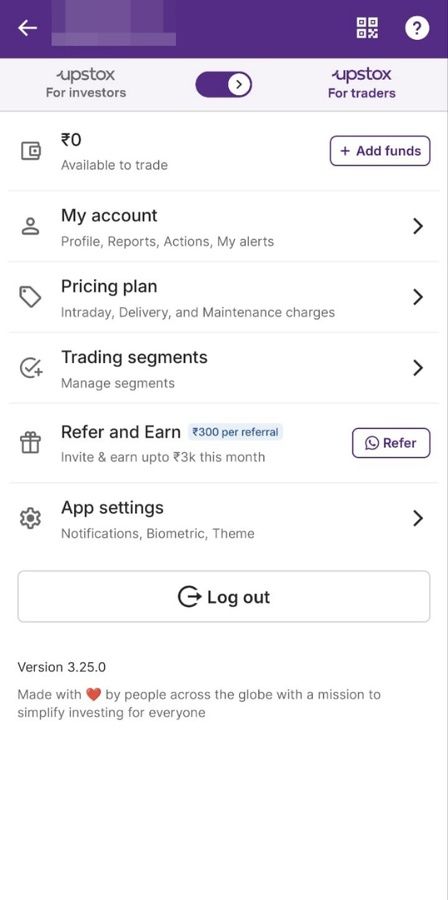
Step 4: Tap on ‘Profile’.

Step 5: Tap on ‘My bank details’ under ‘Profile’. You will be redirected to the ‘Bank details’ page.

Step 6: Tap on ‘Add new bank account’.
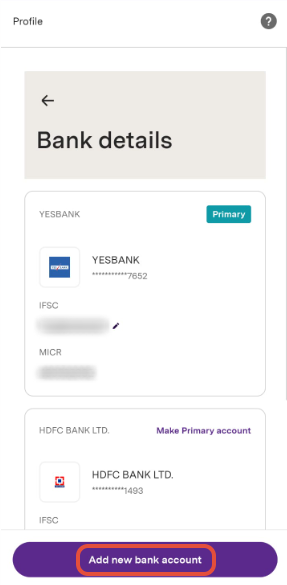
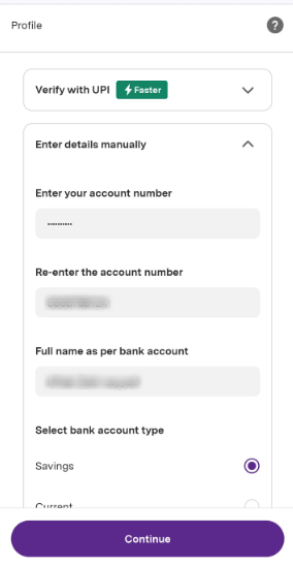
Step 7: Now, fill in your new account details:
- Bank Account Number
- Full name as per bank account
- Account Type
- IFSC Code
Step 8: Enter the 6-digit OTP.
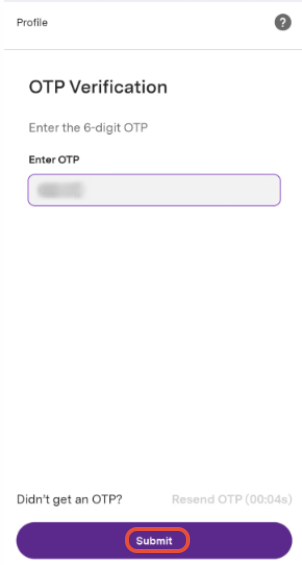
Step 9: Your request to add a new bank account has been submitted successfully.
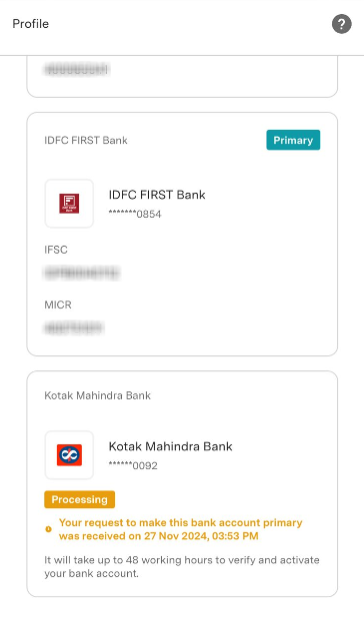
Note: Please note that it may take up to 48 working hours to verify and activate your bank account. A charge of ₹50 + GST will be debited from your trading account for any addition or modification made to your bank account.
Related Articles:
Trade with Upstox
Want to open a Demat account?
Open a FREE Demat and Trading account to invest in Stocks, Mutual Funds, IPOs and more.
By signing up you agree to receive transaction updates on Whatsapp. You may also receive a call from an Upstox representative to help you with the account opening process.
Upstox Community
Upstox Community
| Topic | Replies | Views | Activity |
|---|