
Help Center

Getting Started
Trading
My Account
Mutual Funds
IPOs
Stock SIP
Gold
NPS
Government Securities
Fixed Deposits
Insurance
Loan
Smallcase
DartStock
Upstox API
NCD
US Stocks
Minor Account
How can I access and download the contract note?
To download and access the contract note, refer to the below steps.
Step 1: Log in to the Upstox app using your 6-digit PIN or biometrics.
Step 2: Tap the Upstox icon located at the top-left corner of the app screen.
Step 3: Click on ‘My account.'
Step 4: Select 'Reports.'
Step 5: Click on 'Miscellaneous reports.'
Step 6: Click on Filters and select the required ‘Segment,’ ‘Report Type,’ ‘Financial Year,’ and date option.
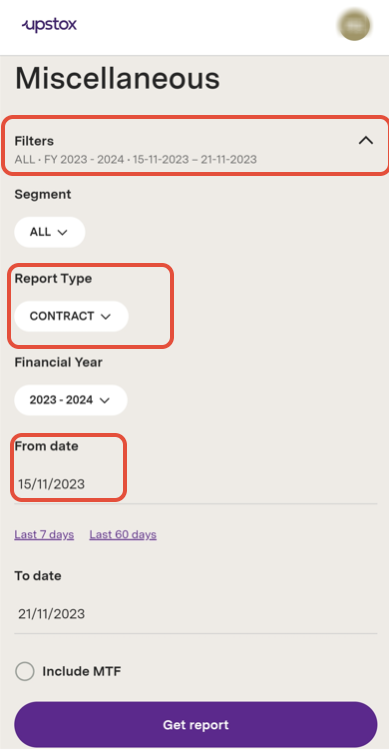
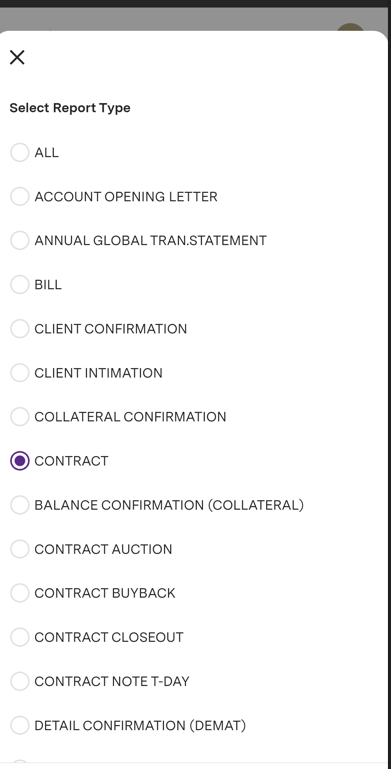
Step 7: In ‘Report Type’ select ‘CONTRACT’.
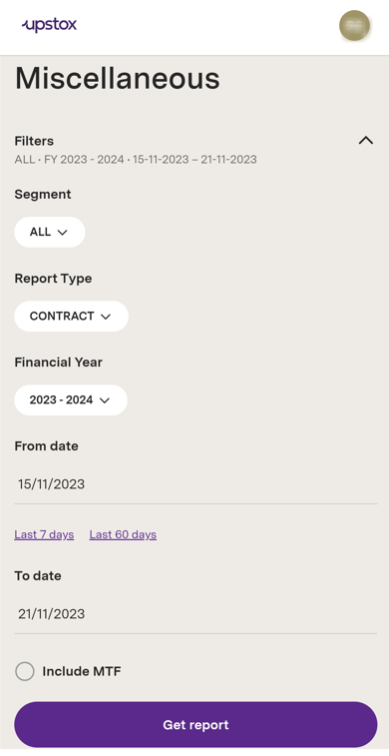
Step 8: After selecting the required details click on 'Get Report.'
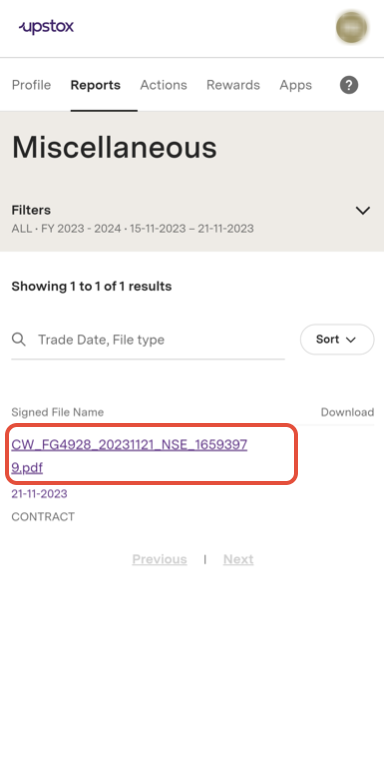
Step 9: Click on the required report to download the contract note.
Notes:
1. A contract note is a statement containing detailed information on all your trades done on a particular day. When you trade, a contract note is sent to your registered email ID within 24 hours as per the format prescribed by the Securities & Exchange Board of India (SEBI).
2. To access contract note, use your PAN (lowercase). For e.g. if your PAN is ABCD1234X, enter the password when prompted as abcd1234x
Related Articles:
Trade with Upstox
Want to open a Demat account?
Open a FREE Demat and Trading account to invest in Stocks, Mutual Funds, IPOs and more.
By signing up you agree to receive transaction updates on Whatsapp. You may also receive a call from an Upstox representative to help you with the account opening process.
Upstox Community
Upstox Community
| Topic | Replies | Views | Activity |
|---|