How to Download E-PAN Card in India Online: A Complete Guide

Written by Sachin Gupta
Published on May 13, 2026 | 6 min read

Key Takeaways
- E-PAN is a digitally issued PAN card that is legally valid for all financial and tax-related purposes in India.
- Users can easily download their E-PAN online through Protean,UTIITSL, or the Income Tax e-Filing portal.
- A valid Aadhaar card linked with an active mobile number is mandatory for instant E-PAN generation and verification.
- E-PAN offers benefits such as instant access, secure digital storage, easy verification, and reduced risk of loss or damage.
A Permanent Account Number (PAN) card is one of the most important financial documents for Indians. A PAN card plays a crucial role for Indian citizens when it comes to filing income tax returns, investing in securities, opening a new bank account, purchasing property and other financial transactions. With the evolving digital landscape, the Government of India introduced the E-PAN card, an electronic version of the physical PAN that can be downloaded in PDF format.
What is an E-PAN Card?
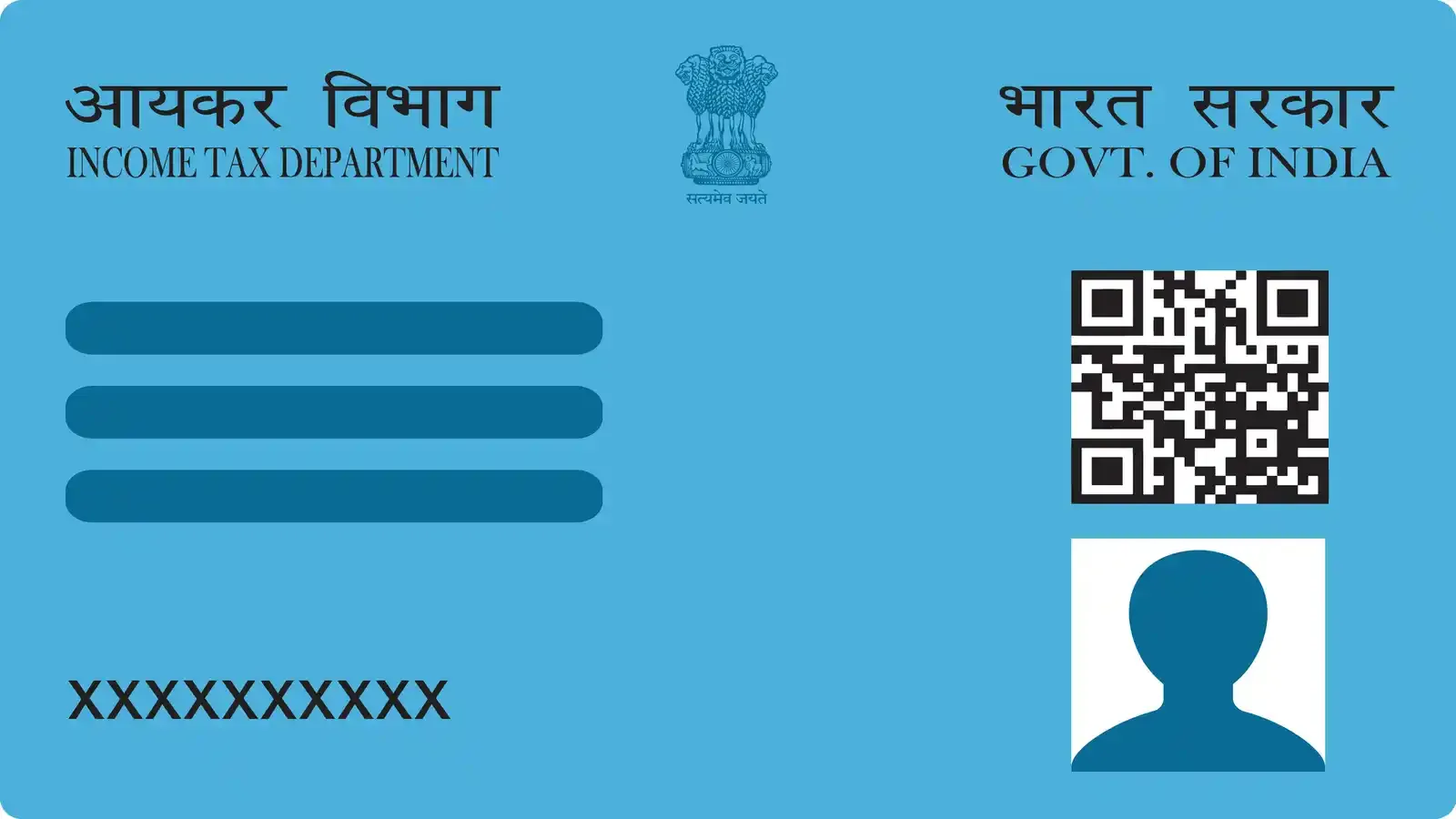
An E-PAN card is the digital form of the PAN card that has the same validity and details of the physical card. The E-PAN card displays the PAN number, name, date of birth, photograph and QR code for verification. One of the biggest benefits of an E-PAN card is that the users can access it instantly from anywhere without waiting for the physical card.
Now that you know what an E-PAN card is, you may have this question: how to download an E-PAN card? In this article, we will explore the different ways to download E-PAN card.
How to Download E-PAN Card via NSDL?
Protean eGov Technologies, formerly NSDL e-Governance Infrastructure Limited (NSDL), now offers online PAN-related services. If you have processed your PAN card application through Protean, then you can easily download your E-PAN card online by following these steps:
Step 1: Visit the official NSDL PAN portal.
Step 2: Select the option “Download e-PAN”
Step 3: Enter the following details:
- PAN Number
- Aadhaar Number (Optional)
- Date of Birth
Step 4: Accept terms and conditions and enter the CAPTCHA code
Step 5: Now, click on “Submit”.
Step 6: Enter the OTP sent on your registered phone number or email linked with Aadhaar.
Step 7: After verification, click on “Download”, your E-PAN card will be downloaded in PDF format.
Process to Download E-PAN Card via UTIITSL
The government has authorised UTI Infrastructure Technology and Services Limited to issue and manage PAN cards in India. You can download an E-PAN card if your PAN application was processed through UTIITSL. The steps below can help you download your E-PAN card.
Step 1: Visit the official UTIITSL PAN portal.
Step 2: Click on the “Download e-PAN” option.
Step 3: Enter the following details:
- PAN Number
- Aadhaar Number (Optional)
- Date of Birth
Step 4: Enter the CAPTCHA code.
Step 5: Now, click on “Submit”.
Step 6: Enter the OTP sent on your registered mobile number and or email ID linked with Aadhaar, as applicable
Step 7: After verification, click on “Download”. Your E-PAN card will be downloaded in PDF format.
How to Download E-PAN Card from the Income Tax Portal?
The Income Tax Department also provides instant E-PAN card download services through its official e-filing portal. This service is mainly for users who applied for instant PAN using Aadhaar.
Step 1: Visit the official Income Tax e-Filing website.
Step 2: Find and click on the “Instant E-PAN” section.
Step 3: Now click on “Check Status/Download PAN”.
Step 4: Enter the Aadhaar number.
Step 5: Now verify, using the OTP sent to your Aadhaar linked mobile number.
Step 6: After verification, click on “Download”, your E-PAN card will be downloaded in PDF format.
Importance of E-PAN Card
In the evolving financial ecosystem, the E-PAN card has become an important digital document as it serves multiple purposes and provides access to PAN-related services
- Financial Transaction: PAN card is mandatory for various financial services such as opening a bank account, making investments, filing tax returns and carrying out other financial transactions..
- Digital Accessibility: Unlike physical PAN cards, E-PAN cards can be kept digitally on any electronic device like smartphones, laptops and cloud storage.
- Quick Verification: The QR code embedded on the E-PAN card facilitates instant verification of the PAN holder’s details.
Eligibility Criteria for E-PAN Card
The following eligibility criteria must be fulfilled in order to apply for an E-PAN card as specified by the Income Tax Department:
- An individual must be an Indian citizen.
- Person should be an individual taxpayer
- You should hold a valid Aadhaar card, which should be up to date.
- Your mobile number should be linked to your Aadhar card.
- Should not be a minor on the date of request.
- He/she should not be covered under the definition of a representative assessee under the Income Tax Act.

The E-PAN card provides a modern and convenient digital solution and aims to simplify PAN-related services. The process to download E-PAN is secure, quick and user-friendly, whether you do it from Protean , UTIITSL or the Income Tax portal. As the financial transactions and government services continue to evolve, E-PAN cards ensure access to banking, taxation and investment activities.
FAQs
What is an E-PAN card?
An E-PAN card is a digitally signed electronic version of the physical PAN card issued by the Income Tax Department.
Is E-PAN valid as a physical PAN card?
Yes, the E-PAN card is legally valid and accepted for all financial and official purposes in India.
Can I download E-PAN for free?
You can download your E-PAN for free from the Income Tax e-Filing portal if it was issued or updated within the last 30 days. Instant e-PANs via Aadhaar e-KYC are always free, while older PANs from Protean eGov Technologies or UTI Infrastructure Technology And Services Limited may cost about ₹8.26.
What documents are required for E-PAN?
A valid Aadhaar card linked with an active mobile number is required for instant E-PAN services.
How can I open the E-PAN PDF file?
The PDF is password protected and usually opens using your date of birth in DDMMYYYY format.
Can I apply for an E-PAN without Aadhaar?
No, the instant E-PAN facility requires Aadhaar-based verification and OTP authentication.
Where can I download my E-PAN card?
You can download it through NSDL, UTIITSL, or the Income Tax e-Filing portal.
How long does it take to get an E-PAN card?
Instant E-PAN is generally generated within a near real time basis after successful Aadhaar verification.
About Author
Sachin Gupta
Senior Sub-Editor

is a seasoned financial writer with over eight years of experience across global markets, including Australia, the UK, and New Zealand. He specialises in simplifying complex financial concepts, making them accessible and engaging for a wide range of readers. When he’s not writing or traveling, he can often be found exploring the mountains, drawing inspiration from the calm and clarity of the outdoors.
Read more from Sachin














Upstox is a leading Indian financial services company that offers online trading and investment services in stocks, commodities, currencies, mutual funds, and more. Founded in 2009 and headquartered in Mumbai, Upstox is backed by prominent investors including Ratan Tata, Tiger Global, and Kalaari Capital. It operates under RKSV Securities and is registered with SEBI, NSE, BSE, and other regulatory bodies, ensuring secure and compliant trading experiences.
Related articles
Personal Finance
Investing in Debt Instruments: Meaning, Types, Benefits, Risks and More13 min read | Written by Sachin Gupta


Personal Finance
Time Value of Money: Meaning, Formula, How to Calculate It?10 min read | Written by Subhasish Mandal
Personal Finance
What is Public Provident Fund: Meaning, Benefits, Risks, Investment Process and More12 min read | Written by Sachin Gupta

Personal Finance
Complete Guide to Debt Investments in India: Types, Benefits, Risks, and More13 min read | Written by Sachin Gupta

Personal Finance
What is E-Insurance Account and How to Open it?12 min read | Written by Subhasish Mandal
Personal Finance
Post Office Time Deposit: A Complete Guide to Interest Rates, Eligibility & Benefits13 min read | Written by Sachin Gupta

Personal Finance
Bond Yields Explained: Understanding Coupon Rate, Current Yield, and YTM11 min read | Written by Sachin Gupta