
Help Center

Getting Started
Trading
My Account
Mutual Funds
IPOs
Stock SIP
Gold
NPS
Government Securities
Fixed Deposits
Insurance
Loan
Smallcase
DartStock
Upstox API
NCD
US Stocks
How to check corporate actions on mobile app and NSE/BSE?
What are Corporate actions?
Corporate actions are company decisions or updates that can directly affect shareholders. They include bonuses, dividends, rights issues, spin-offs, and stock splits. For example, a bonus or split changes the number of shares you hold and may also impact the share price. You can easily track these actions through your Upstox app or on the NSE/BSE website.
Steps to check Corporate Actions on the Upstox App:
1. Go to the Holding tab and select the scrip for which you want to check corporate actions.
2. Once selected, you will see the details of corporate actions, including dividends, bonuses, or stock splits.
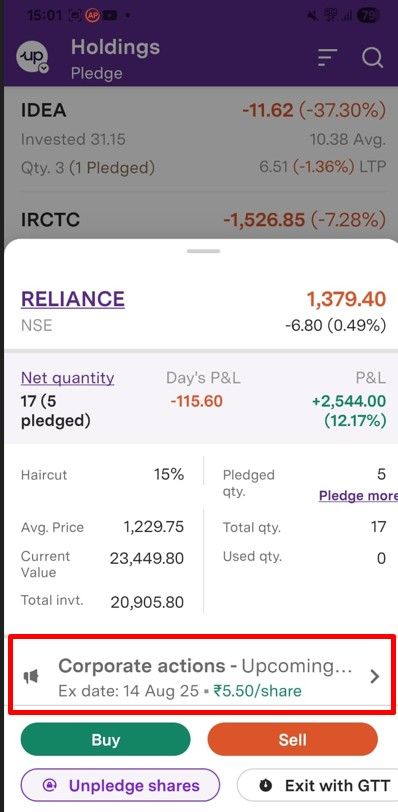
3. Click on the respective corporate action to view complete details.
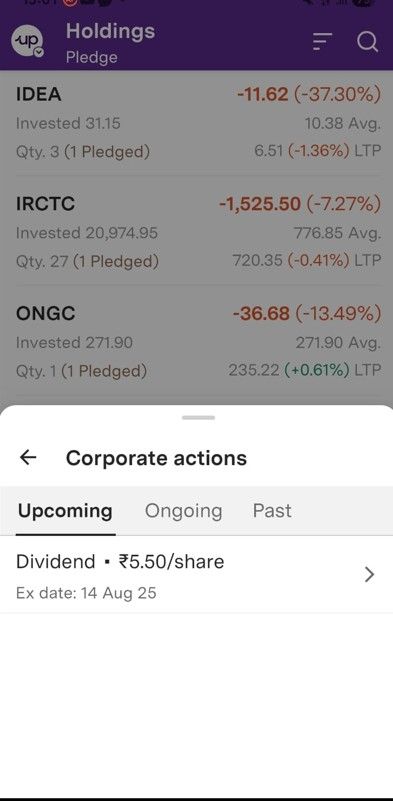
4. Click further to view past corporate actions, including:
- Approx. timeline for dividend/bonus/split credit
- Other relevant details
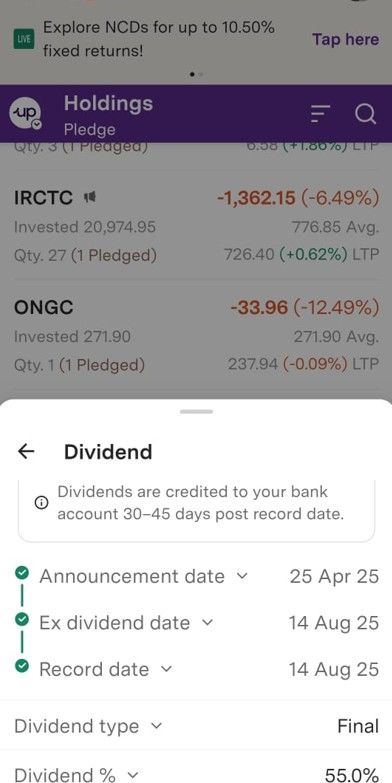
Note: Currently, corporate action details are available for Bonus, Split, and Dividend only.
Steps to check Corporate actions on the NSE/BSE website.
NSE
Step 1: Visit nseindia.com
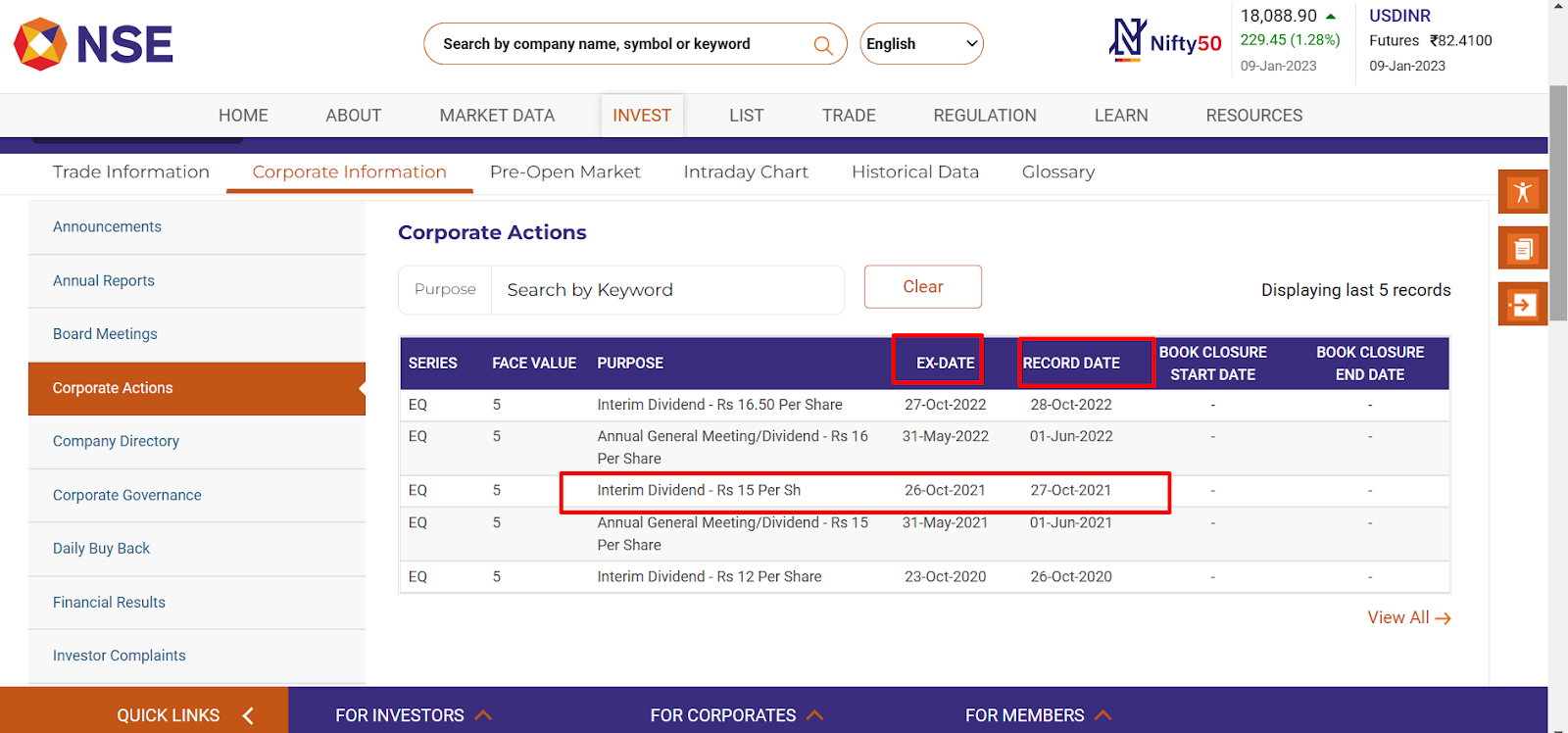
Step 2: Enter the scrip name in the search tab to view its corporate action details and select corporate actions.
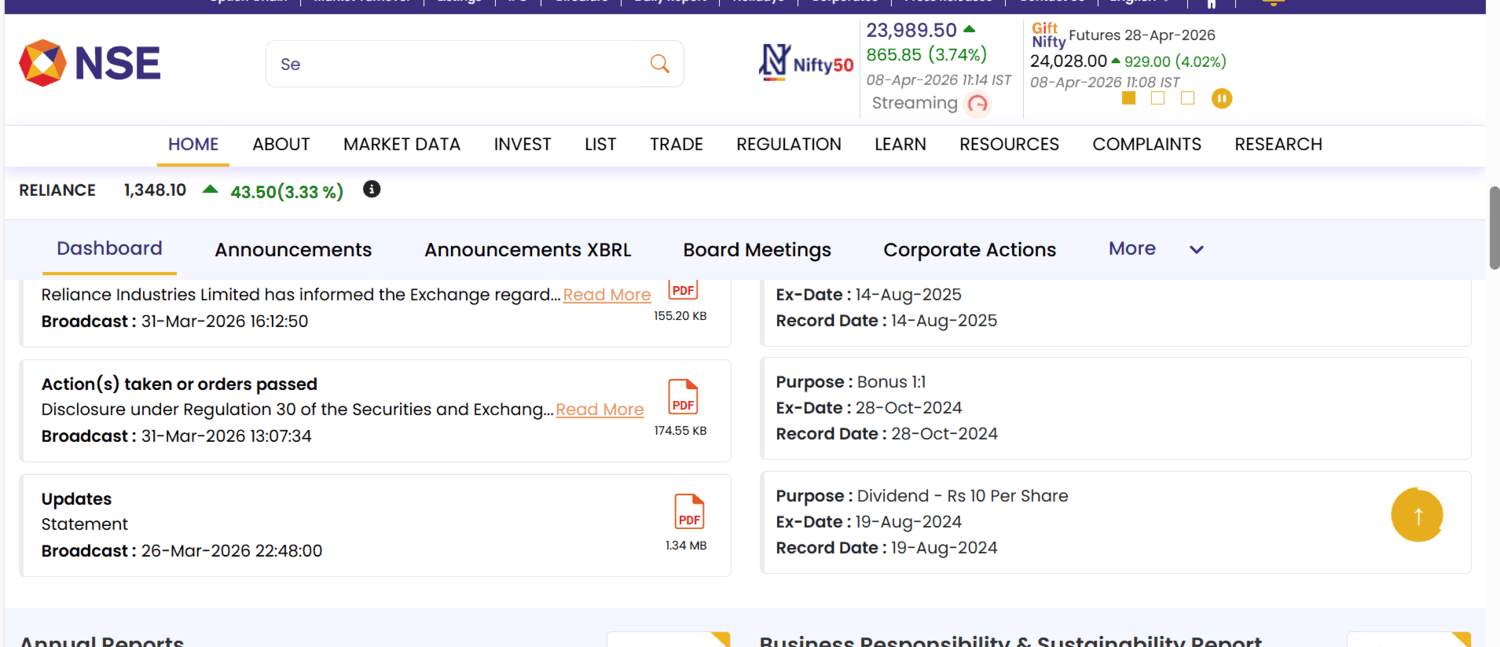
Step 3: You can check the required details regarding bonus/dividend/rights issue/spin-off/split along with the ex-date and record date.
BSE
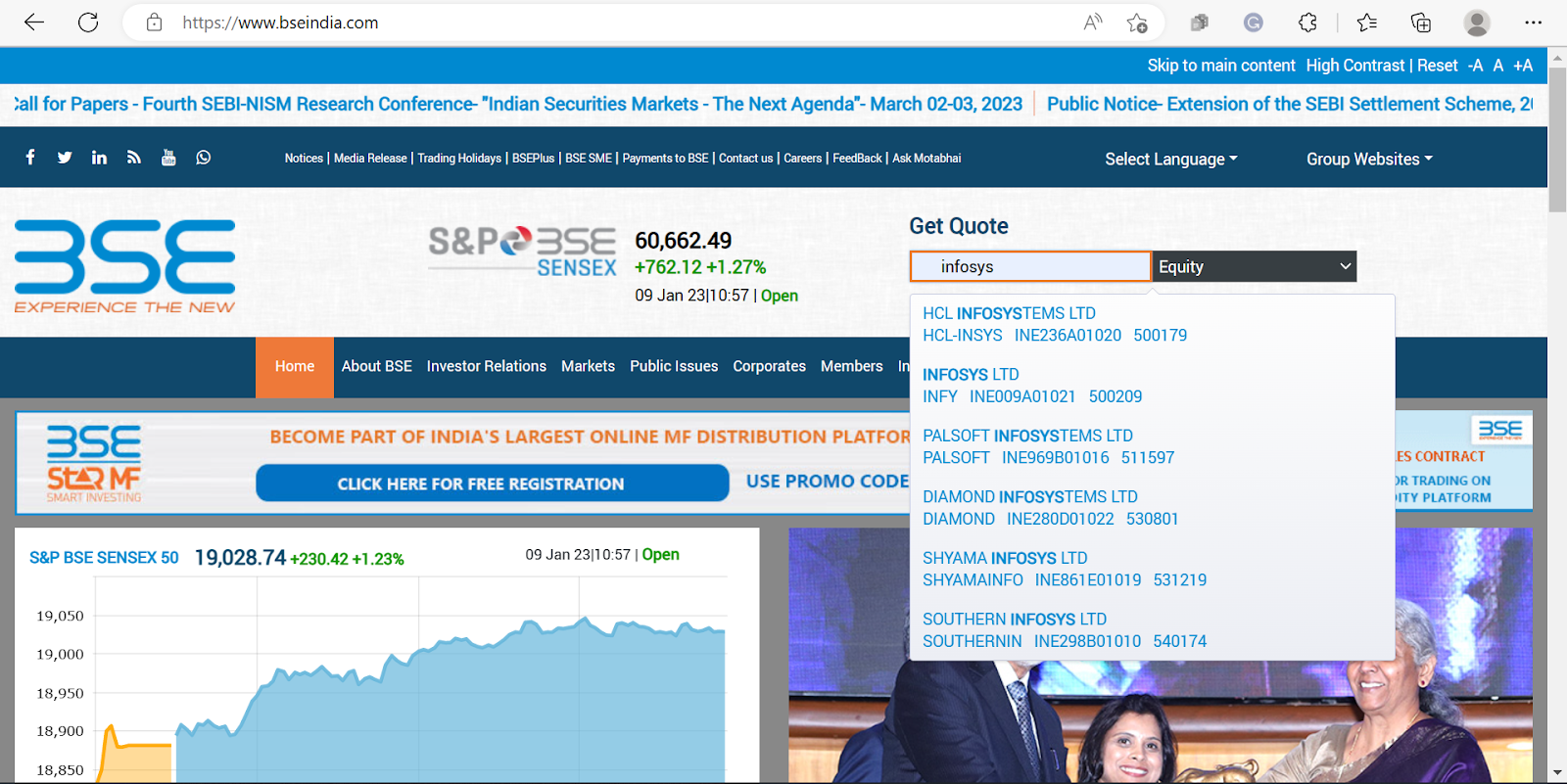
Step 1: Visit bseindia.com
Step 2: Enter the scrip name.
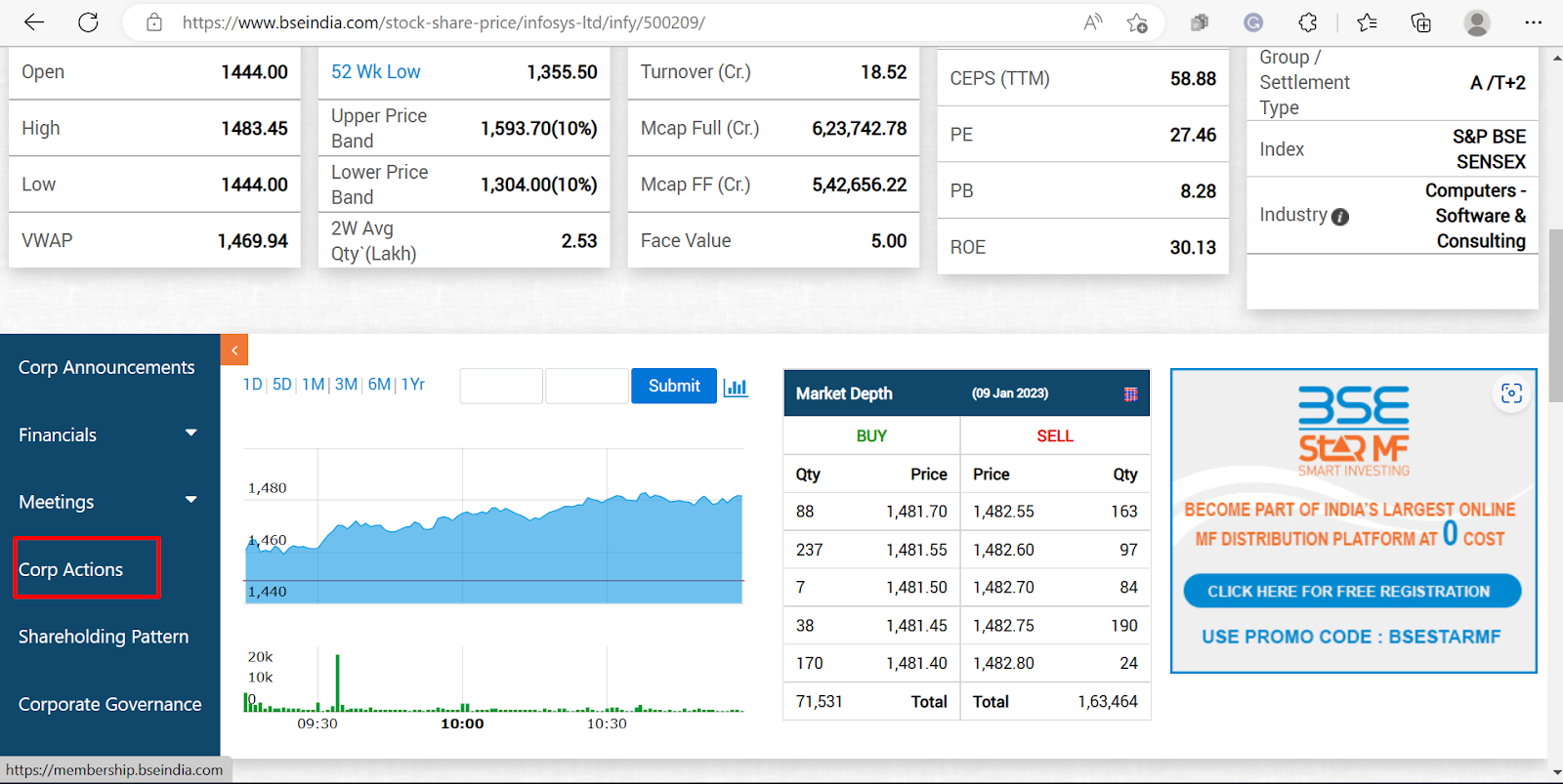
Step 3: Select ‘Corp Actions’.
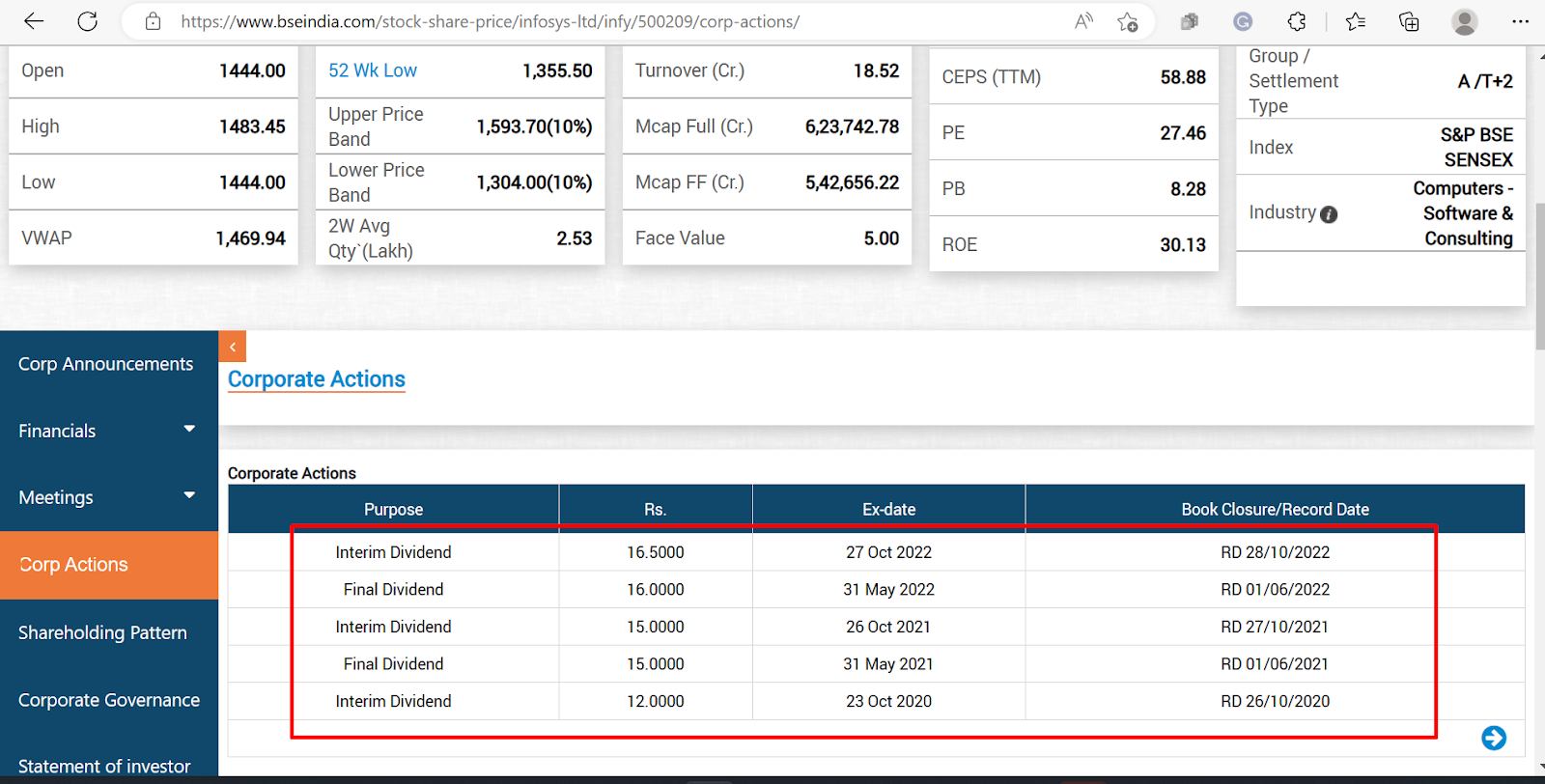
Step 4: You will get to see the declared corporate actions by the company.
Trade with Upstox
Want to open a Demat account?
Open a FREE Demat and Trading account to invest in Stocks, Mutual Funds, IPOs and more.
By signing up you agree to receive transaction updates on Whatsapp. You may also receive a call from an Upstox representative to help you with the account opening process.
Upstox Community
Upstox Community
| Topic | Replies | Views | Activity |
|---|