
Help Center

Getting Started
Trading
My Account
Mutual Funds
IPOs
Stock SIP
Gold
NPS
Government Securities
Fixed Deposits
Insurance
Loan
Smallcase
DartStock
Upstox API
NCD
US Stocks
Native Margin Pledge Process
Native Margin Pledge feature is a faster, streamlined way to pledge your shares and get trading margins instantly.
This enhanced pledging system integrates seamlessly with CDSL (Central Depository Services Limited), thereby enabling you to:
Pledge shares in real-time during market hours
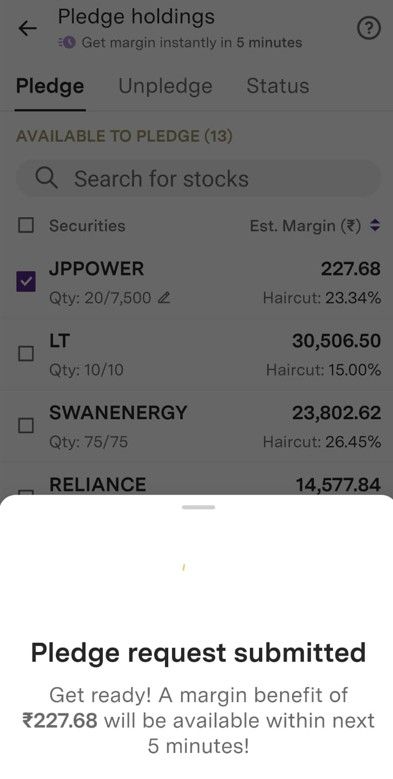
Receive margin credit within 5 minutes of confirmation
Track your pledge requests easily through the app
Manage multiple securities from a single dashboard
Process - How to Pledge Your Shares
1. Log in to your Upstox mobile app.
2. Go to the Pledge Section.
Tap on the Portfolio tab at the bottom of your screen.
Select the Pledge tab from the available options.
3. Select Securities for Pledging
Click on the 'Edit' button.
Browse through your holdings and select the shares you want to pledge.
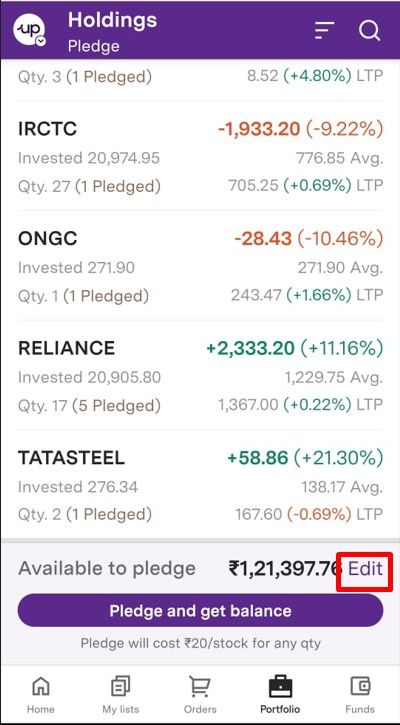
Quick Tip - To pledge all eligible stocks at once, tap 'Pledge and get balance.'
4. Adjust Pledge Quantity
Tap the 'Pencil icon' (✏️) next to any stock to modify the quantity.
Enter the specific number of shares you wish to pledge.
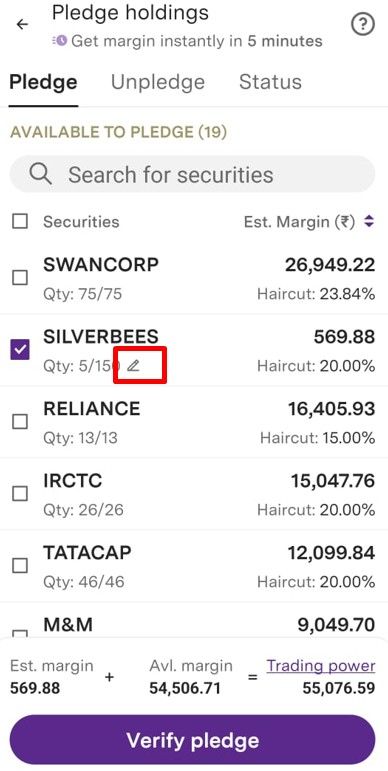
You can pledge partial quantities—no need to pledge your entire holding.
5. Update Your Selection
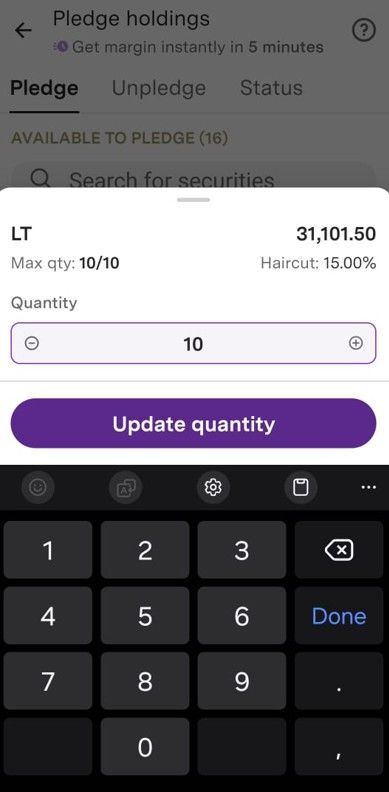
Click 'Update quantity' to confirm your changes.
6. Initiate Verification
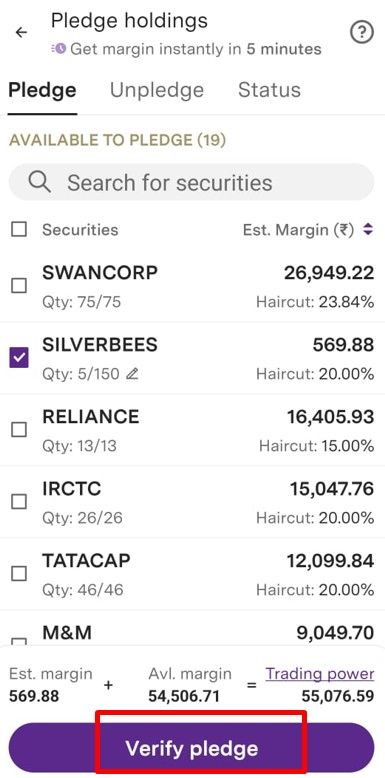
Tap on 'Verify Pledge' to proceed to the authentication stage.
7. Complete CDSL Authentication
You will be automatically redirected to the CDSL portal.
Enter the OTP (One-Time Password) sent to your registered mobile number.
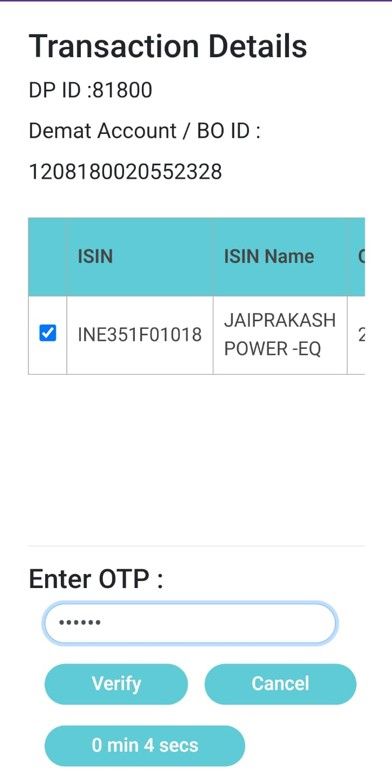
Click 'Verify' to authenticate your pledge request.
8. Confirmation
Get confirmation notification via email and sms.
Important Information and Guidelines
Timing and Processing
Real-time pledging hours- 8:30 AM to 4:00 PM (Monday to Friday)
Margin credit time- Within 5 minutes after CDSL confirmation
Charges and Fees
Pledging fee: Rs. 20 + GST per scrip
Unpledging fee: Rs. 20 + GST per scrip
Charges are automatically debited from your trading account.
Eligibility Criteria
Not all securities are eligible for pledging. Stocks may be unavailable for pledging due to:
- Corporate actions (dividends, splits, bonus issues)
- Exchange restrictions or circuit filters
- Insufficient liquidity or trading volume
- Regulatory or compliance requirements
Trade with Upstox
Want to open a Demat account?
Open a FREE Demat and Trading account to invest in Stocks, Mutual Funds, IPOs and more.
By signing up you agree to receive transaction updates on Whatsapp. You may also receive a call from an Upstox representative to help you with the account opening process.
Upstox Community
Upstox Community
| Topic | Replies | Views | Activity |
|---|