
Help Center

Getting Started
Trading
My Account
Mutual Funds
IPOs
Stock SIP
Gold
NPS
Government Securities
Fixed Deposits
Insurance
Loan
Smallcase
DartStock
Upstox API
NCD
US Stocks
How do I download MTF Profit & Loss Report?
To get your Profit and Loss statement on the app, follow these simple steps:
Step 1: Log in to the Upstox app using your 6-digit PIN or biometrics.
Step 2: Select 'My account' under 'Upstox icon.'
Step 3: Select 'Reports.'
Step 4: In Reports, select ‘Profit and Loss Report.’
Step 5: Select ‘Realised’ and click on ‘Filters.’
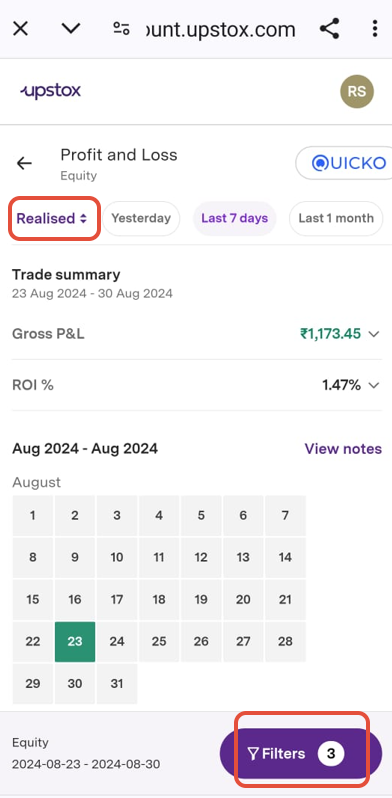
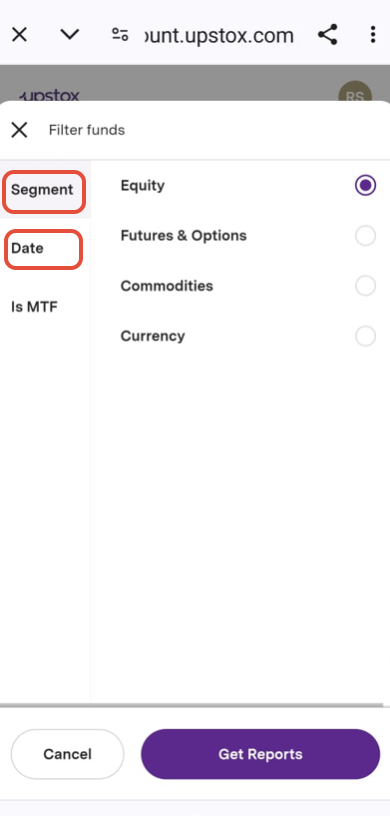
Step 6: Select ‘Segment’ (eg: Equity) & ‘Date’ option.
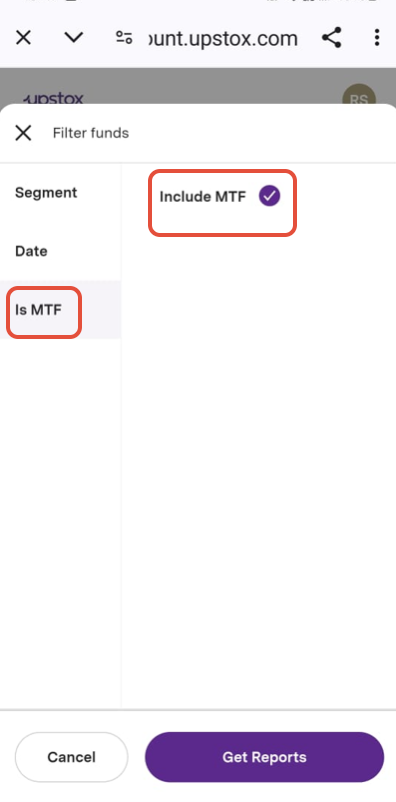
Step 7: Click 'Is MTF' and select ‘Include MTF’ to download the MTF P/L report.
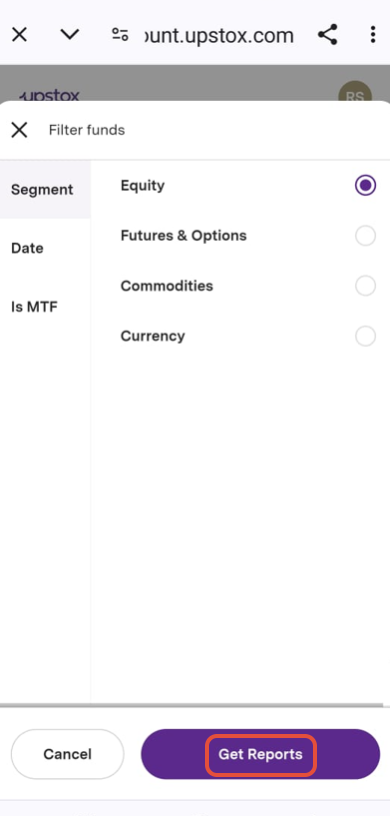
Step 8: Click on ‘Get Reports.'
Step 9: You will be able to check the MTF P/L report as shown below.
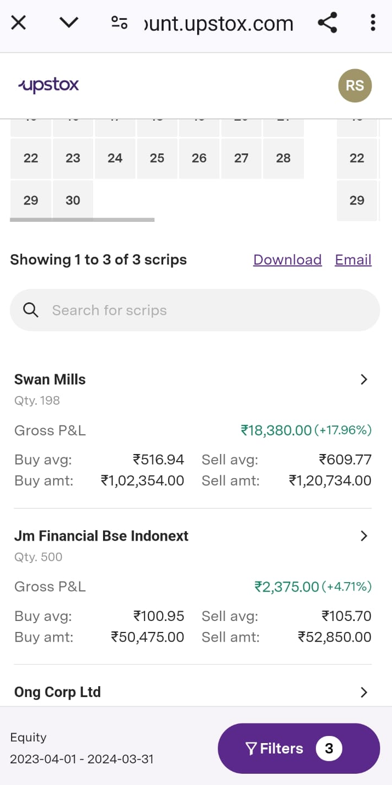
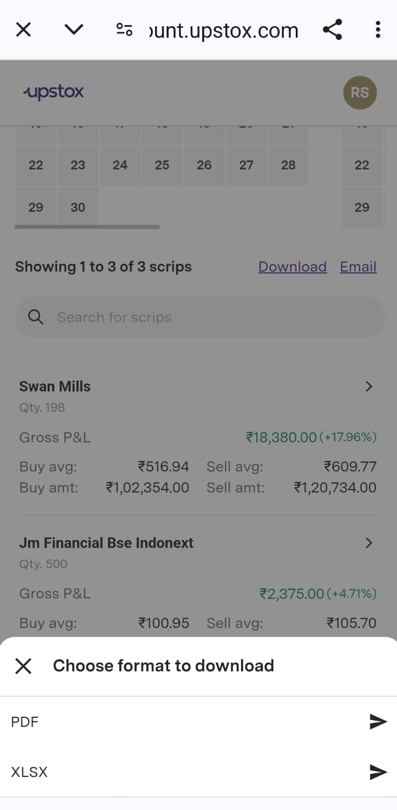
Step 10: You can download the report in Excel and PDF format.
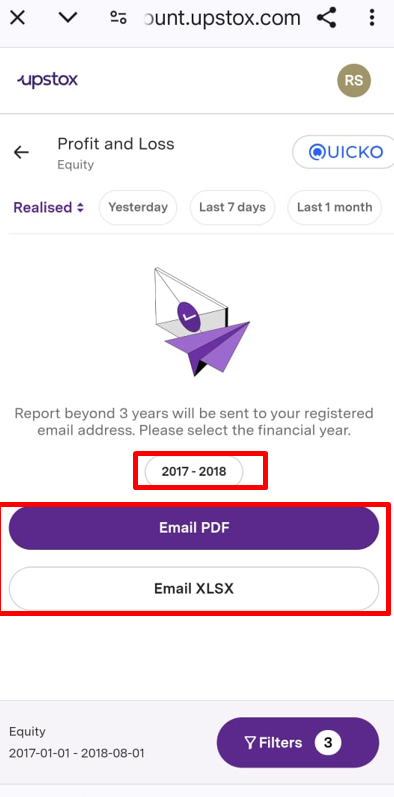
Note: For reports from more than three financial years ago, choose the specific year from the date range, then tap 'Get Report'.
Please select the financial year and choose your preferred format: email or PDF.
Related Articles
Trade with Upstox
Want to open a Demat account?
Open a FREE Demat and Trading account to invest in Stocks, Mutual Funds, IPOs and more.
By signing up you agree to receive transaction updates on Whatsapp. You may also receive a call from an Upstox representative to help you with the account opening process.
Upstox Community
Upstox Community
| Topic | Replies | Views | Activity |
|---|