
Help Center

Getting Started
Trading
My Account
Mutual Funds
IPOs
Stock SIP
Gold
NPS
Government Securities
Fixed Deposits
Insurance
Loan
Smallcase
DartStock
Upstox API
NCD
US Stocks
Minor Account
How can I place a GTT order with Target and Stop-Loss from the Upstox web platform?
Traders can now conveniently place Good Till Triggered (GTT) orders using the Stop-Loss and Target percentages on the Upstox web app. This helps traders automate their trades and manage their risk accordingly.
GTT orders allow investors to set their entry and exit points beforehand, so that you can have a disciplined trading approach rather than monitoring the market relentlessly.
If you would like to place a GTT order with Target and Stop-Loss, please do the following;
Step 1: Log in to your pro.Upstox.com account.
Step 2: Select a Stock or F&O scrip.
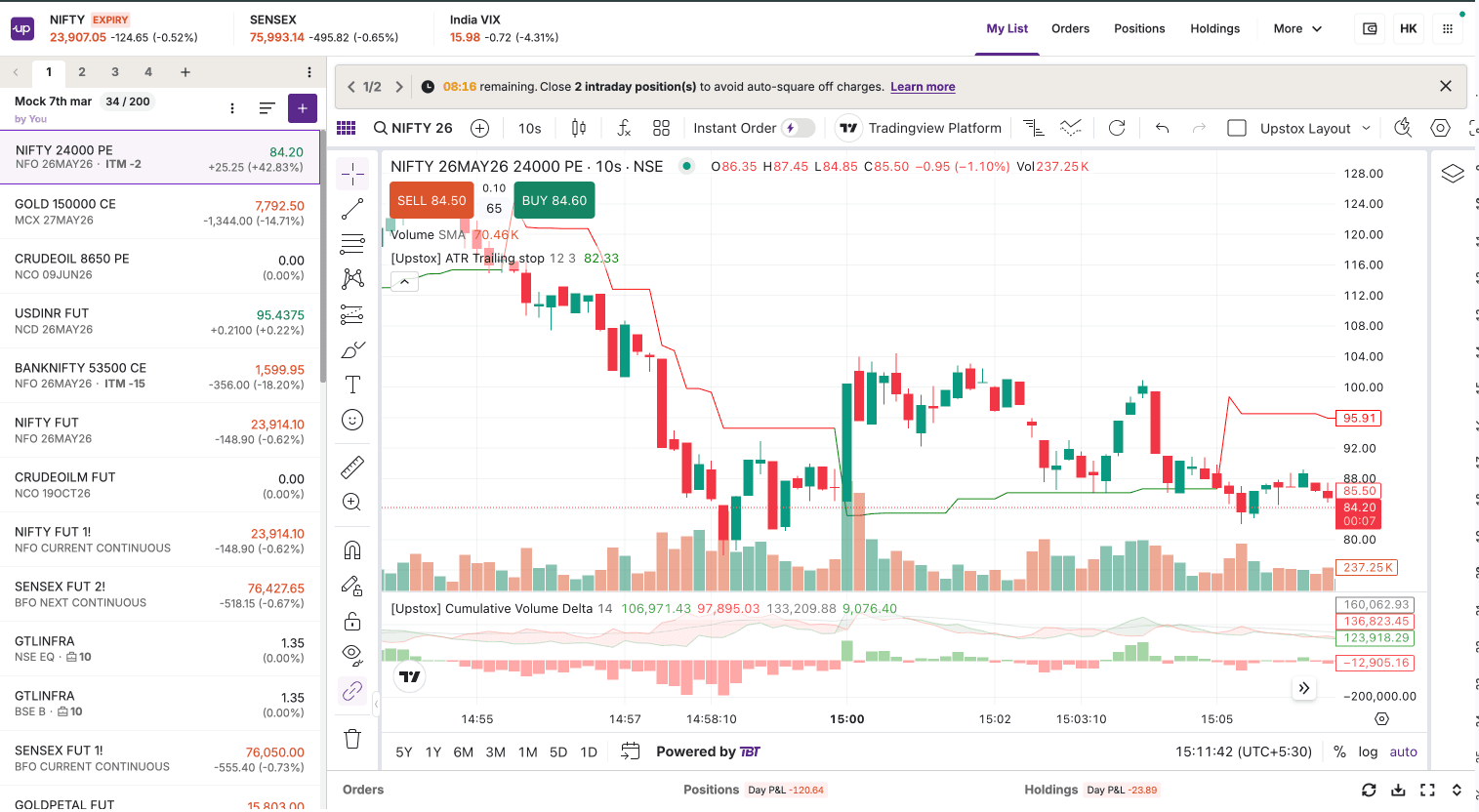
Step 3: Hover your cursor over the scrip and either select Buy or Sell, or click on a three dots menu and select ‘Create GTT order’.
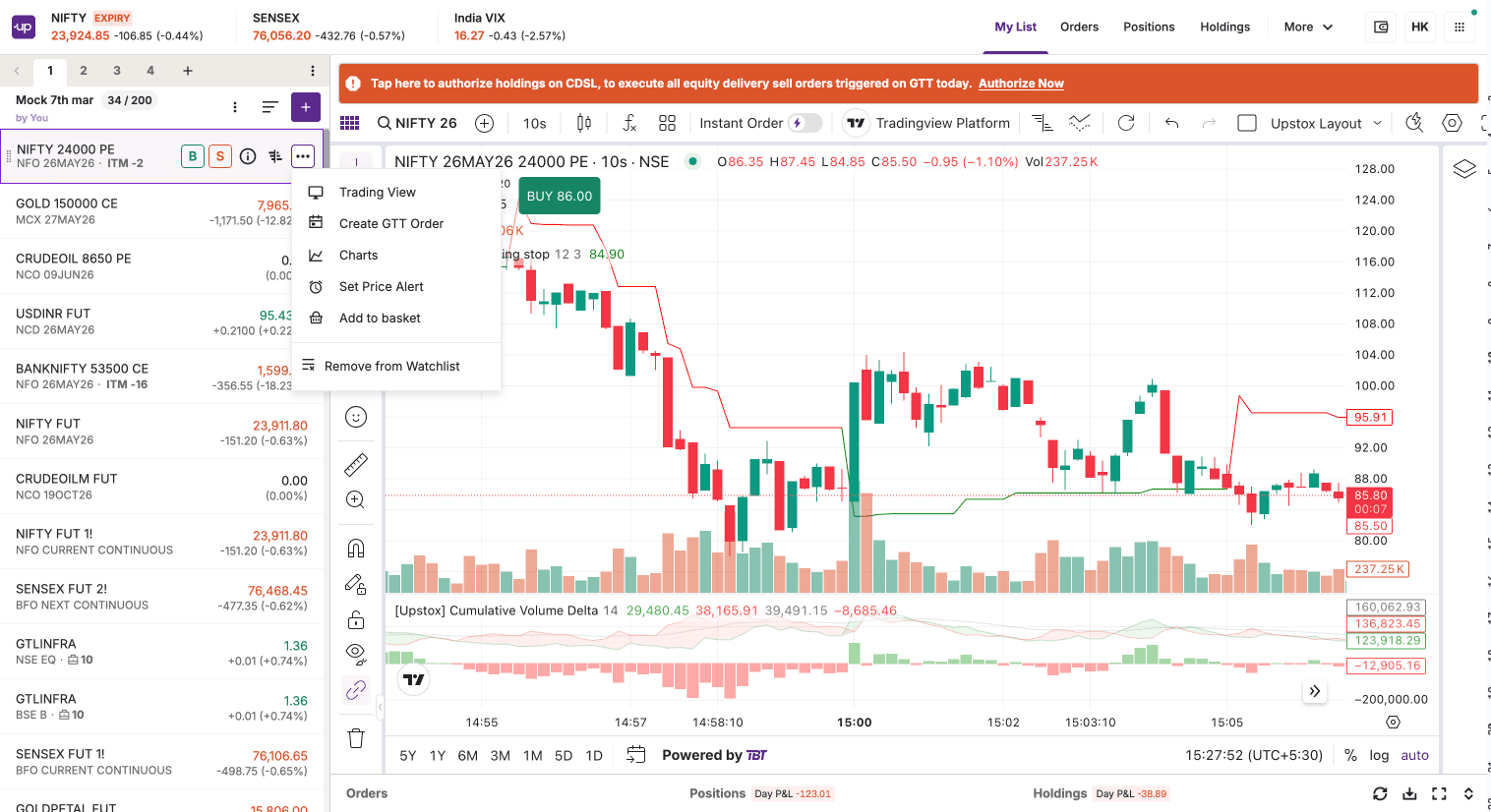
Step 4: Click on the GTT order tab on the order entry page.
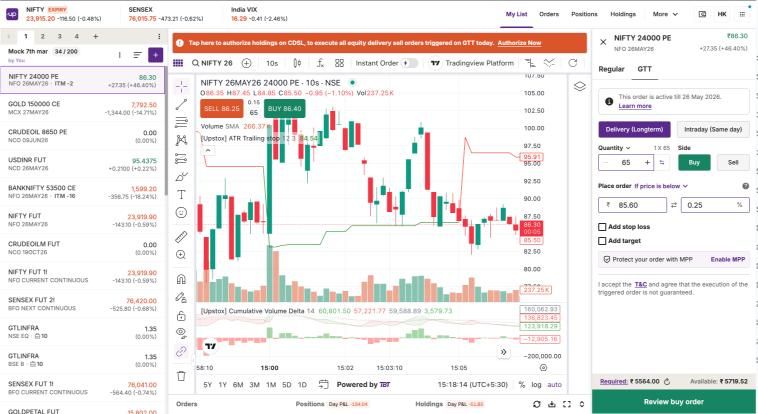
Step 5: Enter the desired quantity.
Step 6: Choose the product type as either ‘Delivery’ or ‘Intraday’.
Step 7: To place your GTT Order, select any one of the following:
- Select 'Above' if you want to buy or sell the scrip at a price above your stated price.
- Select ‘Immediately’ if you want to buy or sell the scrip at the current price.
- Select 'Below' if you want to buy or sell the scrip at a price below your stated price.
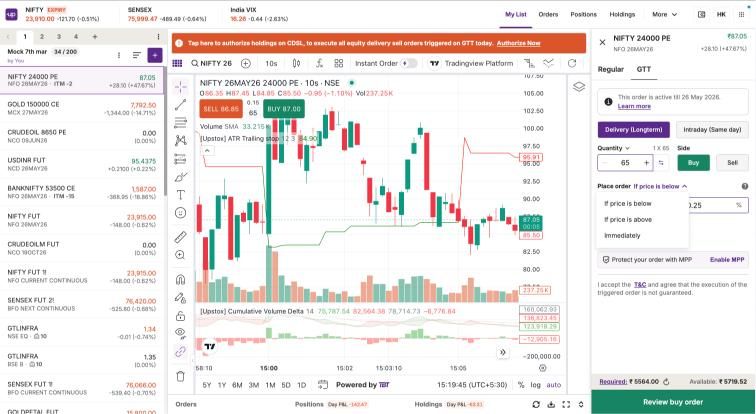
Step 8: Choose whether to set a Stop-Loss, Target, or both
Step 9: Type in the desired percentage that you're setting for Stop-Loss and Target; remember, the minimum percentage you can set is 0.25%.
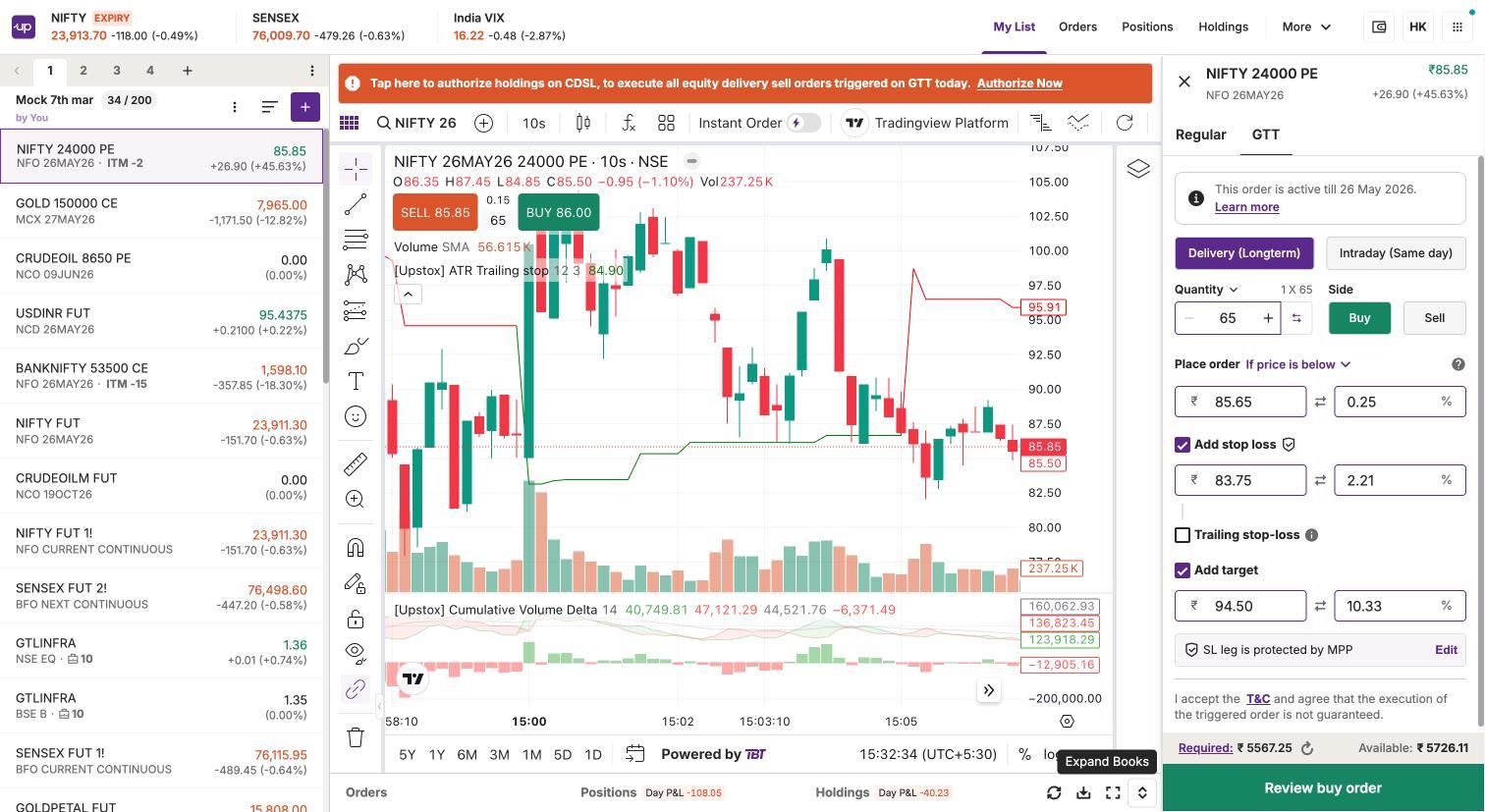
Step 10: Click "Review buy order" to confirm the requested details.
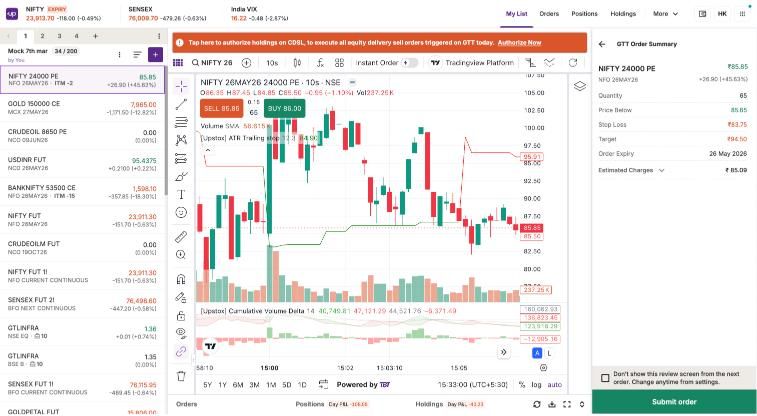
Step 11: Finally, click "Submit order" to successfully place your GTT order.
Trade with Upstox
Want to open a Demat account?
Open a FREE Demat and Trading account to invest in Stocks, Mutual Funds, IPOs and more.
By signing up you agree to receive transaction updates on Whatsapp. You may also receive a call from an Upstox representative to help you with the account opening process.
Upstox Community
Upstox Community
| Topic | Replies | Views | Activity |
|---|