
Help Center

Getting Started
Trading
My Account
Mutual Funds
IPOs
Stock SIP
Gold
NPS
Government Securities
Fixed Deposits
Insurance
Loan
Smallcase
DartStock
Upstox API
NCD
US Stocks
Minor Account
Does order slicing work with Chart 360 web?
The Chart 360 Web system allows for order slicing, which means a trader may enter orders larger than the freeze limit of the exchange by taking the overall order and slicing it into smaller pieces for smooth execution.
This is an important tool for traders who handle high volumes and still need to remain compliant with the rules and limits of the exchange.
Below are 7 steps to follow:
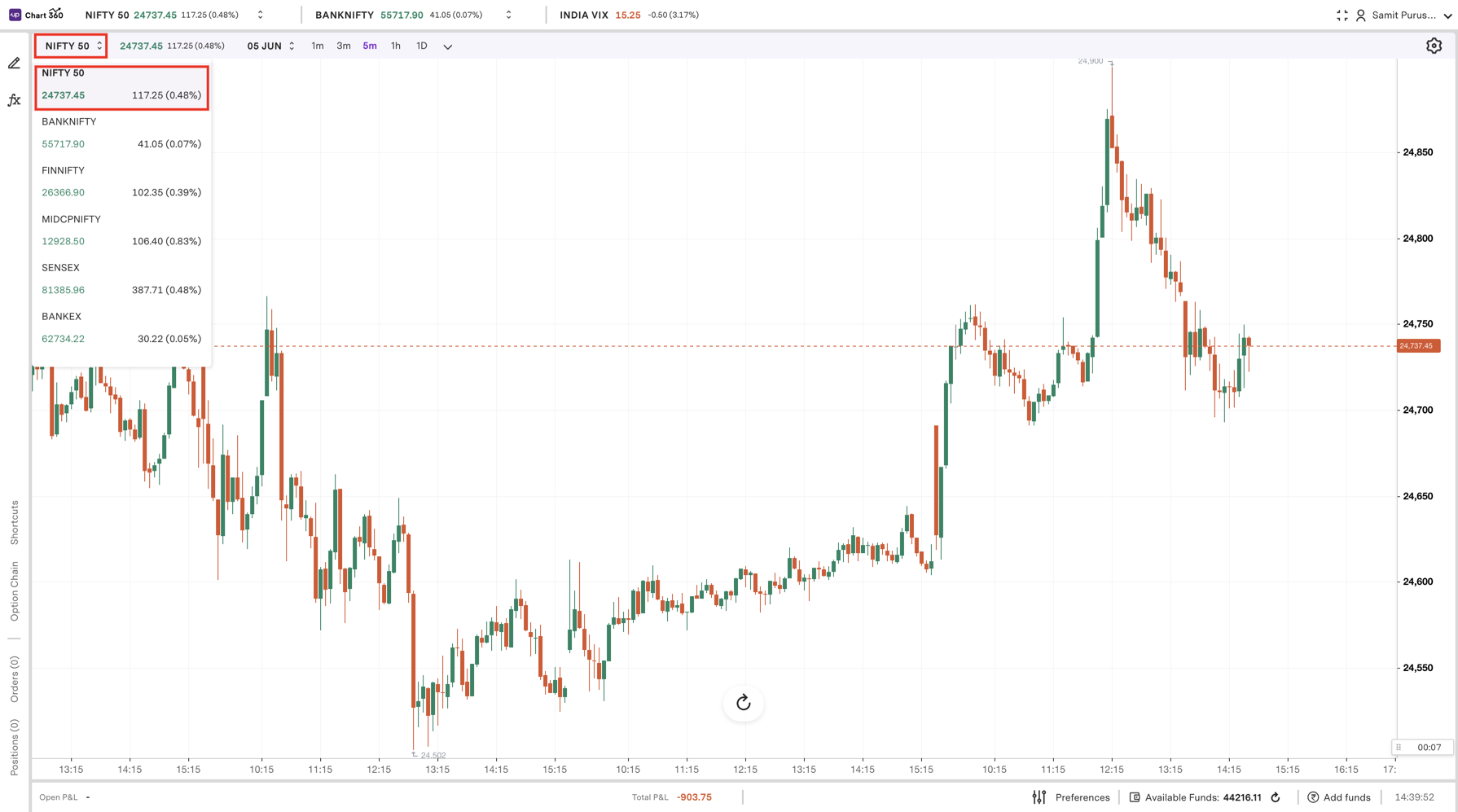
Step 1: The first step is to select the index and the expiry date that pertains to your trade, so you know you are trading the right contract.
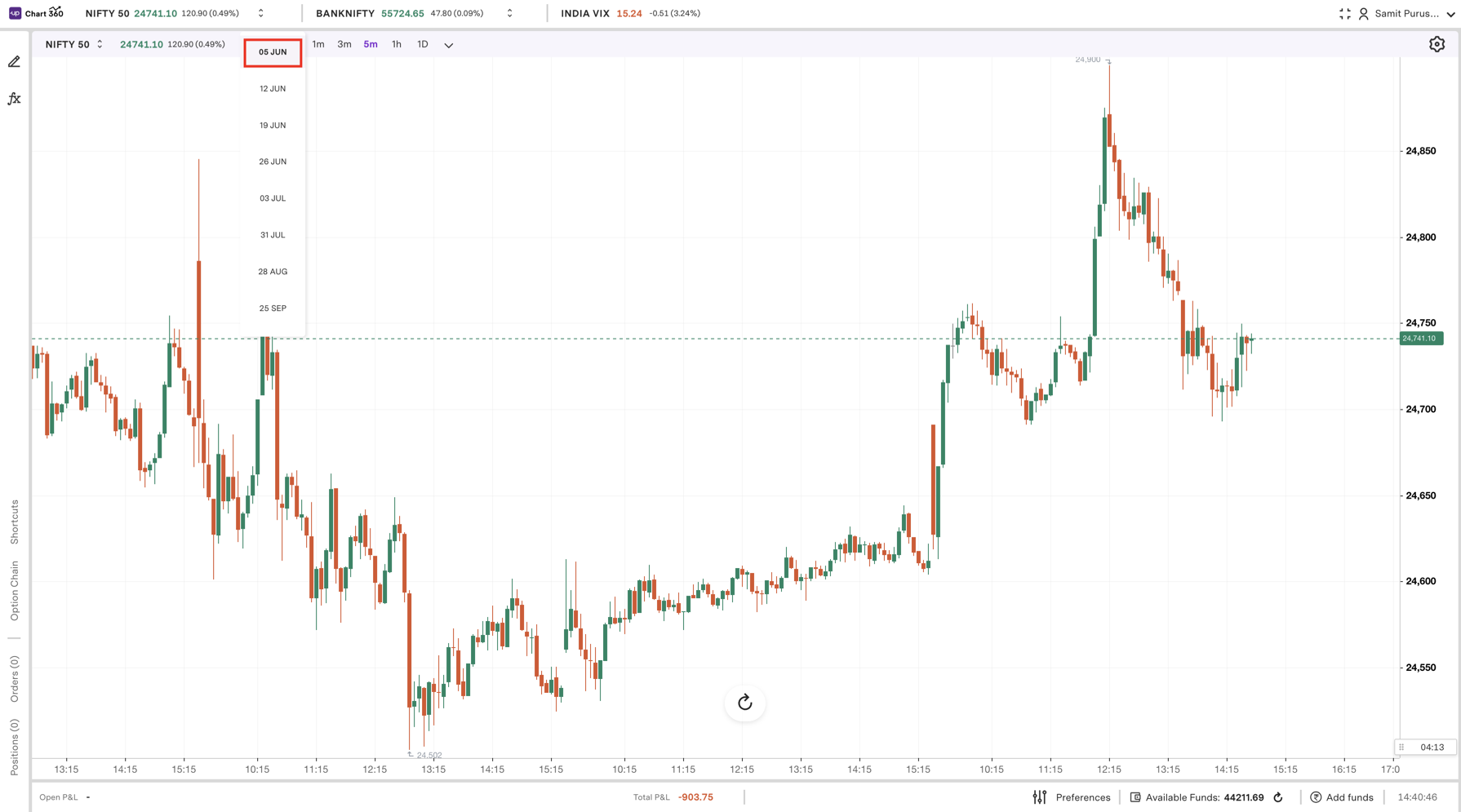
Step 2: After selecting the expiry date, click the highlighted values on the Y-axis to open the pricing scale and choose the strike price.
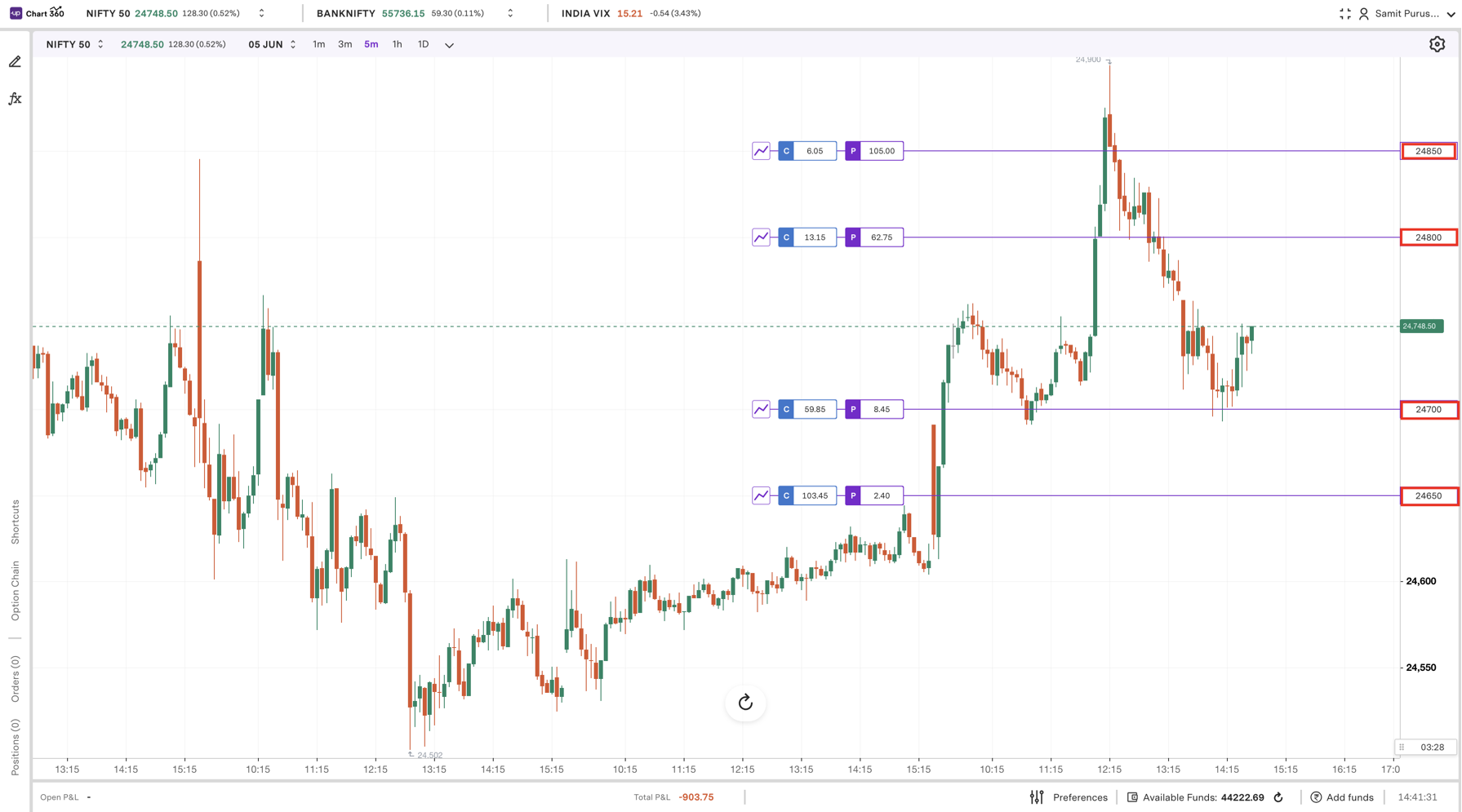
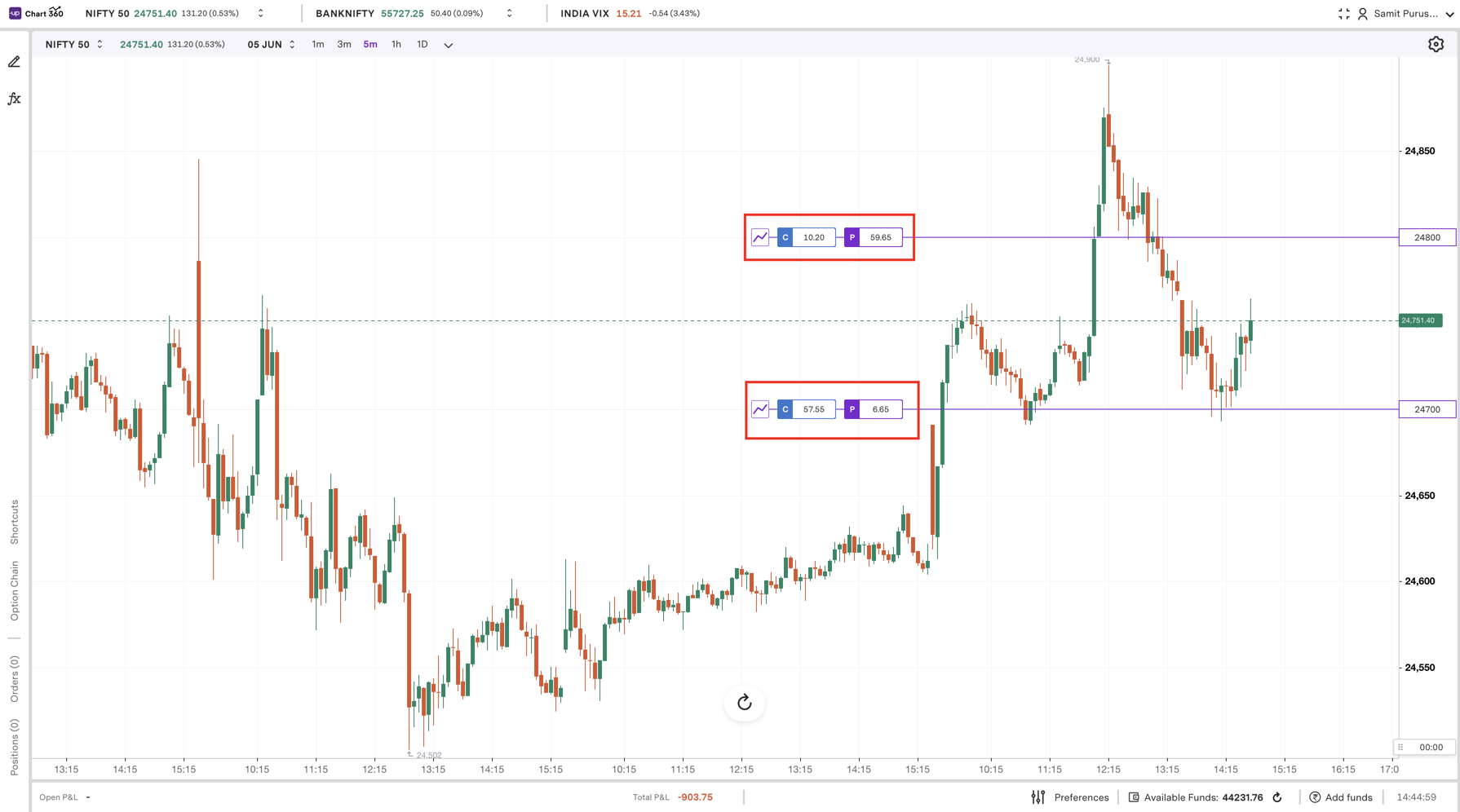
Step 3: Lastly, after you have found the strike price, you simply click the CE or PE to trade based on your prediction of the market.
Step 4: Use the '+' button to increase the lot size beyond the freeze limit. Please note that, when slicing is enabled, only limit orders are allowed, market orders are not permitted to keep the rate fixed.
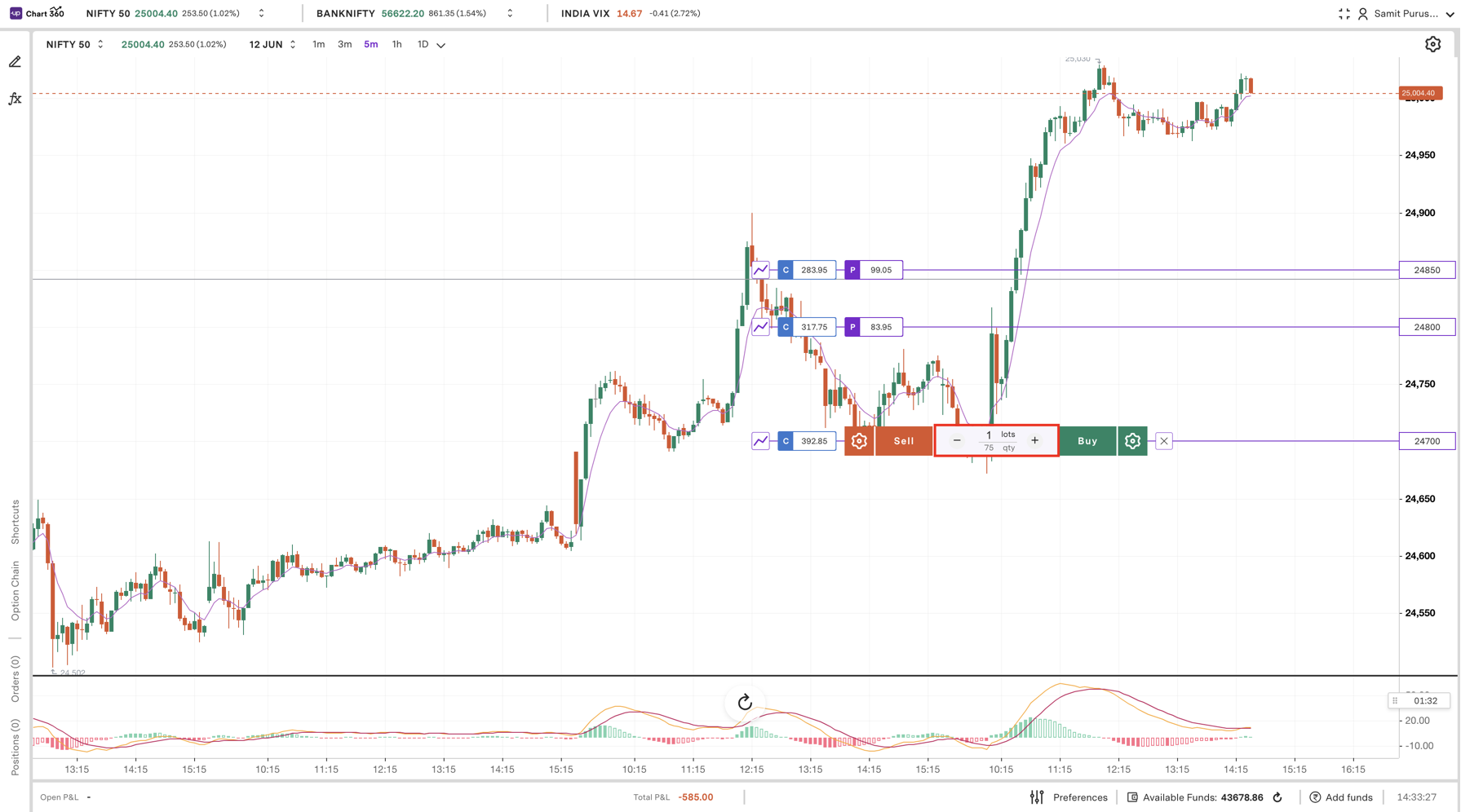
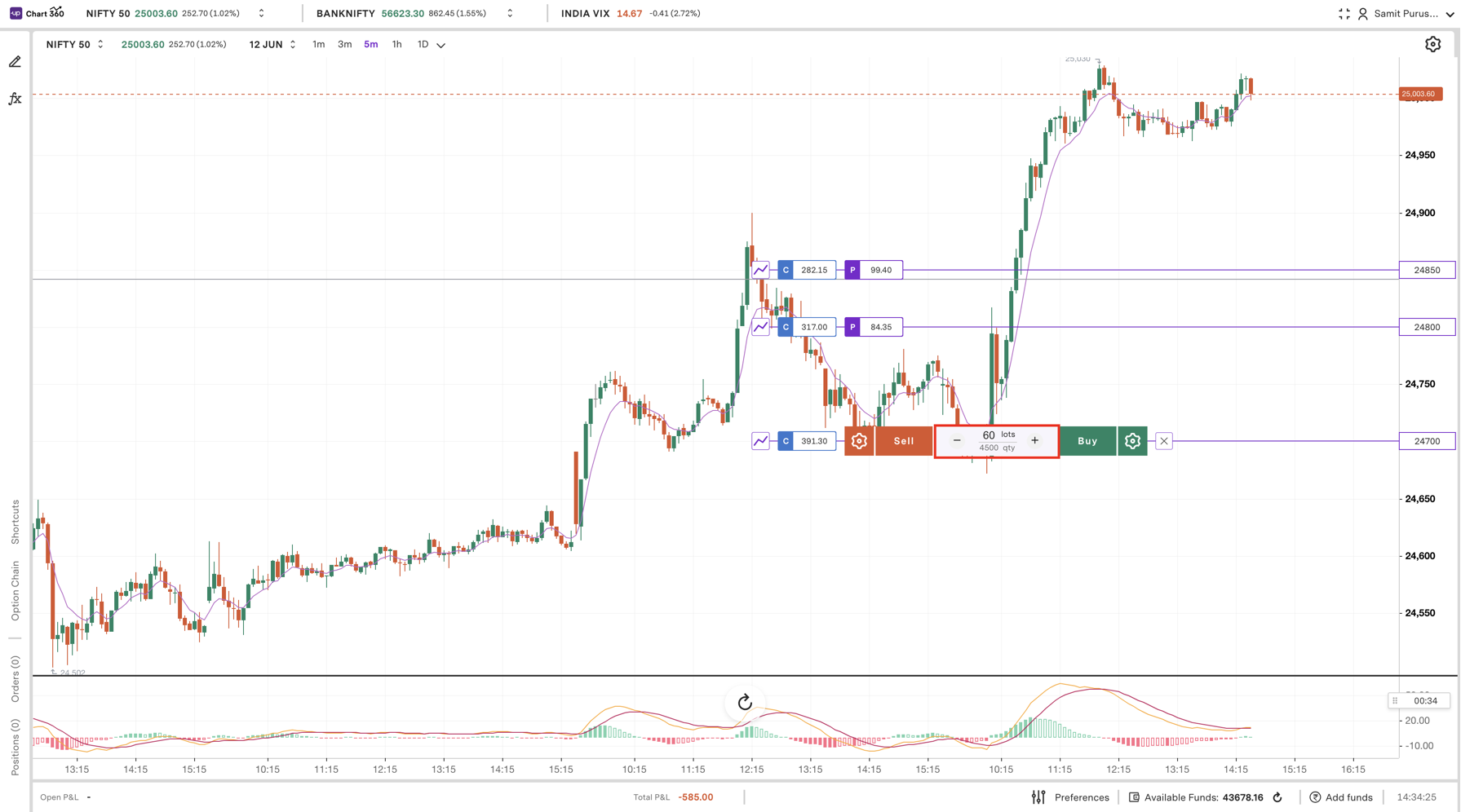
Note: Only limit orders are allowed when slicing is enabled. Market orders are not supported.
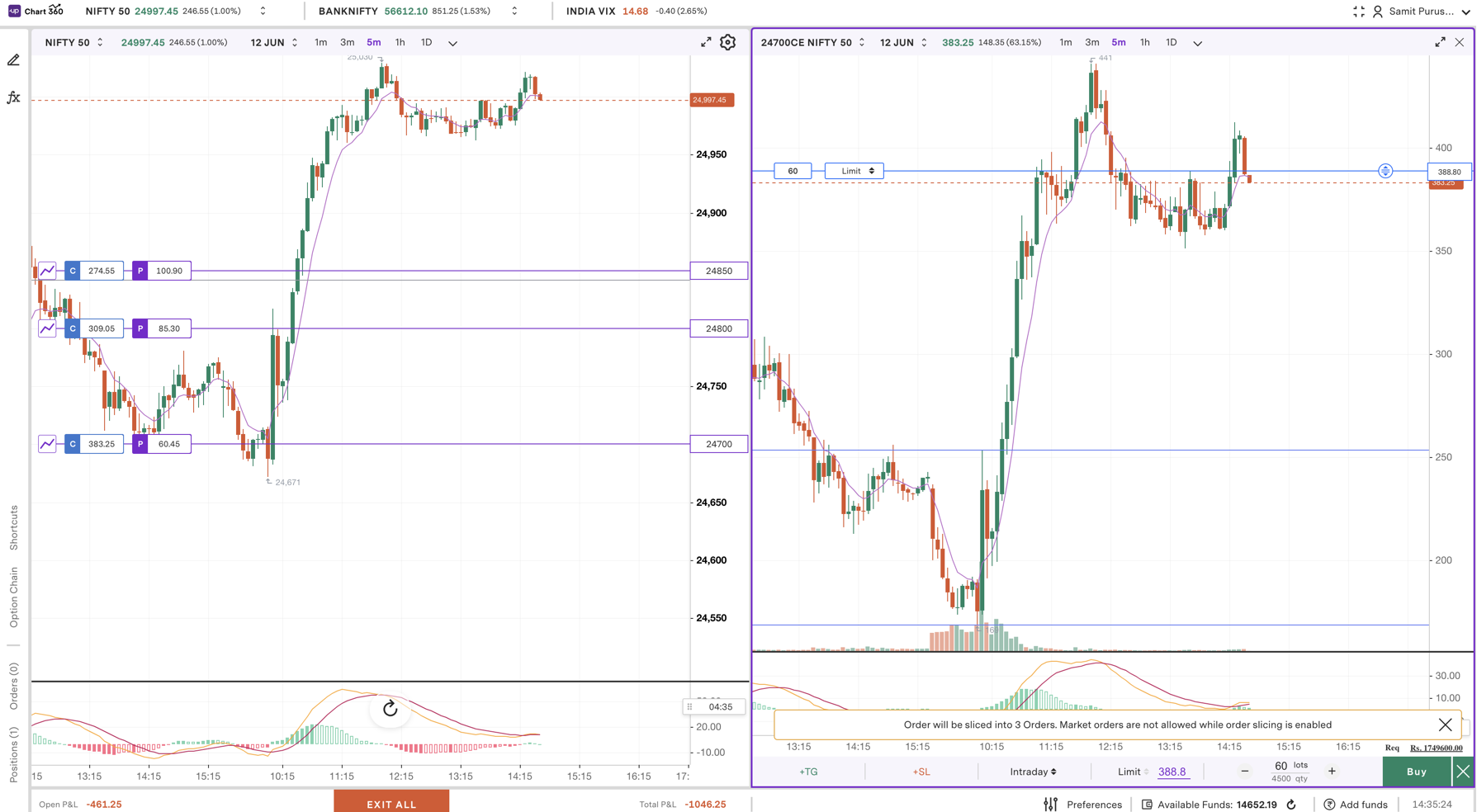
Step 5: Choose your limit price by dragging that line across the chart or entering in a specific price for exact executions.
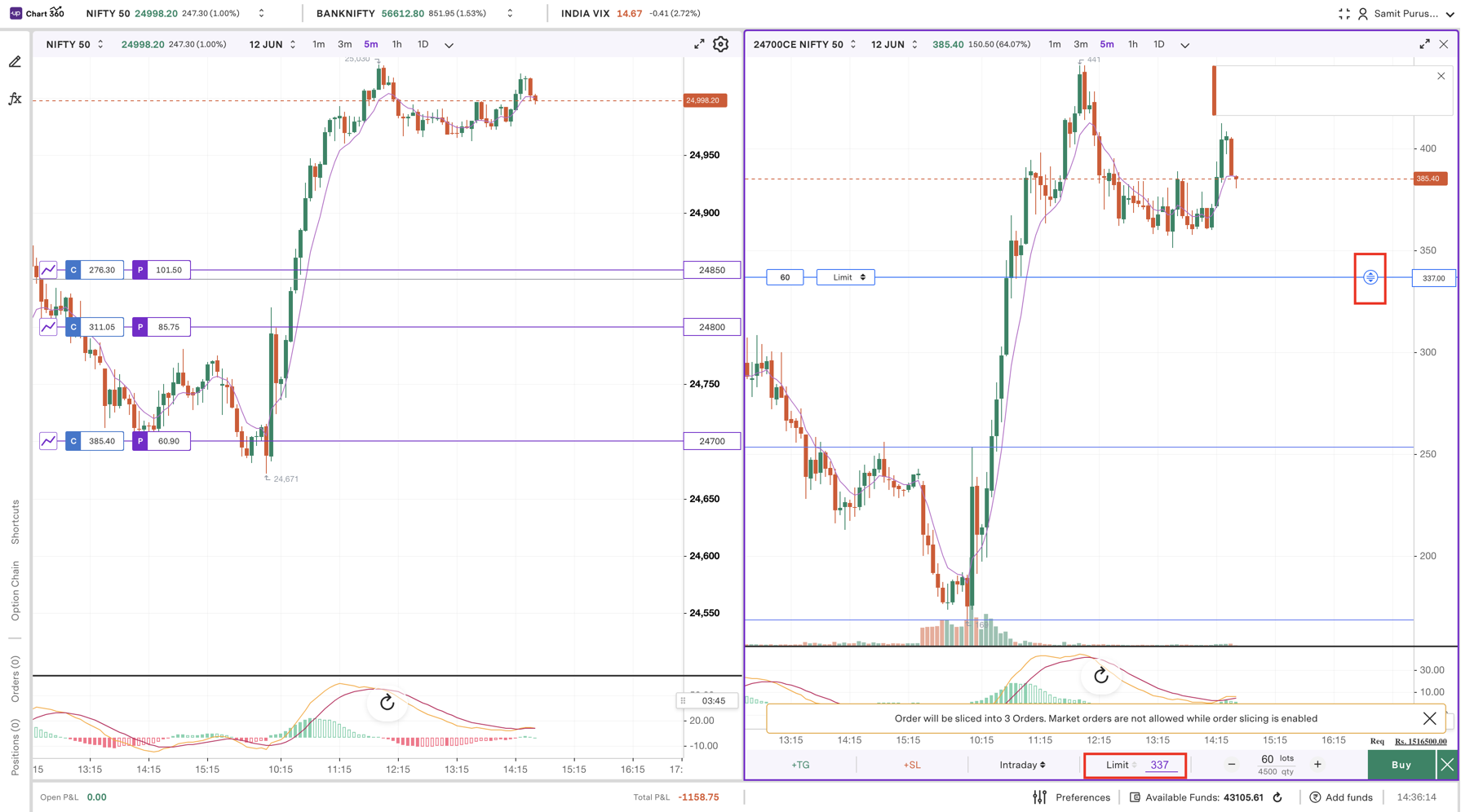
Step 6: Choose what product type you are going to use, either Intraday for holding the same day or Delivery for holding longer.
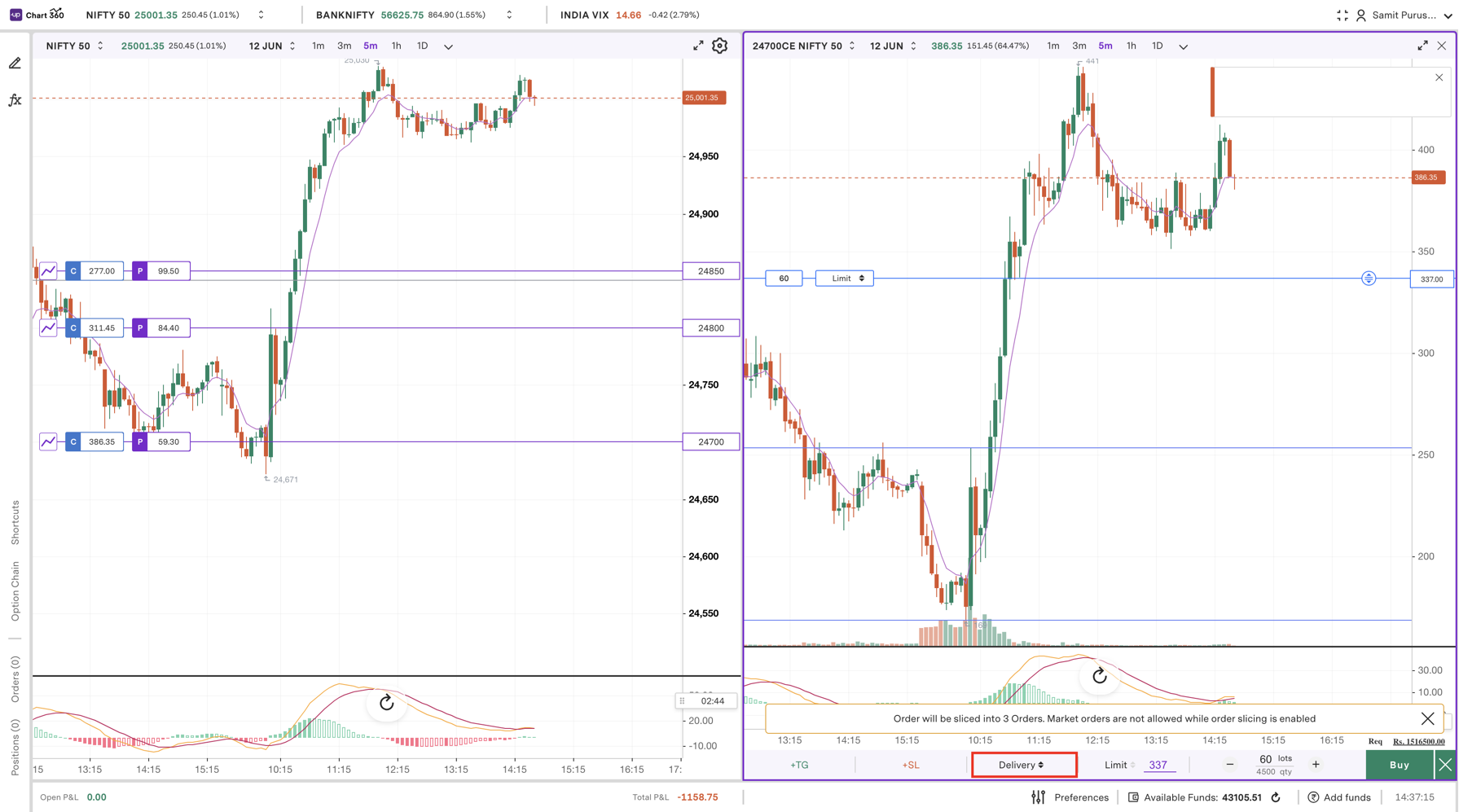
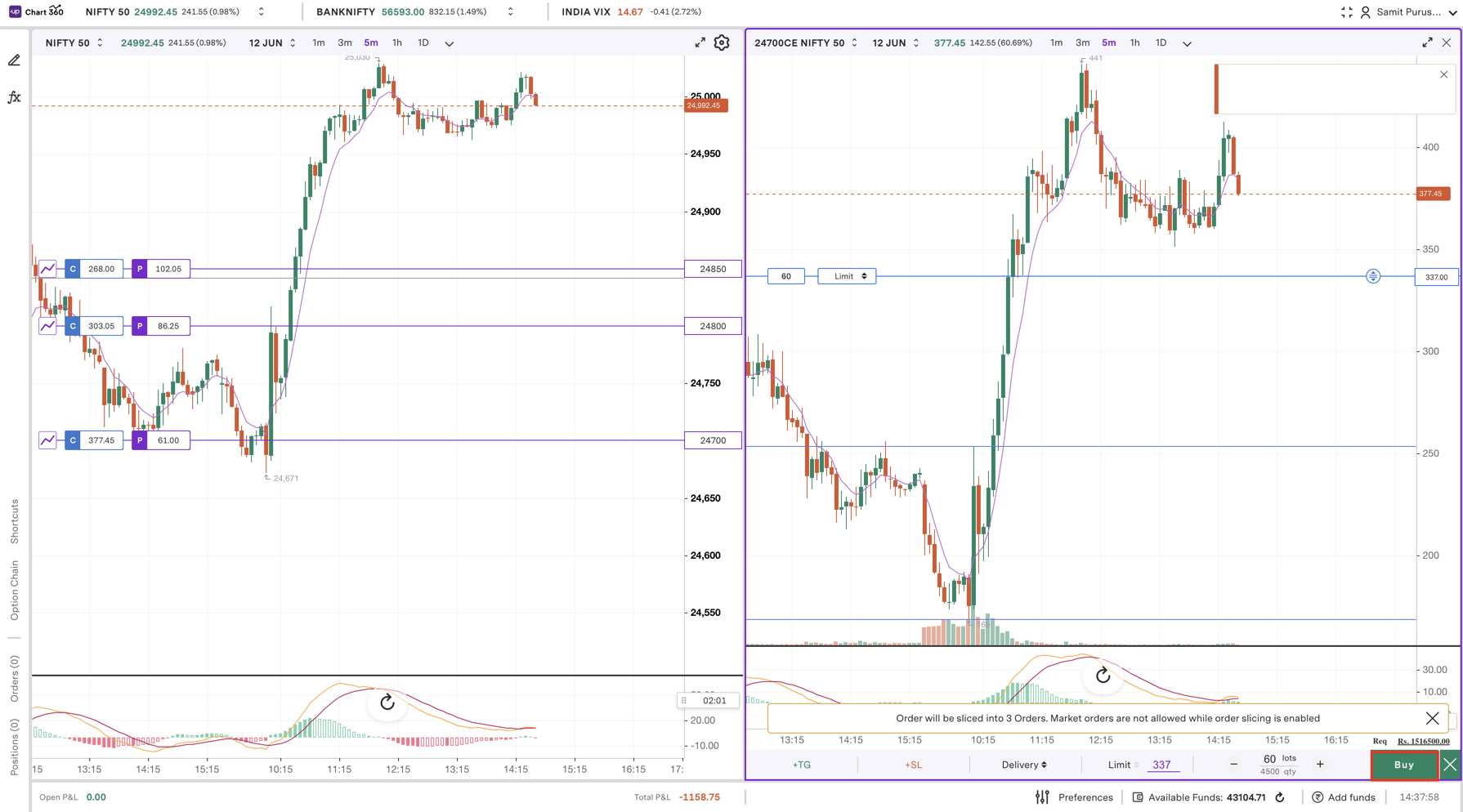
Step 7: Click Buy to place your sliced order, and the request will be executed in smaller portions throughout the exchange to be compliant with exchange rules.
Trade with Upstox
Want to open a Demat account?
Open a FREE Demat and Trading account to invest in Stocks, Mutual Funds, IPOs and more.
By signing up you agree to receive transaction updates on Whatsapp. You may also receive a call from an Upstox representative to help you with the account opening process.
Upstox Community
Upstox Community
| Topic | Replies | Views | Activity |
|---|