Personal Finance News
How to set-up and use Apple Pay, make payments with iPhone, iPad, Apple Watch using Axis Credit Cards

8 min read | Updated on September 30, 2026, 12:44 IST


SUMMARY
Learn how to set up and use Apple Pay with eligible Axis Bank credit cards on iPhone, iPad and Apple Watch, including payments, security and FAQs.
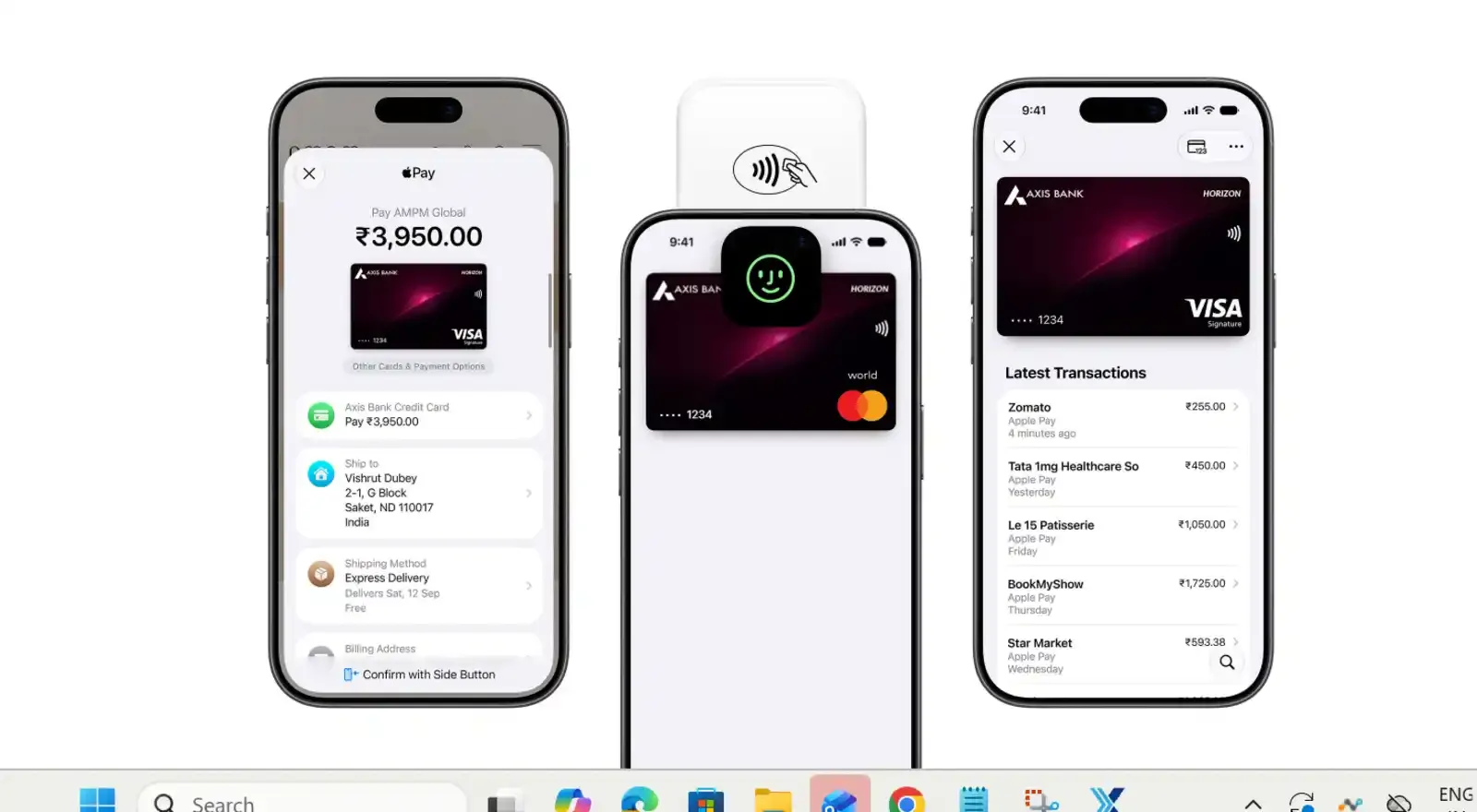
Apple Pay is at present available in more than 90 countries and regions.
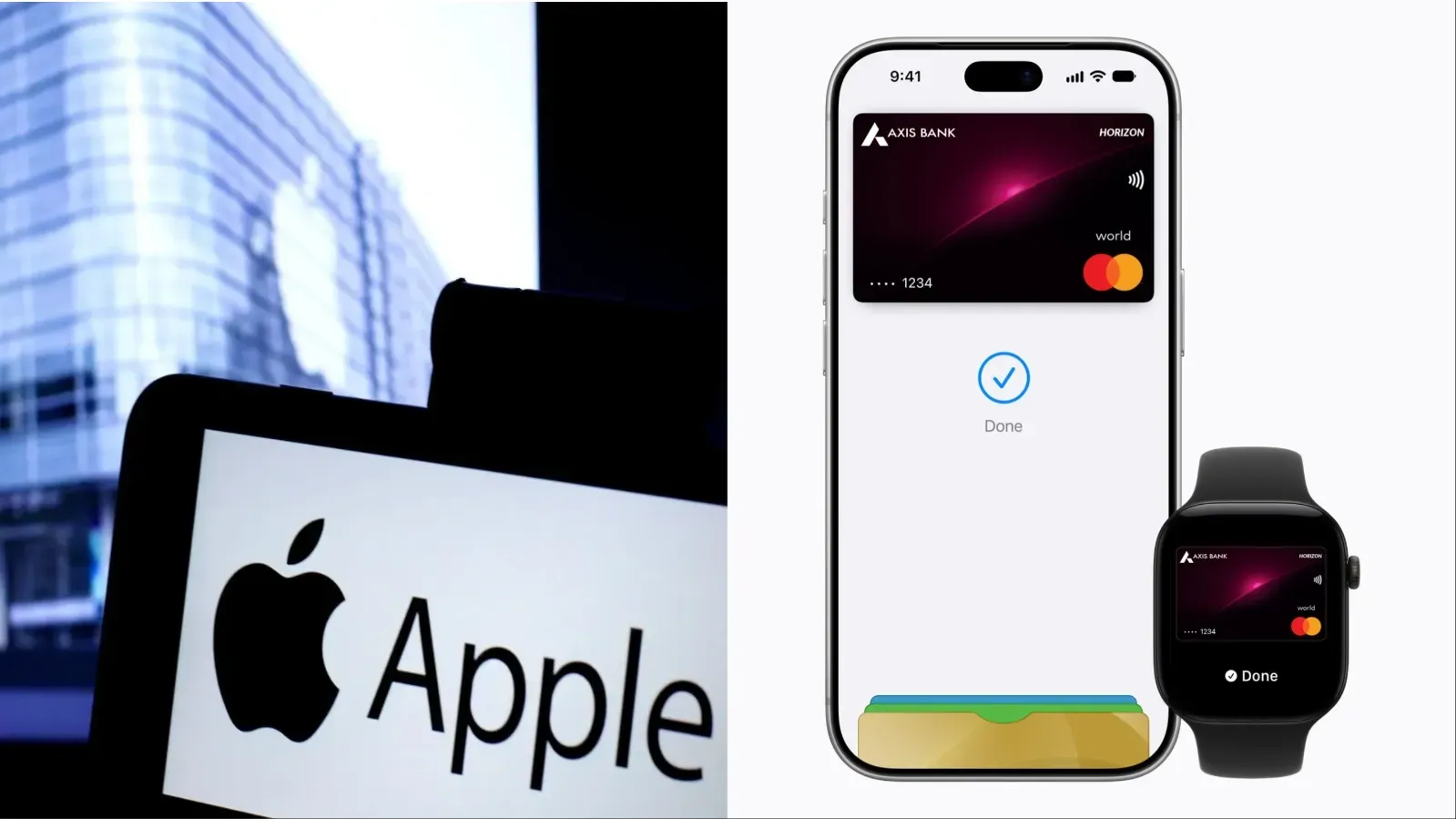
Apple has launched Apple Pay in India in collaboration with Axis Bank, allowing eligible Axis Bank credit cardholders to make payments using compatible Apple devices.
Customers with eligible Axis Bank-issued Visa and Mastercard credit cards can add their cards to Apple Wallet and use Apple Pay at supported stores, in apps and online.
“India is home to a dynamic and digitally savvy population that continues to embrace a cashless future while expecting the highest standards of security and privacy,” said Jennifer Bailey, Apple's vice president of Apple Pay and Apple Wallet.
Amitabh Chaudhry, MD & CEO, Axis Bank, said, “We are at a significant inflection point in payments, where technology, intelligent security and changing customer expectations are reshaping how people transact. The introduction of Apple Pay advances this ambition, bringing greater choice and flexibility to our Credit Card customers, with support across the Mastercard and Visa networks. ”
With Apple Pay, users can make payments without entering their card details or using a physical card at checkout.
What is Apple Pay?
Apple Pay allows users to make payments using credit or debit cards added to Apple Wallet. At a store, users can pay by holding their compatible Apple device near a contactless payment terminal. Apple Pay can also be used for eligible purchases in apps and on websites.
Apple Wallet, meanwhile, is the app where credit and debit cards, event tickets, keys and other items can be stored.
To put is simply, Apple Wallet stores your cards, while Apple Pay lets you use them to make payments.
How to add an Axis Bank credit card to your iPhone
-
To set up Apple Pay on an iPhone, open the Wallet app and tap the Add Card (+) button.
-
Select debit or credit card and tap Continue.
-
You can hold your card close to the iPhone or use the camera to scan it.
-
If you prefer, you can select enter card details manually and follow the instructions on the screen.
Some banks or card issuers may require additional authentication before approving the card for Apple Pay. Axis Bank may ask for additional information or require users to complete a verification process.
Once the card is approved, it will be available in Apple Wallet for use with Apple Pay.
How to make a payment with Apple Pay on iPhone
-
Look for the contactless payment symbol on the payment terminal.
-
If your iPhone uses Face ID, double-click the side button to bring up your card.
-
Authenticate the payment with Face ID or your passcode, and then hold the top of the iPhone near the contactless reader.
-
Wait for the payment confirmation on the screen.
-
If your iPhone uses Touch ID, place your finger on the Touch ID sensor and hold the iPhone near the contactless payment terminal.
If you have more than one card in Apple Wallet, you can select another card before making the payment.
How to use Apple Pay for online purchases on iPhone
Apple Pay can also be used for purchases in supported apps and on websites that offer Apple Pay at checkout.
-
Select Apple Pay as the payment option
-
Check the payment details and authenticate the purchase using Face ID, Touch ID or your passcode.
This means users do not have to enter their card details manually when making an eligible Apple Pay purchase.
How to add an Axis Bank credit card to Apple Watch
If you have a paired Apple Watch, you can add your eligible card through the Apple Watch app on your iPhone.
-
Open the Apple Watch app, go to My Watch
-
Select Wallet & Apple Pay and tap Add Card.
-
Select debit or credit card and follow the instructions.
You can add a new card or select a card that you have previously used. The card can be scanned or its details can be entered manually.
If required, verify the information with Axis Bank. The bank may ask for additional information or authentication before approving the card.
How to pay with Apple Pay on Apple Watch
Once the card has been added and approved, you can use your Apple Watch for contactless payments.
At a payment terminal that supports contactless transactions, double-click the side button on the Apple Watch and hold the watch near the reader.
The payment is then processed using the card added to Apple Wallet on the watch.
How to add Apple Pay to an iPad
-
On a compatible iPad, go to Settings and select Wallet & Apple Pay.
-
Tap Add Card, choose debit or credit card and follow the instructions on the screen.
-
You can add the card by scanning it or by entering the card details manually.
You may need to verify your information with Axis Bank before the card is approved for Apple Pay.
Once set up, Apple Pay can be used for eligible purchases in supported apps and on websites that offer Apple Pay at checkout.
Can Apple Pay be used without Wi-Fi or mobile data?
Yes. Apple Pay can be used for in-store purchases on an iPhone or Apple Watch even when the device is not connected to Wi-Fi or cellular service.
Apple Pay uses the device's Near Field Communication (NFC) chip to communicate securely with the store's payment terminal.
However, a purchase may not appear in your transaction history until the device reconnects to the internet or cellular service.
How does Apple Pay protect your card details?
Apple says that when a card is used with Apple Pay, the actual card number is not stored on the device or on Apple servers, and it is not shared with the merchant.
Instead, a unique Device Account Number is assigned to the card. It is encrypted and securely stored in the device's Secure Element, a certified chip designed to store payment information securely.
Payments are protected using the security features of the Apple device, including Face ID, Touch ID or a passcode, depending on the device.
What if your iPhone is lost or stolen?
If an iPhone is lost or stolen, Apple says users can use the Find My app to locate the device and quickly lock it or suspend payments from that device.
Where can Apple Pay be used in India?
At launch, Apple said Apple Pay would be accepted by millions of merchants across India, including Apple Store locations, Blinkit, Chaayos, Comet, Croma, Interflora, Ixigo, Le15 Patisserie, Reliance brands, Tata 1mg and Zomato, among others.
Apple also said it had worked with payment service providers including Cashfree, JusPay, Mswipe, Paytm, PayU, Pine Labs, Razorpay and Worldline to bring Apple Pay to their merchant networks.
Availability can depend on whether the merchant or payment terminal supports Apple Pay or contactless NFC transactions.
Is there a limit on Apple Pay transactions?
Users can use Apple Pay wherever there is a contactless symbol in stores or an Apple Pay button online or in apps.
What do you need to use Apple Pay?
To use Apple Pay, you need a compatible device with the latest supported version of iOS, iPadOS, watchOS, depending on the device.
You also need a supported card from a participating card issuer, an Apple Account signed in to your Apple device, and Face ID, Touch ID, Optic ID or a passcode set up on the device, as applicable.
For Apple Watch, a passcode needs to be set up.
Apple also says users should be signed in to iCloud on their devices. If a user signs out of iCloud or removes the device passcode, the cards added to that device are removed.
Can Apple Pay be used on any Apple device?
Apple Pay can be used for secure, contactless payments in stores, online and in apps using compatible iPhone, Apple Watch or iPad devices.
What happens if you have problems adding a card?
If you are unable to add a card to Apple Wallet, Apple advises users to contact their card issuer. Banks or card issuers may require additional information, authentication or an app before approving a card for use with Apple Pay.
Apple Pay is at present available in more than 90 countries and regions, and works with more than 11,000 bank and network partners worldwide.
Related News
About The Author
Next Story