Configure Static IPs and Algo Trading App
The My Apps platform has been enhanced to improve security, compliance, and user experience, in line with the requirements for retail investors participating in algo trading. When placing orders through your Algo App, you must pass the configured Algo Name in the X-Algo-Name request header — the Algo ID is not required in the header, only the Algo Name.
1. My Apps Listing
- For trading purposes, you can create an Algo Trading App.
- Each user is associated with 2 IPs (Primary and Secondary) that can be configured in the app settings. Orders will be accepted only from these registered IPs.
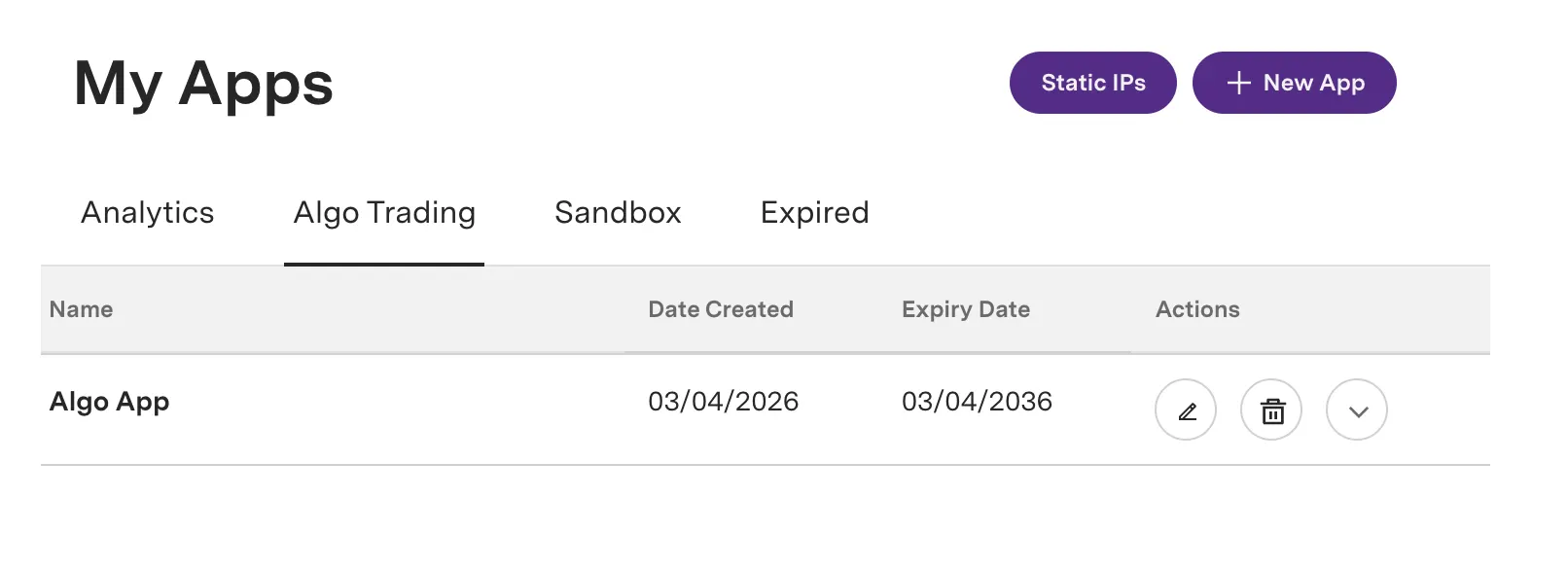
- If your algo is registered, you can add the Algo ID in the app creation or edit form.

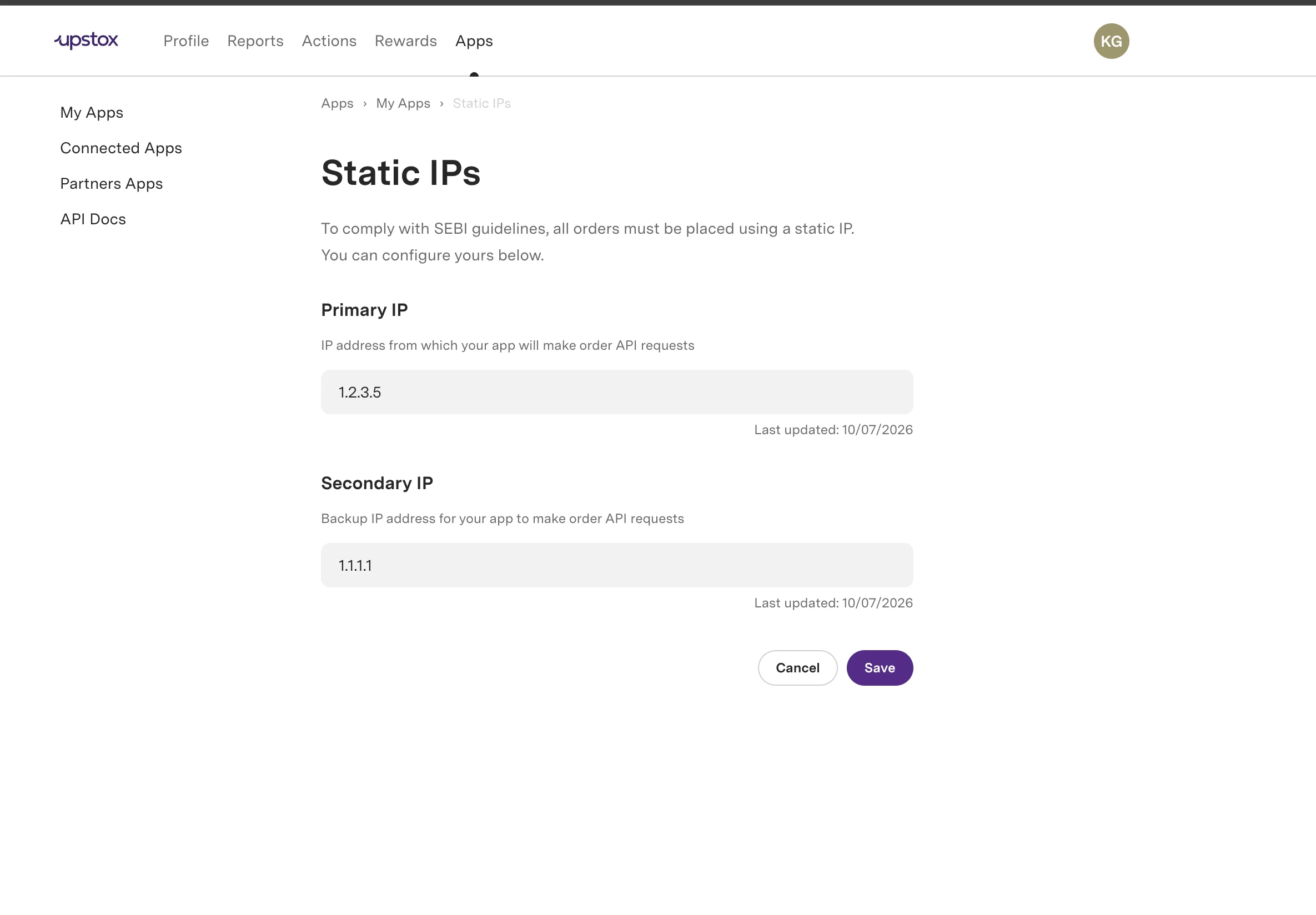
2. Configuring Primary and Secondary IPs
- Click Static IPs in the app listing to open the IP configuration form. Here, you can set your Primary and Secondary IP addresses. These IPs will be used for order placement through the API.
3. Setting Up an Algo Ids
- Click New App or Edit App to open the application form. A new field, Algo ID, has been introduced.
- The Algo ID field is optional. Use the plus button in the top-right section to add a key-value pair for the Algo Name and its associated exchange-approved Algo ID. You can add multiple Algo IDs for a single app.

- When placing orders through your Algo App, pass the configured Algo Name in the
X-Algo-Namerequest header. The Algo ID itself is not required in the header — only the Algo Name. - After the app is created, if an Algo ID has been added, it is initially marked as In Review. Upon verification, the status will change to Approved. Currently, the Algo ID review process is manual. We will soon provide the exact steps for the Algo ID approval process. For any queries, please reach out to our Developer Community.
- Once approved, you will be able to generate an access token.

Platform Update Notes
- The IP address can only be updated once per week. When updated, the existing access token will be invalidated.
- If the Algo ID changes, the Algo ID status becomes In Review and its access token will be revoked.
- When an Algo ID is marked as Rejected by Upstox, its access token is revoked.
- Orders will be rejected once the rule is enforced, unless your new IP address is updated and traffic originates from it.
- For algo trading apps with Algo IDs, orders will be rejected if the X-Algo-Name header is missing or does not match any of the configured Algo IDs in the app settings.
Additional Resources
- For approval of registered apps, please reach out to our Developer Community.
- Programmatic static IP management (user-level): Get static IPs and Update static IPs (primary_ip required, secondary_ip optional).
- Please refer to the updated Order Rate Limiting.
- For more details, please refer to the Algo Trading Circular Announcement.