Analytics Token
The Analytics Token is a long-lived access token (1-year validity) that provides read-only access to a defined set of Upstox APIs. Unlike the standard OAuth token flow, no authorization redirect is required — you generate it directly from the Developer Apps page. Because it is strictly read-only, the Analytics Token cannot be used for order placement, order modification, or any other trading operations.
The Analytics Token is free to use and does not carry any cost.
Supported APIs
All categories below work with the Analytics Token. The only difference is whether the calling server needs a whitelisted static IP.
Call from any server, laptop or serverless function.
Whitelist your server static IP in the Developer Apps console first.
Token Limitations and Restrictions
- The Analytics Token does not support trading operations. Actions such as placing or modifying orders are not permitted with this token.
- Each token has an expiry period of 1 year from the date of generation.
- Only one Analytics Token is permitted per account at a time.
- Do not share this token with anyone. Treat it as a sensitive credential and store it in a secure location.
- As the token is strictly read-only, only GET APIs are supported within these categories.
Generate an Analytics Token
-
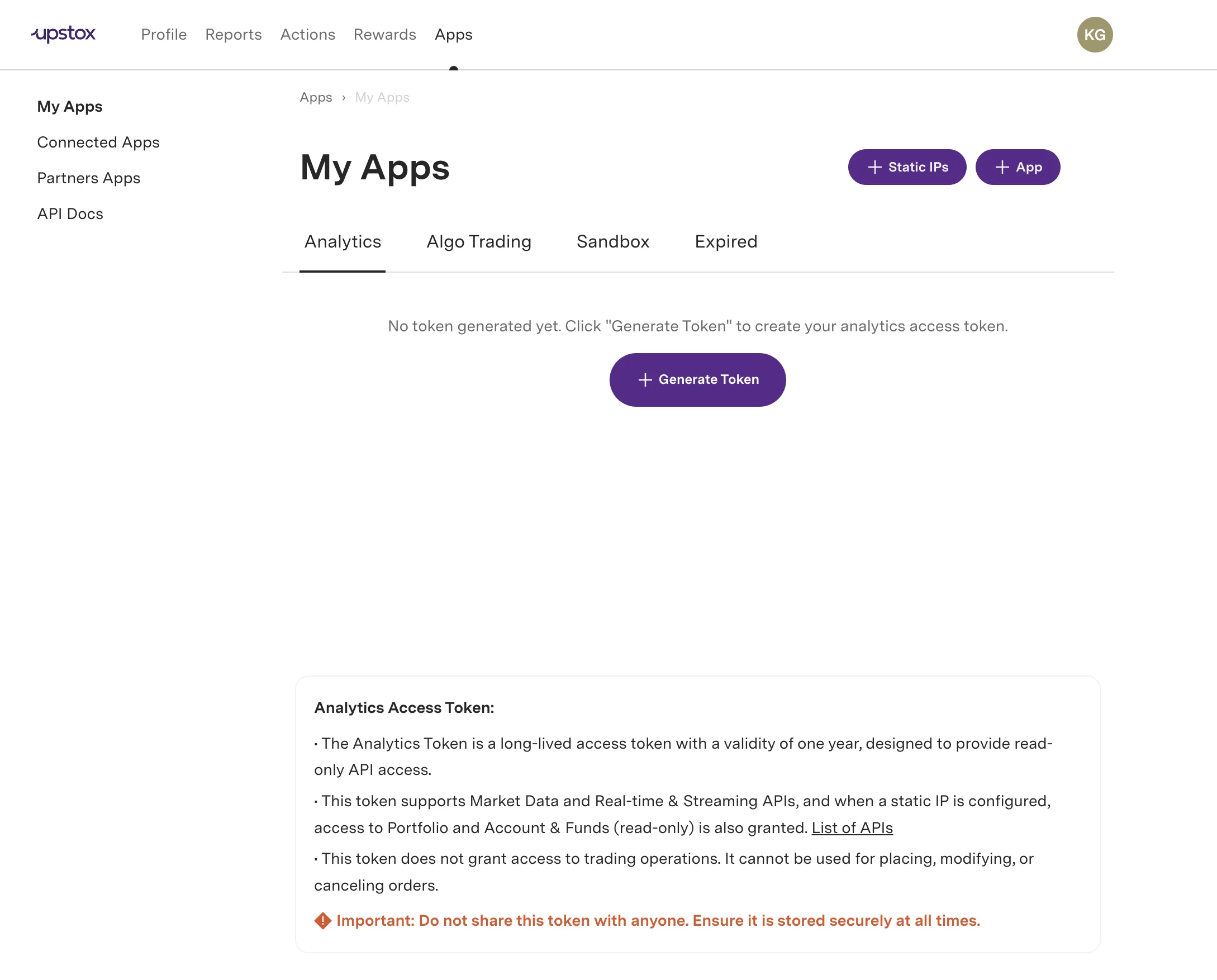
Visit the Developer Apps page — Go to the Upstox Developer Apps page and navigate to the Analytics tab.
-
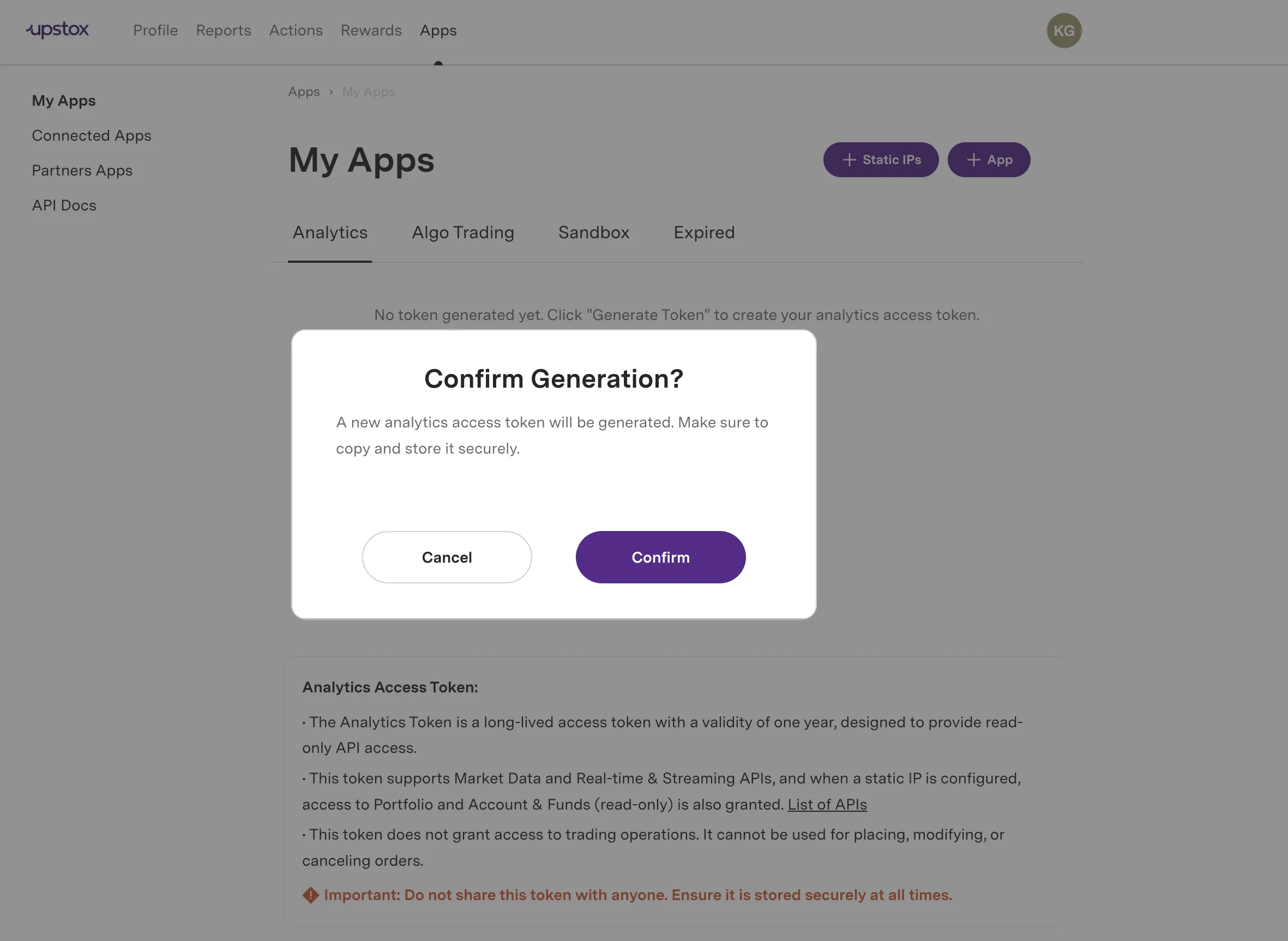
Click Generate Token — Click the Generate Token button. A confirmation dialog will appear asking you to verify the action.
-
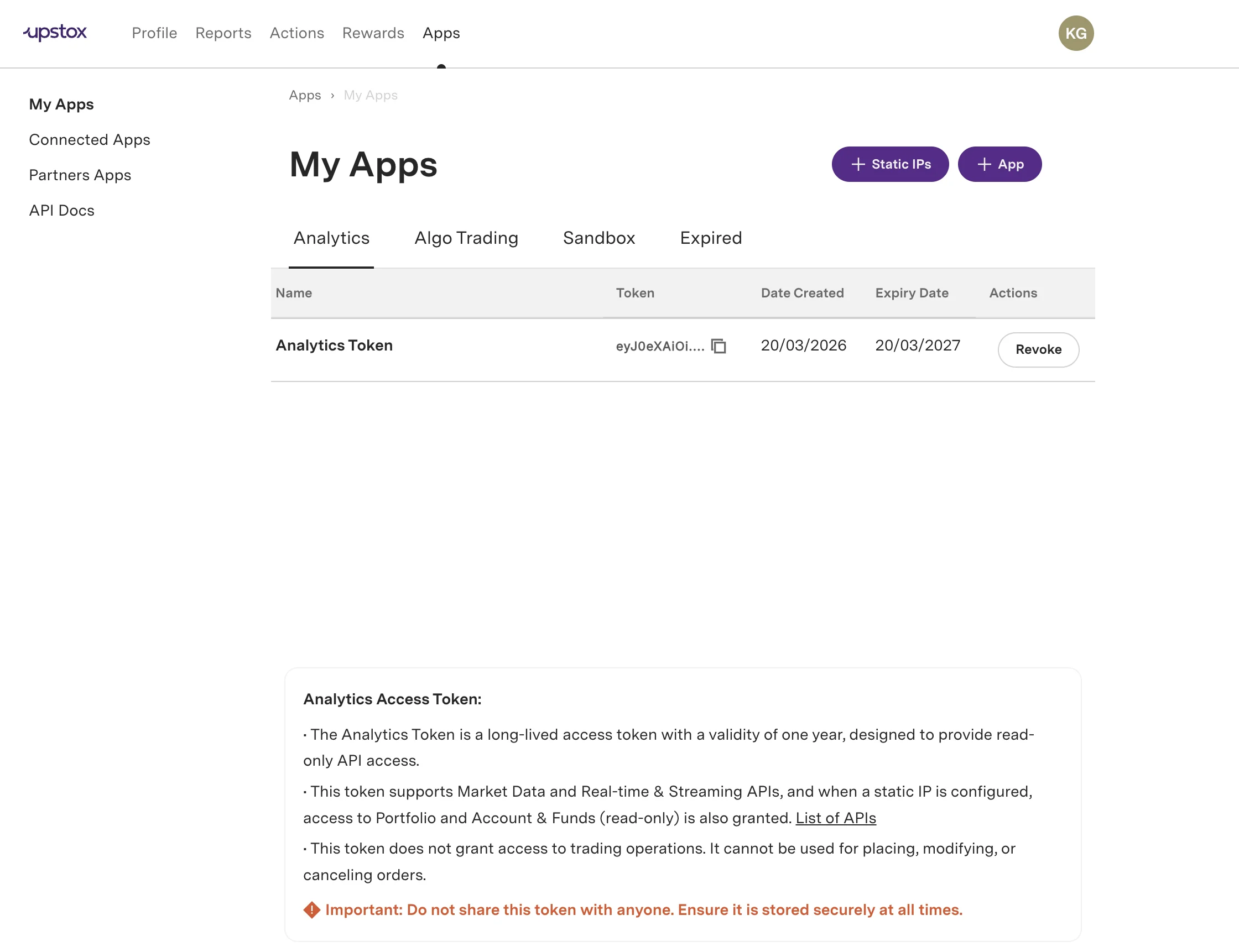
Confirm the generation — Click Confirm. The token is generated and displayed along with its Name, Token (truncated), Date Created, Expiry Date, and a Revoke button.
-
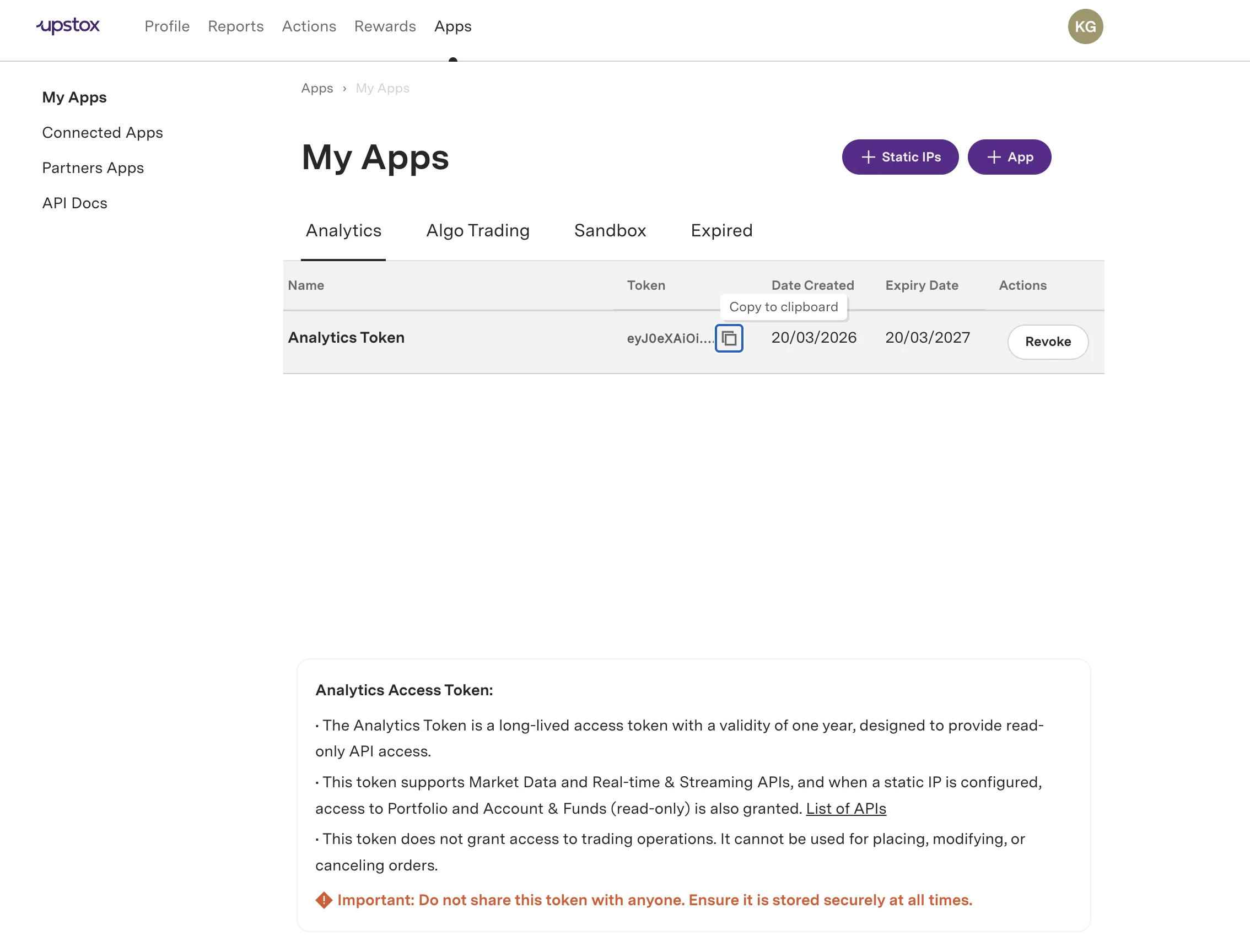
Copy the full token — Click the copy icon next to the truncated token to copy the full token value to your clipboard.